
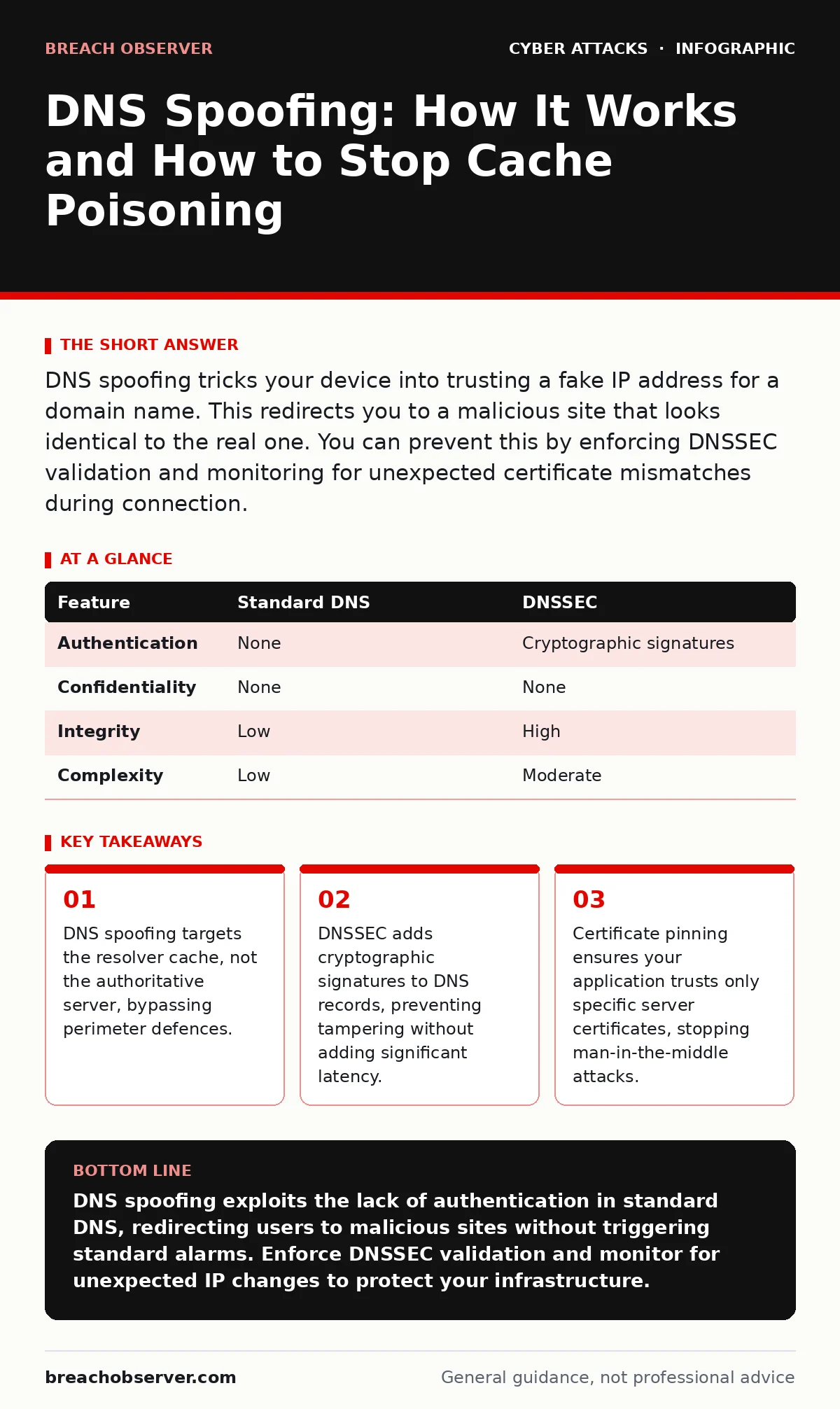
DNS spoofing tricks your device into trusting a fake IP address for a domain name. This redirects you to a malicious site that looks identical to the real one. You can prevent this by enforcing DNSSEC validation and monitoring for unexpected certificate mismatches during connection.
How does DNS spoofing actually work?
DNS spoofing, also known as DNS cache poisoning, occurs when an attacker injects false Domain Name System records into a resolver’s cache. The resolver then serves this incorrect information to users, directing them to a fraudulent IP address. This happens because the original DNS protocol lacks built-in authentication mechanisms. Your device trusts the first answer it receives, assuming it is legitimate.
Can standard firewalls detect DNS spoofing?
Standard firewalls generally cannot detect DNS spoofing because the malicious traffic often looks like normal DNS queries and responses. The firewall sees encrypted or standard UDP packets on the expected port and allows them through. The deception happens at the application layer when the browser resolves the domain. You need deep packet inspection or DNS-specific security tools to spot anomalies in query patterns.
What is the difference between spoofing and hijacking?
DNS spoofing involves poisoning the cache with fake records, while DNS hijacking typically involves compromising the router or the DNS server itself. In hijacking, the attacker changes the configuration to point all traffic to their own servers. Spoofing is more subtle because it relies on race conditions and prediction attacks rather than direct system compromise. Both result in redirected traffic, but the remediation steps differ significantly.
How do attackers predict the transaction ID?
Early DNS spoofing attacks relied on guessing the transaction ID and source port of a DNS query. Modern resolvers randomise these values to make prediction nearly impossible. Attackers now focus on amplification attacks or exploiting vulnerabilities in the resolver software itself. They may flood the server with fake responses to increase the chance that the forged packet arrives before the legitimate one. This race condition remains the primary vector for successful cache poisoning.
Does using HTTPS prevent DNS spoofing?
HTTPS encrypts the data between your browser and the server, but it does not prevent the initial DNS resolution from being spoofed. If you are redirected to a malicious server that presents a valid SSL certificate, you may still be compromised. The browser trusts the certificate authority, not the domain name resolution process. You must combine HTTPS with DNSSEC or certificate pinning to ensure you are talking to the correct server.
What is DNSSEC and why should you enable it?
DNSSEC adds a layer of digital signatures to DNS records, allowing resolvers to verify the authenticity of the data. It does not encrypt the data, but it ensures that the response has not been altered in transit. Enabling DNSSEC requires configuration changes at both the authoritative server and the resolver level. Once enabled, any attempt to inject false records will fail the cryptographic check, and the query will be rejected.
| Feature | Standard DNS | DNSSEC |
|---|---|---|
| Authentication | None | Cryptographic signatures |
| Confidentiality | None | None |
| Integrity | Low | High |
| Complexity | Low | Moderate |
How can you detect a spoofing attempt in progress?
You can detect potential spoofing by monitoring for sudden changes in IP addresses for known domains. If a critical domain resolves to a new IP without a planned change, investigate immediately. Look for increased latency or failed DNS queries during high traffic periods. Implementing continuous monitoring tools helps identify these anomalies before they impact users.
What role does certificate pinning play in defence?
Certificate pinning restricts your application to trust only specific SSL certificates, regardless of the certificate authority. This prevents an attacker from using a rogue certificate to impersonate a service. Even if DNS spoofing redirects you to a malicious server, the connection will fail because the certificate does not match the pinned one. This adds a strong layer of defence against man-in-the-middle attacks.
How does DNS filtering help or hinder security?
DNS filtering blocks requests to known malicious domains, reducing the risk of users accessing harmful sites. However, it does not protect against DNS spoofing if the attacker controls the resolution process. If the resolver returns a fake IP for a legitimate domain, filtering rules may not catch it. You must combine filtering with other controls like DNSSEC and strict access policies.
What steps should you take if you suspect spoofing?
First, flush the local DNS cache on affected devices to remove any poisoned records. Then, verify the correct IP address for the domain using a trusted external resolver. Check your logs for unusual query patterns or failed connections. If you suspect a widespread attack, isolate the affected network segment and investigate the resolver configuration. Resetting credentials may be necessary if sensitive data was transmitted.
Why is DNSSEC adoption still low despite its benefits?
DNSSEC adds complexity to DNS management, requiring careful handling of keys and signatures. Many organisations fear that misconfiguration will cause service outages. The performance overhead is minimal, but the operational burden is higher. Additionally, not all resolvers support DNSSEC validation, limiting its effectiveness. Education and better tooling are needed to drive wider adoption.
How do you secure internal DNS traffic?
Internal DNS traffic is often unencrypted, making it vulnerable to eavesdropping and spoofing on the local network. Use DNS over TLS or DNS over HTTPS to encrypt queries between clients and resolvers. This prevents attackers on the same network from intercepting or modifying DNS traffic. Ensure that your internal resolvers are configured to reject unsigned or invalid responses.
Key takeaways
- DNS spoofing targets the resolver cache, not the authoritative server, bypassing perimeter defences.
- DNSSEC adds cryptographic signatures to DNS records, preventing tampering without adding significant latency.
- Certificate pinning ensures your application trusts only specific server certificates, stopping man-in-the-middle attacks.
DNS spoofing exploits the lack of authentication in standard DNS, redirecting users to malicious sites without triggering standard alarms. Enforce DNSSEC validation and monitor for unexpected IP changes to protect your infrastructure.
Frequently asked questions
Can DNS spoofing steal my passwords?
Yes, if you are redirected to a fake login page that mimics the real site, any credentials you enter will be sent to the attacker. Always verify the URL and look for certificate warnings.
Is DNS spoofing the same as phishing?
No, phishing uses social engineering to trick you into clicking a link, while DNS spoofing manipulates the underlying network resolution. Both aim to steal information, but the technical methods differ.
Can mobile devices be affected by DNS spoofing?
Yes, mobile devices are vulnerable if they use public Wi-Fi or misconfigured cellular DNS settings. Ensure that your device uses trusted DNS resolvers and that apps enforce certificate pinning.
How this guide was produced: written by the Breach Observer editorial team with AI assistance, checked against the public references listed below, and reviewed when the facts change. See our editorial policy or report an error.