
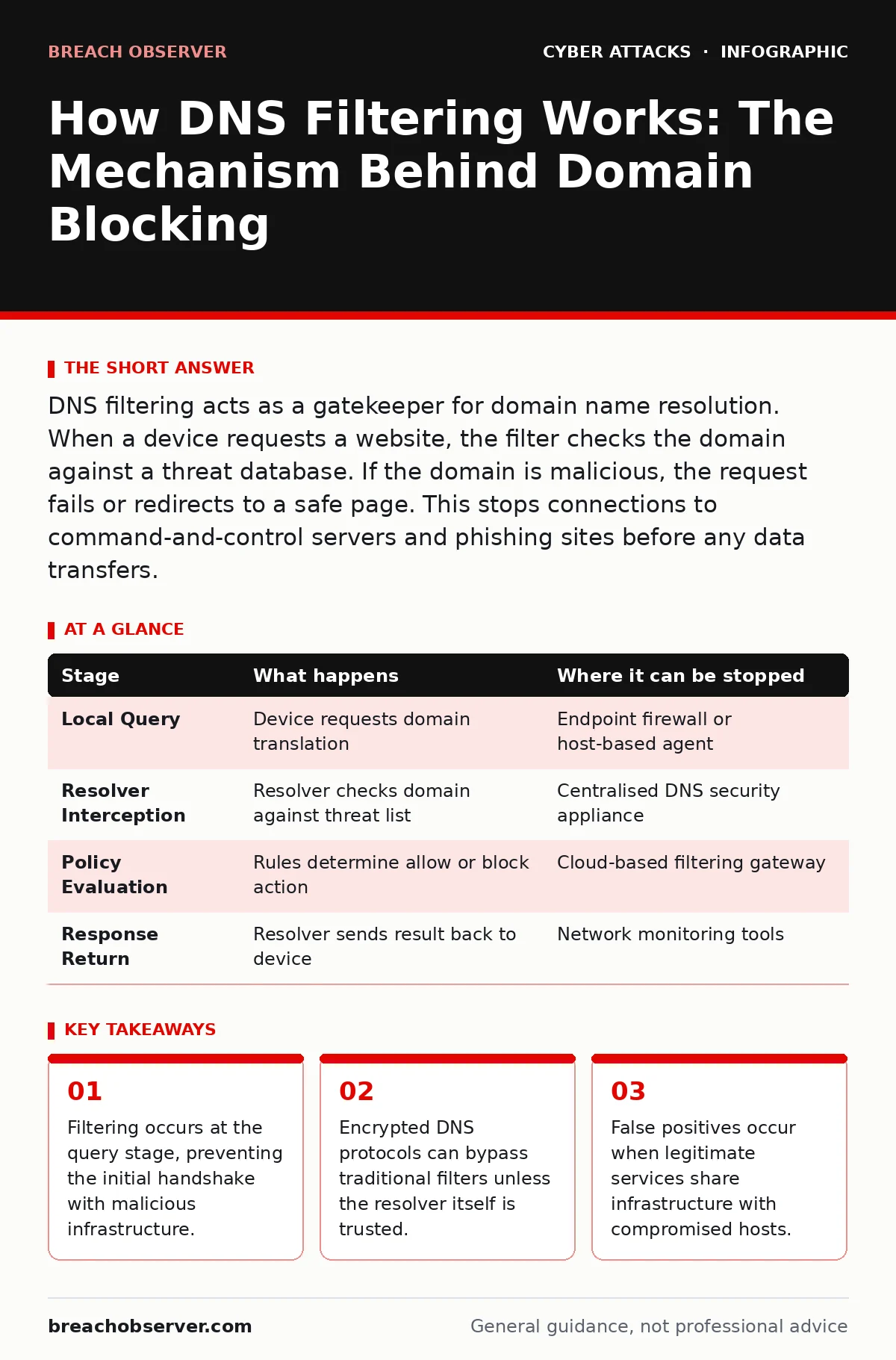
DNS filtering acts as a gatekeeper for domain name resolution. When a device requests a website, the filter checks the domain against a threat database. If the domain is malicious, the request fails or redirects to a safe page. This stops connections to command-and-control servers and phishing sites before any data transfers.
The Foundation of Name Resolution
Before a browser can load a webpage, it must translate a human-readable domain name into a numeric IP address. This translation is handled by the Domain Name System. Your organisation typically configures devices to use specific DNS resolvers. These resolvers are the starting point for all traffic filtering.
Standard operating systems cache recent lookups to speed up access. This cache holds records for a defined period. If a record expires or is missing, the system sends a query upstream. This query travels through a chain of servers until it reaches the authoritative source.
Stage 1: The Local Query Origin
The process begins on the endpoint. When you enter a URL, the operating system checks its local cache. It looks for a previous record that matches the requested domain. If a valid record exists, the system uses it immediately. No external request is made at this stage.
If the cache is empty or expired, the system constructs a DNS query packet. This packet contains the domain name and the type of record requested. It is then sent to the configured DNS resolver. This resolver is usually an internal server or a public service provided by an ISP.
This stage is quiet. It generates minimal traffic. However, the content of the query reveals intent. Security tools monitor this outbound query to determine if the domain is known to be harmful.
Stage 2: Resolver Interception
The resolver receives the query. It acts as the primary checkpoint. In a filtered environment, the resolver is not just a lookup service. It is a policy enforcement point. It compares the requested domain against a curated list of known threats.
This list includes domains associated with malware distribution, phishing campaigns, and command-and-control channels. The comparison happens in milliseconds. The resolver maintains this list through constant updates from threat intelligence feeds.
If the domain is clean, the resolver proceeds to find the IP address. It may use its own cache or query other servers. If the domain matches a threat, the resolver does not forward the query further. It prepares a negative response or a redirection packet instead.
Stage 3: Policy Evaluation and Action
The policy engine decides the fate of the query. It evaluates the domain against multiple categories. These categories might include gambling, adult content, or known malware hosts. The action depends on the category and the user's group permissions.
For malicious domains, the action is usually a block. The resolver returns a NXDOMAIN response. This tells the client that the domain does not exist. Alternatively, it may return the IP address of a safe warning page. This redirects the user without establishing a connection to the attacker.
This step prevents the TCP handshake. No connection is established to the malicious server. The threat is contained at the network edge. This is more effective than blocking after the connection starts.
| Stage | What happens | Where it can be stopped |
|---|---|---|
| Local Query | Device requests domain translation | Endpoint firewall or host-based agent |
| Resolver Interception | Resolver checks domain against threat list | Centralised DNS security appliance |
| Policy Evaluation | Rules determine allow or block action | Cloud-based filtering gateway |
| Response Return | Resolver sends result back to device | Network monitoring tools |
Stage 4: The Response Loop
The resolver sends the result back to the requesting device. If the domain was allowed, the response contains the IP address. The device stores this in its cache. It then initiates a connection to that IP address.
If the domain was blocked, the response indicates failure. The browser displays an error message. It might show a generic "Site Can't Be Reached" page. Or it might show a custom block page from your security vendor.
This feedback is immediate. The user knows the request failed. However, sophisticated attackers may use rapid domain generation algorithms. They create thousands of domains quickly. Some may slip through before the threat list updates.
See also: Threat Actors in Cybersecurity: Tactics, Profiles and Detection Strategies · What Is Threat Intelligence: How Data Becomes Defence
Hidden Costs and Bypass Techniques
DNS filtering has blind spots. It relies on the visibility of DNS queries. If those queries are encrypted, the filter cannot inspect the domain name. Protocols like DNS over HTTPS encrypt the query traffic.
Another cost is latency. Every query adds a small delay. This is usually negligible. But for high-frequency applications, it can impact performance. You must balance security with speed.
False positives also occur. A legitimate service might host a compromised subdomain. Your filter might block the entire parent domain. This disrupts business operations. You need a process for rapid whitelist requests.
Limits of Protocol-Level Protection
DNS filtering stops connections to known bad domains. It does not inspect the content of the connection. Once the IP address is known, the connection proceeds. If the domain is new or unknown, the filter allows it.
This is the zero-day gap. Attackers register new domains for campaigns. These domains have no history. Your filter has no data on them. The connection will succeed.
You need deeper inspection for this layer. Web filtering examines the HTTP traffic. It looks for malicious payloads within allowed connections. DNS filtering is the first line, not the last.
Managing Encrypted DNS Traffic
The rise of encrypted DNS protocols challenges traditional filtering. DNS over HTTPS and DNS over TLS protect privacy. They also hide queries from network devices. Your internal resolver cannot see the domain names.
To maintain security, you must control the resolver. Force devices to use your internal DNS server. Disable the option for applications to use their own resolvers. This ensures all queries pass through your policy engine.
If you allow encrypted DNS, use a trusted resolver. Choose a provider that offers security filtering. You cannot inspect the traffic, so you must trust the endpoint. This trades visibility for privacy.
Integrating with Broader Defences
DNS filtering works best when combined with other controls. It reduces the noise for your security team. Fewer malicious connections mean fewer alerts to investigate. It also supports incident response. Blocking a domain stops the infection chain.
Consider the risk of DNS spoofing. Attackers may try to fake responses. Your resolver must validate signatures. Use DNSSEC where possible. This ensures the response comes from the authoritative source.
Also, monitor for anomalies. Sudden spikes in NXDOMAIN responses may indicate malware. Devices trying to reach many non-existent domains are likely infected. Use this data to trigger isolation.
Key takeaways
- Filtering occurs at the query stage, preventing the initial handshake with malicious infrastructure.
- Encrypted DNS protocols can bypass traditional filters unless the resolver itself is trusted.
- False positives occur when legitimate services share infrastructure with compromised hosts.
Frequently asked questions
Does DNS filtering protect against IP-based attacks?
No. DNS filtering only blocks requests for specific domain names. If an attacker uses an IP address directly, the filter cannot see or block the request. You need firewall rules for IP-based threats.
Can users easily bypass DNS filtering?
Yes. Users can change their device settings to use public DNS servers. They can also use encrypted DNS protocols like DoH. To prevent this, enforce DNS settings via group policy or mobile device management.
How does DNS filtering handle new threats?
It relies on threat intelligence feeds. New domains are added to the block list as they are identified. There is a delay between discovery and blocking. Rapid domain generation can exploit this gap.
Is DNS filtering enough for full web security?
No. It stops connections to known bad domains but does not inspect traffic content. You need web filtering and endpoint protection to catch malware in allowed connections and zero-day exploits. BOTTOM LINE: DNS filtering stops threats before they connect, but encrypted protocols and new domains can bypass it. Enforce strict resolver policies and combine filtering with web content inspection for complete coverage.
How this guide was produced: written by the Breach Observer editorial team with AI assistance, checked against the public references listed below, and reviewed when the facts change. See our editorial policy or report an error.