
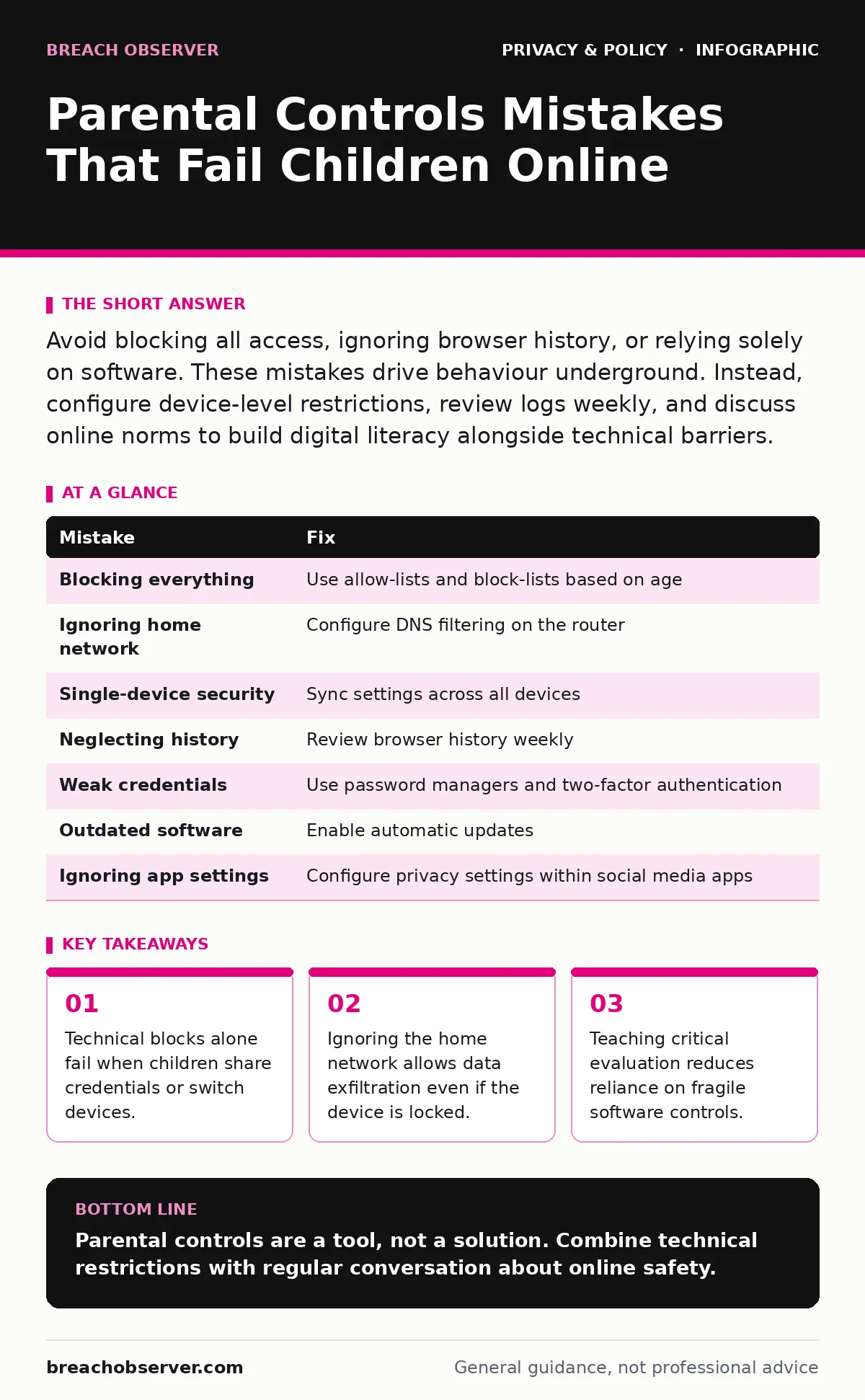
Avoid blocking all access, ignoring browser history, or relying solely on software. These mistakes drive behaviour underground. Instead, configure device-level restrictions, review logs weekly, and discuss online norms to build digital literacy alongside technical barriers.
Parental controls are often treated as a substitute for supervision. This approach creates a false sense of security. When software blocks content, the child learns to find a way around it. The goal should be reducing harm while maintaining trust.
Mistake 1: Blocking Everything Possible
Why it hurts: Total restriction removes the ability to practise judgement. Children learn to navigate the internet by trial and error. When every site is blocked, they seek unmonitored devices or ask friends for access. This drives activity into the shadows where you cannot see it. It also prevents them from learning how to identify unsafe content.
The fix: Use allow-lists for younger children and block-lists for older ones. An allow-list permits only approved sites. A block-list stops known dangerous domains. For teenagers, block only specific categories like gambling or adult content. Leave search engines and educational sites open. Discuss why certain sites are blocked. This keeps the conversation open rather than adversarial.
Mistake 2: Ignoring the Home Network Layer
Why it hurts: Device-level controls are easy to bypass. A child can simply switch to a different device or disable the control app. The home router sits between the internet and all devices. If you do not secure it, traffic flows freely regardless of device settings. This exposes every device on the network to the same risks.
The fix: Configure DNS filtering on your router. DNS filtering redirects requests for blocked domains to a safe page. This works for every device connected to the Wi-Fi. It includes smart TVs, gaming consoles and tablets. Check your router settings for parental control features or DNS options. Use a family-friendly DNS service instead of the default provider setting.
Mistake 3: Relying on Single-Device Security
Why it hurts: Children use multiple devices. A phone may have strict controls while a shared family tablet has none. This inconsistency creates gaps. Attackers or predators exploit these gaps. They know that if one door is locked, they will try another. Security must be consistent across all entry points.
The fix: Apply the same rules to every device. Use cloud-based management tools that sync settings. Ensure that the tablet, phone and computer follow the same policy. Do not leave shared devices in a "guest" mode without restrictions. Consistency reduces the cognitive load for the child. They learn that the rules apply everywhere.
Mistake 4: Neglecting Browser History and Cache
Why it hurts: Software can block sites, but it cannot always see what happens inside an allowed app. Children may use allowed messaging apps to share inappropriate content. They may visit allowed sites but navigate to harmful sub-pages. Without reviewing history, you miss these interactions. History logs provide context for behaviour.
The fix: Review browser history weekly. Do not do this daily, as it feels like surveillance. Weekly reviews allow for discussion. Look for patterns rather than individual clicks. Ask the child about unusual sites. This builds trust. Ensure that history is not deleted automatically. Configure browsers to save history for a set period.
Mistake 5: Using Weak or Shared Credentials
Why it hurts: If the child knows the admin password, the controls are useless. Many parents use simple passwords for ease of access. This makes it trivial for the child to disable restrictions. Shared credentials also mean you cannot track who made changes. You lose accountability.
The fix: Use a password manager to store complex admin passwords. Do not share the master password with the child. Change passwords regularly. Use two-factor authentication for the parental control account. This adds a layer of security. Even if the child guesses the password, they cannot log in without the second factor.
Mistake 6: Failing to Update Control Software
Why it hurts: Threats evolve rapidly. New apps and websites emerge daily. Outdated control software does not recognise these new threats. It also may have security vulnerabilities. Hackers can exploit these vulnerabilities to gain access. Regular updates patch these holes.
The fix: Enable automatic updates for all control software. Check for updates monthly if automatic is not available. Review release notes for new features. Ensure that the software supports the latest operating systems. Old software may not work with new devices. This creates blind spots.
Mistake 7: Ignoring Social Media Privacy Settings
Why it hurts: Parental controls often focus on websites. They miss social media apps. These apps have their own privacy settings. If these are not configured, personal data is exposed. This relates to social media privacy risks. Children may share location data or private messages. Software cannot always read inside encrypted apps.
The fix: Configure privacy settings within each social media app. Set profiles to private. Disable location tagging. Review friend lists regularly. Discuss who can message the child. This complements technical controls. It teaches the child to manage their own digital footprint.
| Mistake | Fix |
|---|---|
| Blocking everything | Use allow-lists and block-lists based on age |
| Ignoring home network | Configure DNS filtering on the router |
| Single-device security | Sync settings across all devices |
| Neglecting history | Review browser history weekly |
| Weak credentials | Use password managers and two-factor authentication |
| Outdated software | Enable automatic updates |
| Ignoring app settings | Configure privacy settings within social media apps |
These mistakes are common because they are easy to make. The fixes require more effort but provide better protection. Technical controls are only one part of the solution. Education and open communication are equally important.
Key takeaways
- Technical blocks alone fail when children share credentials or switch devices.
- Ignoring the home network allows data exfiltration even if the device is locked.
- Teaching critical evaluation reduces reliance on fragile software controls.
Parental controls are a tool, not a solution. Combine technical restrictions with regular conversation about online safety.
Frequently asked questions
Do parental controls work on school devices?
No, school devices have their own management systems. You cannot control them from home. Discuss internet safety with the school instead.
Can children bypass DNS filtering?
Yes, they can use mobile data or change DNS settings. Secure the device itself to prevent this. Use device-level controls alongside router settings.
Is it legal to monitor my child's internet use?
Laws vary by region. Generally, parents can monitor minors. Check local digital privacy rights for specific regulations.
How do I talk to my teen about these controls?
Explain that the goal is safety, not spying. Involve them in setting the rules. This builds trust and encourages responsible behaviour.
How this guide was produced: written by the Breach Observer editorial team with AI assistance, checked against the public references listed below, and reviewed when the facts change. See our editorial policy or report an error.