
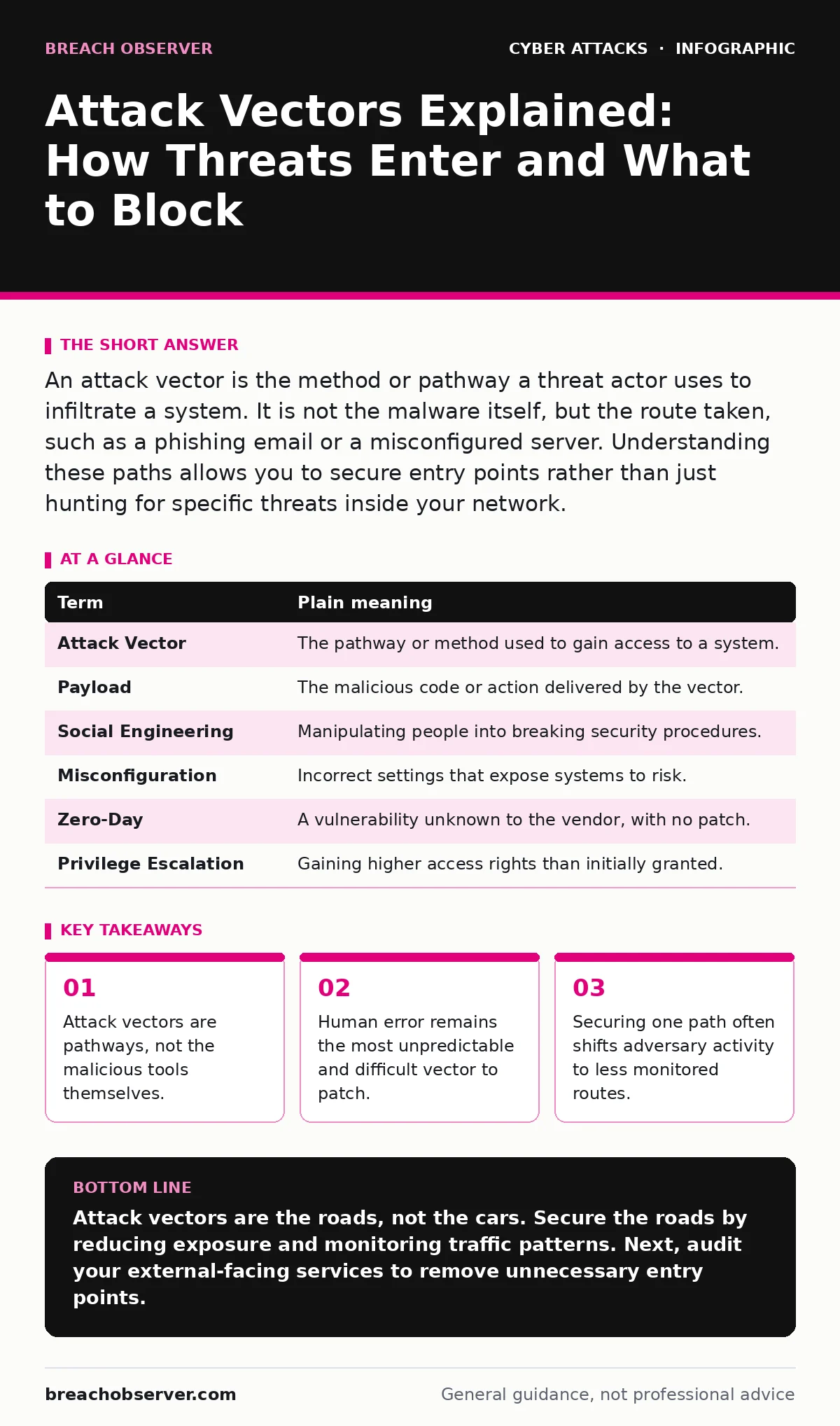
An attack vector is the method or pathway a threat actor uses to infiltrate a system. It is not the malware itself, but the route taken, such as a phishing email or a misconfigured server. Understanding these paths allows you to secure entry points rather than just hunting for specific threats inside your network.
The Building Entrance Analogy
Imagine your network is a large office building. The walls, locks, and security cameras are your defences. An attack vector is not the burglar; it is the specific way they enter. They might pick the main door lock, climb through an open window, or talk their way in with a fake delivery uniform. The burglar is the threat; the open window is the vector.
If you only focus on catching the burglar inside, you ignore the fact that the window was left open. You must secure the entry points. This distinction matters because you cannot patch a window, but you can install a lock or an alarm.
Defining the Pathway
In cybersecurity, an attack vector is the vector, or direction, through which a breach occurs. It is the mechanism that delivers the payload. The payload is the malicious code or action that causes damage. The vector is simply the delivery truck.
Confusing the two leads to wasted effort. You cannot write a software update to fix a broken delivery process. You must change the process. This is why understanding the difference between the tool and the route is fundamental to security operations.
Common Entry Points
Adversaries look for paths of least resistance. These often include email, web browsers, and physical access.
Email is a primary vector because it carries both data and commands. A malicious attachment exploits vulnerabilities in the application opening it.
Web browsing exposes systems to drive-by downloads, where code executes simply by visiting a compromised site. This relates closely to web filtering, which blocks access to known bad sites before the interaction occurs.
Physical access remains a potent vector. If an adversary can plug a device into a network port, software defences often have limited visibility.
The Human Element
Technology is only as secure as the people using it. Pretexting is a social engineering vector where an attacker creates a fabricated scenario to manipulate a victim into handing over credentials. This is not a technical hack; it is a psychological one.
You might have the strongest encryption, but if an employee gives their password to someone pretending to be IT support, the encryption is useless. This is why training must go beyond theory. It must simulate pressure and urgency, the conditions under which people make mistakes.
Configuration as a Vector
Misconfiguration is a silent vector. It is not a bug in the code, but a mistake in how the code is set up. Leaving a database accessible from the public internet is a misconfiguration.
This is often easier to exploit than hacking a complex application. Adversaries scan for these open doors constantly. DNS filtering can help here by blocking connections to known malicious domains, but it cannot fix a server that should never have been exposed in the first place.
When Defences Create New Vectors
Security controls can inadvertently create new attack vectors. This is a non-obvious consequence of hardening a system.
For example, MFA fatigue attacks exploit multi-factor authentication. The defender adds a layer of security, but the attacker simply sends repeated notifications until the user approves one out of annoyance. The security control became the vector.
Similarly, account lockout policies are designed to stop brute-force guesses. However, if not tuned correctly, an attacker can trigger lockouts on legitimate users, causing a denial of service. The defence mechanism is weaponised against the organisation.
Tracking the Chain
Attack vectors rarely exist in isolation. They are part of a chain. An adversary might use session cookie theft to hijack an active login. This avoids the need to steal passwords entirely.
This is why visibility is key. You must see the chain of events, not just the final breach. If you only look for stolen passwords, you will miss the cookie theft. This connects to the broader topic of DNS spoofing, where an attacker redirects traffic to a fake server to capture those cookies.
Mini Glossary
| Term | Plain meaning |
|---|---|
| Attack Vector | The pathway or method used to gain access to a system. |
| Payload | The malicious code or action delivered by the vector. |
| Social Engineering | Manipulating people into breaking security procedures. |
| Misconfiguration | Incorrect settings that expose systems to risk. |
| Zero-Day | A vulnerability unknown to the vendor, with no patch. |
| Privilege Escalation | Gaining higher access rights than initially granted. |
Try This Now
- Map your external-facing services. List every service accessible from the internet and verify if it truly needs to be public.
- Review your logging. Ensure you are capturing authentication attempts, not just successful logins, to detect brute-force patterns.
- Test your incident response. Simulate a breach via a common vector, such as a phishing email, to see if your detection triggers correctly.
Key takeaways
- Attack vectors are pathways, not the malicious tools themselves.
- Human error remains the most unpredictable and difficult vector to patch.
- Securing one path often shifts adversary activity to less monitored routes.
Attack vectors are the roads, not the cars. Secure the roads by reducing exposure and monitoring traffic patterns. Next, audit your external-facing services to remove unnecessary entry points.
Frequently asked questions
Is an attack vector the same as a vulnerability?
No. A vulnerability is a weakness in the system, like an unlocked door. The attack vector is the act of walking through that door. One is a state; the other is an action.
Can an attack vector be physical?
Yes. Physical access allows an adversary to bypass many digital controls. This includes stealing hardware, plugging in malicious devices, or observing screen content.
How do I stop all attack vectors?
You cannot stop all vectors. You must reduce the attack surface by closing unnecessary paths and increasing detection speed for the ones you cannot close.
What is the most common attack vector today?
Email remains a dominant vector due to its ubiquity and the ease of social engineering. It combines technical delivery with psychological manipulation.
How this guide was produced: written by the Breach Observer editorial team with AI assistance, checked against the public references listed below, and reviewed when the facts change. See our editorial policy or report an error.