
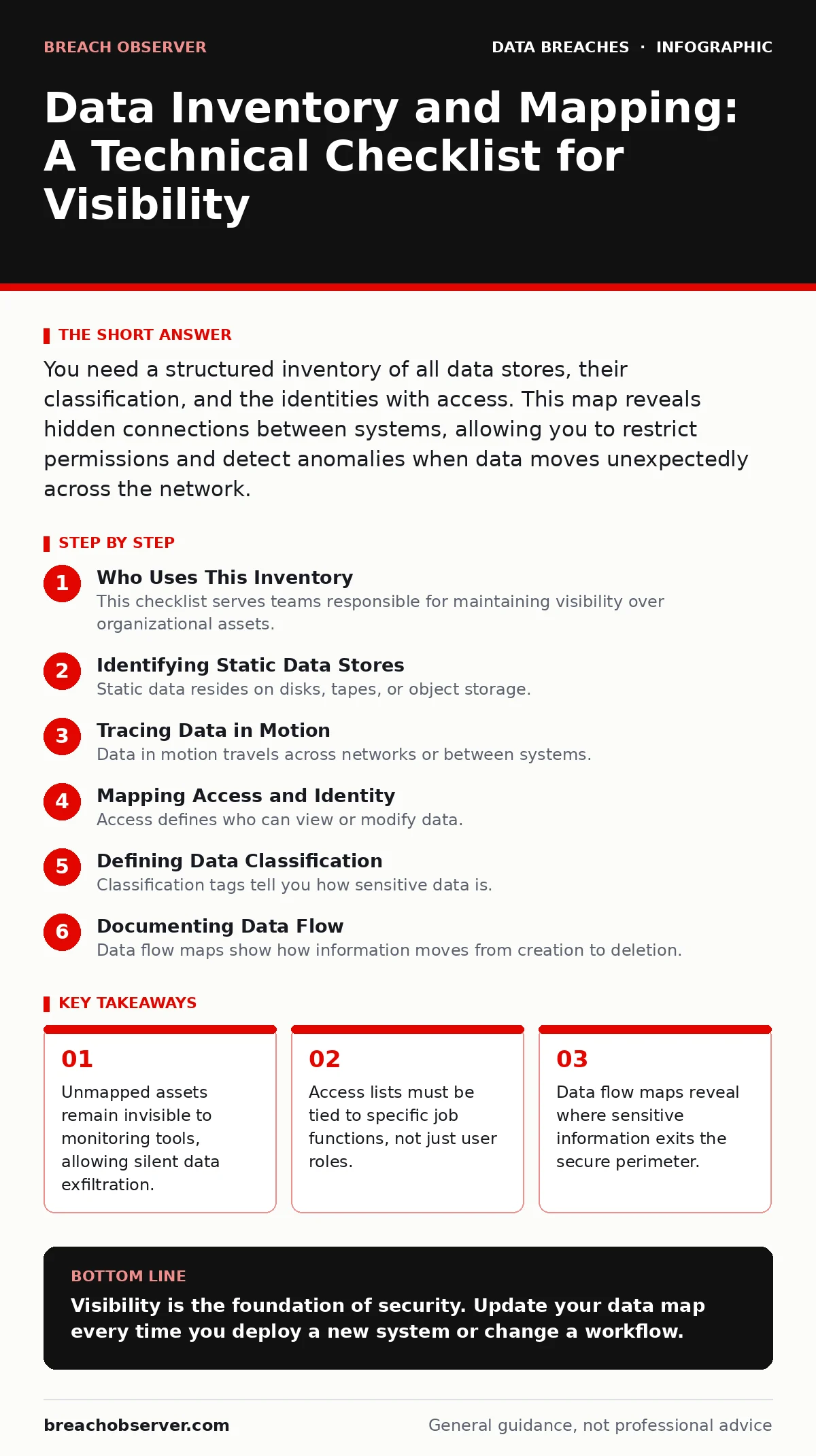
You need a structured inventory of all data stores, their classification, and the identities with access. This map reveals hidden connections between systems, allowing you to restrict permissions and detect anomalies when data moves unexpectedly across the network.
Who Uses This Inventory
This checklist serves teams responsible for maintaining visibility over organizational assets. You are not merely listing servers or databases. You are mapping the relationships between data, the systems that host it, and the people or processes that touch it. Without this map, you cannot define what normal behaviour looks like. You cannot detect an anomaly if you do not know the baseline. Use this list to audit your current state, not to design a perfect future state.
Identifying Static Data Stores
Static data resides on disks, tapes, or object storage. It does not move unless explicitly transferred. You must identify every repository that holds persistent information. This includes databases, file shares, and archived backups. Each entry needs a clear owner and a classification label. If you do not know who owns the data, you cannot enforce retention policies or access controls.
- Primary relational databases: These hold structured records that often contain identifiers.
- Object storage buckets: These store unstructured files that may leak via misconfiguration.
- File servers and shares: These are common targets for ransomware encryption attacks.
- Archive and cold storage: Forgotten data here often lacks modern security controls.
- Local device storage: Endpoints cache data that may fall outside central policies.
Tracing Data in Motion
Data in motion travels across networks or between systems. It exists in packets, API calls, or encrypted tunnels. You must map the paths this data takes. A packet capture might show traffic, but it will not tell you what the traffic means. You need to know which application sends which data type to which destination. If a marketing tool sends customer emails to a third-party analytics service, that flow must be recorded.
- API endpoints: These are the doors through which applications exchange structured data.
- Email gateways: These filter outgoing messages but often miss embedded sensitive files.
- Web application firewalls: These inspect traffic but do not always log payload content.
- Inter-system transfers: These include scheduled jobs that copy data between environments.
- Mobile device syncs: These connect remote devices to central servers over public networks.
Mapping Access and Identity
Access defines who can view or modify data. Identity systems manage these permissions. You must link every access right to a specific human or service account. Group permissions often hide excessive privileges. A user might belong to a "developers" group that grants write access to production databases, even if they only need read access for testing. This gap allows a compromised account to escalate privileges silently.
- Human user accounts: These require regular review to remove former employees.
- Service accounts: These run automated tasks and often have broad, long-lived access.
- Application roles: These define what software can do within a database or API.
- Third-party vendor access: External partners often need temporary access that never expires.
- Administrative privileges: These accounts can bypass standard logging and controls.
Defining Data Classification
Classification tags tell you how sensitive data is. It dictates the security controls applied. You cannot protect everything equally. Resources are limited. You must prioritize high-value data. If you label everything as "confidential," you dilute the meaning of the tag. Analysts will ignore alerts because they assume every breach is equally critical. Clear tiers allow you to apply stricter controls where they matter most.
- Public data: This information is intended for external consumption and marketing.
- Internal use only: This data supports operations but does not cause harm if leaked.
- Confidential: This includes trade secrets and non-public operational details.
- Highly confidential: This contains regulated personal information or financial records.
- Restricted: This data requires encryption at rest and in transit at all times.
See also: What Is Token Theft: How Stealing Access Tokens Bypasses Authentication · Stop Broken Access Control: Practical Prevention Measures
Documenting Data Flow
Data flow maps show how information moves from creation to deletion. This includes transformations, such as anonymisation or aggregation. You must record where data resides at each stage. If you aggregate data from multiple sources, the resulting dataset may inherit the highest classification. A map reveals where this aggregation happens. It also shows where data might be duplicated unnecessarily, increasing the attack surface.
- Ingestion points: These are the entry doors for new data into your systems.
- Processing engines: These transform raw data into usable formats or insights.
- Storage destinations: These hold the final output for reporting or archival.
- Exfiltration points: These are where data leaves the organisation, intentionally or not.
- Deletion triggers: These events remove data when it is no longer needed or legal.
Validating the Map
A map is only useful if it is current. Systems change. New applications are deployed. Old ones are decommissioned. Your inventory must reflect reality. Automated discovery tools can help, but they often miss shadow IT. You must combine technical scans with manual interviews. Ask teams what tools they use. Check for personal cloud storage accounts used for work. These gaps are where breaches often start.
- Automated discovery scans: These find known devices and open ports on the network.
- Manual interviews: These uncover informal processes and undocumented tools.
- Log correlation: This verifies that recorded flows match actual traffic patterns.
- Permission audits: These check if access rights match the documented job functions.
- Periodic reviews: These ensure the map updates as the environment changes.
Key takeaways
- Unmapped assets remain invisible to monitoring tools, allowing silent data exfiltration.
- Access lists must be tied to specific job functions, not just user roles.
- Data flow maps reveal where sensitive information exits the secure perimeter.
Visibility is the foundation of security. Update your data map every time you deploy a new system or change a workflow.
Frequently asked questions
How often should I update my data inventory?
Update it continuously through automated tools, but conduct a full manual review at least quarterly to catch shadow IT and permission drift.
Does this replace data classification?
No. Classification tells you what to protect. Inventory tells you where it is. You need both to apply controls effectively.
What if I find data I did not know existed?
Classify it immediately, restrict access to the minimum required, and determine if it should be deleted or moved to a secure store.
Can automation replace manual mapping?
Automation finds known assets. Manual processes discover informal tools and undocumented workflows that scanners miss.
How this guide was produced: written by the Breach Observer editorial team with AI assistance, checked against the public references listed below, and reviewed when the facts change. See our editorial policy or report an error.