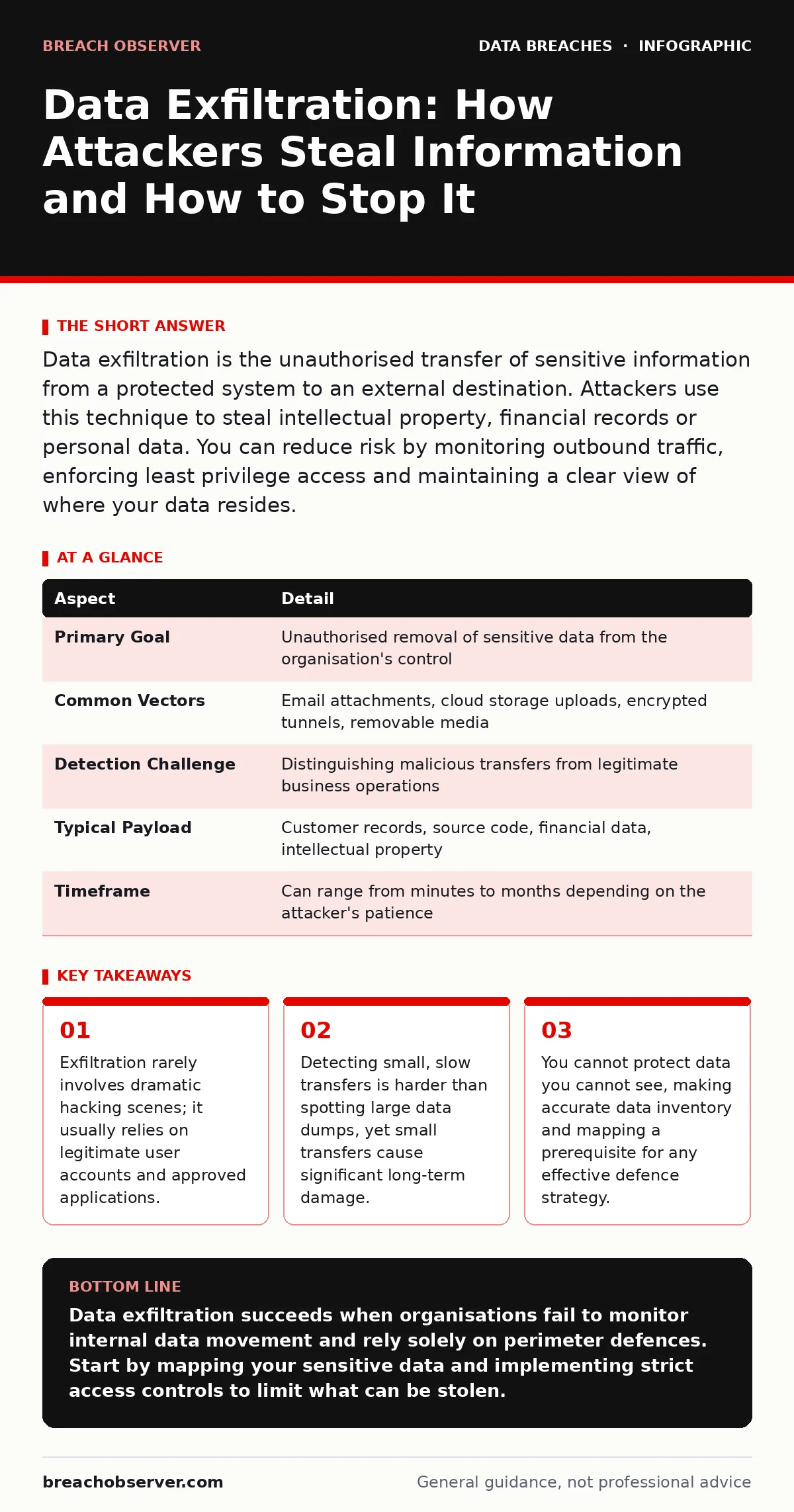
Data exfiltration is the unauthorised transfer of sensitive information from a protected system to an external destination. Attackers use this technique to steal intellectual property, financial records or personal data. You can reduce risk by monitoring outbound traffic, enforcing least privilege access and maintaining a clear view of where your data resides.
The Mechanics of Silent Theft
Imagine a thief who does not break a window but walks out the front door carrying a single envelope every day for a year. By the time the loss is noticed, the inventory is gone, and the thief has vanished. Data exfiltration operates on this principle of patience and camouflage. It is the unauthorised movement of data from a secure network to an unauthorised external location. The goal is not to destroy the data but to copy it and remove it from your control.
The process typically begins after an attacker has already gained access to your systems. They do not need to break in again; they simply need to find a way out. This second phase is often more dangerous than the initial breach because it requires the attacker to blend in with normal network activity. They avoid triggering alarms by using standard protocols and mimicking legitimate user behaviour.
| Aspect | Detail |
|---|---|
| Primary Goal | Unauthorised removal of sensitive data from the organisation's control |
| Common Vectors | Email attachments, cloud storage uploads, encrypted tunnels, removable media |
| Detection Challenge | Distinguishing malicious transfers from legitimate business operations |
| Typical Payload | Customer records, source code, financial data, intellectual property |
| Timeframe | Can range from minutes to months depending on the attacker's patience |
Common Channels for Data Removal
Attackers prefer channels that are already trusted by your security tools. Email remains one of the most popular methods. An attacker will compress sensitive files into an archive, encrypt it to hide the contents, and send it to a personal account or a service they control. Because email is a core business function, security filters often allow these messages through, especially if the recipient appears legitimate.
Cloud storage services present another significant risk. Employees often use personal cloud accounts to share files for convenience. Attackers exploit this habit by uploading stolen data to these platforms. The traffic looks like normal web browsing, and the data leaves the corporate environment through a channel that is difficult to block without disrupting productivity. This is why understanding the difference between approved and shadow IT is vital for your security posture.
Physical devices also offer a direct path for exfiltration. If an attacker can physically access a device, or if an employee brings an infected laptop into the office, data can be copied to a USB drive. This method bypasses network monitoring entirely. It highlights the importance of device control policies that restrict the use of unauthorised removable media. Without these controls, the network perimeter becomes irrelevant for data protection.
Who Bears the Cost of Loss
Data exfiltration affects every organisation that holds valuable information. Small businesses are often targeted because they may lack sophisticated monitoring tools, making the theft easier and faster. Large enterprises are targeted for the volume and quality of data they hold. The impact is not limited to financial loss. Reputational damage can erode customer trust and lead to long-term market share decline.
Regulatory bodies impose strict penalties for failing to protect personal data. When exfiltration occurs, you must notify regulators and affected individuals. This process requires clear incident communication plans to manage the fallout. Without these plans, your response becomes chaotic, leading to further legal complications and public relations crises. The cost of remediation often exceeds the initial value of the stolen data.
What People Usually Get Wrong
Many organisations believe that firewalls and antivirus software are sufficient to prevent data loss. This is a fundamental misunderstanding of how modern threats operate. Firewalls control access to and from the network, but they do not inspect the content of every file being transferred. Antivirus tools detect known malware signatures, but exfiltration often uses legitimate tools and manual techniques that do not match any signature.
Another common mistake is assuming that only external attackers are a threat. Insider threats, whether malicious or accidental, are a major cause of data leakage. Employees may share data with unauthorised parties or fall for phishing scams that grant attackers access. You must treat internal traffic with the same scrutiny as external traffic. This means monitoring for unusual data access patterns, such as a user downloading large amounts of data at odd hours.
Strategies to Reduce Exposure
The first step in reducing risk is knowing what you have. You cannot protect data you cannot see. Implementing a thorough data inventory and mapping process allows you to classify information based on sensitivity. This classification helps you apply appropriate controls. For example, you might restrict access to highly sensitive files while allowing broader access to public information. This approach reduces the attack surface by limiting what an attacker can reach.
Monitoring outbound traffic is critical for detection. You need to establish a baseline of normal network behaviour. Deviations from this baseline, such as large data transfers to unknown destinations or connections to unusual ports, should trigger alerts. Machine learning tools can help identify these anomalies, but human analysis is still required to determine if the activity is malicious. This balance between automation and human oversight improves detection accuracy.
See also: What Is Token Theft: How Stealing Access Tokens Bypasses Authentication · Stop Broken Access Control: Practical Prevention Measures
The Role of Access Control
Least privilege access is a foundational principle for preventing exfiltration. Users should only have access to the data they need to perform their jobs. This limits the amount of data an attacker can steal if they compromise an account. Regularly reviewing access rights ensures that employees who change roles or leave the organisation do not retain unnecessary privileges. This reduces the risk of credential leaks being exploited for long-term data theft.
Multi-factor authentication adds another layer of security. Even if an attacker obtains a password, they cannot access the account without the second factor. This significantly reduces the risk of account takeover. However, multi-factor authentication does not protect against insider threats or compromised devices. You must combine it with other controls, such as device management and user behaviour analytics, to create a defence-in-depth strategy.
Preparing for the Inevitable
Despite your best efforts, exfiltration may still occur. Having effective backup strategies ensures that you can recover from data destruction or ransomware attacks that often accompany exfiltration. Backups should be stored offline or in a separate environment to prevent attackers from encrypting or deleting them. Regular testing of backup restoration processes is essential to ensure they work when needed.
Incident response plans should include specific procedures for data exfiltration. These plans outline who does what, when, and how. They help you contain the breach, assess the damage and communicate with stakeholders. Regular drills keep your team prepared and identify gaps in your response. Preparation reduces the time it takes to react, which can limit the extent of the damage and the associated costs.
Key takeaways
- Exfiltration rarely involves dramatic hacking scenes; it usually relies on legitimate user accounts and approved applications.
- Detecting small, slow transfers is harder than spotting large data dumps, yet small transfers cause significant long-term damage.
- You cannot protect data you cannot see, making accurate data inventory and mapping a prerequisite for any effective defence strategy.
Data exfiltration succeeds when organisations fail to monitor internal data movement and rely solely on perimeter defences. Start by mapping your sensitive data and implementing strict access controls to limit what can be stolen.
Frequently asked questions
Can encrypted data be exfiltrated?
Yes, attackers can copy encrypted files. If they later obtain the decryption keys or if the data is decrypted during normal use, they can access the contents. Encryption protects storage but not necessarily access.
How do I distinguish between legitimate and malicious data transfers?
Look for anomalies in volume, timing and destination. Large transfers to unknown cloud services or unusual ports are red flags. Establishing a baseline of normal user behaviour helps identify these deviations.
Does multi-factor authentication prevent data exfiltration?
It prevents unauthorised account access, which is a common entry point for exfiltration. However, it does not stop an attacker who already has access or an insider with valid credentials from stealing data.
What is the most effective way to detect exfiltration?
Continuous monitoring of outbound traffic combined with user behaviour analytics. Detecting slow, small-scale transfers is as important as spotting large data dumps.
How this guide was produced: written by the Breach Observer editorial team with AI assistance, checked against the public references listed below, and reviewed when the facts change. See our editorial policy or report an error.