
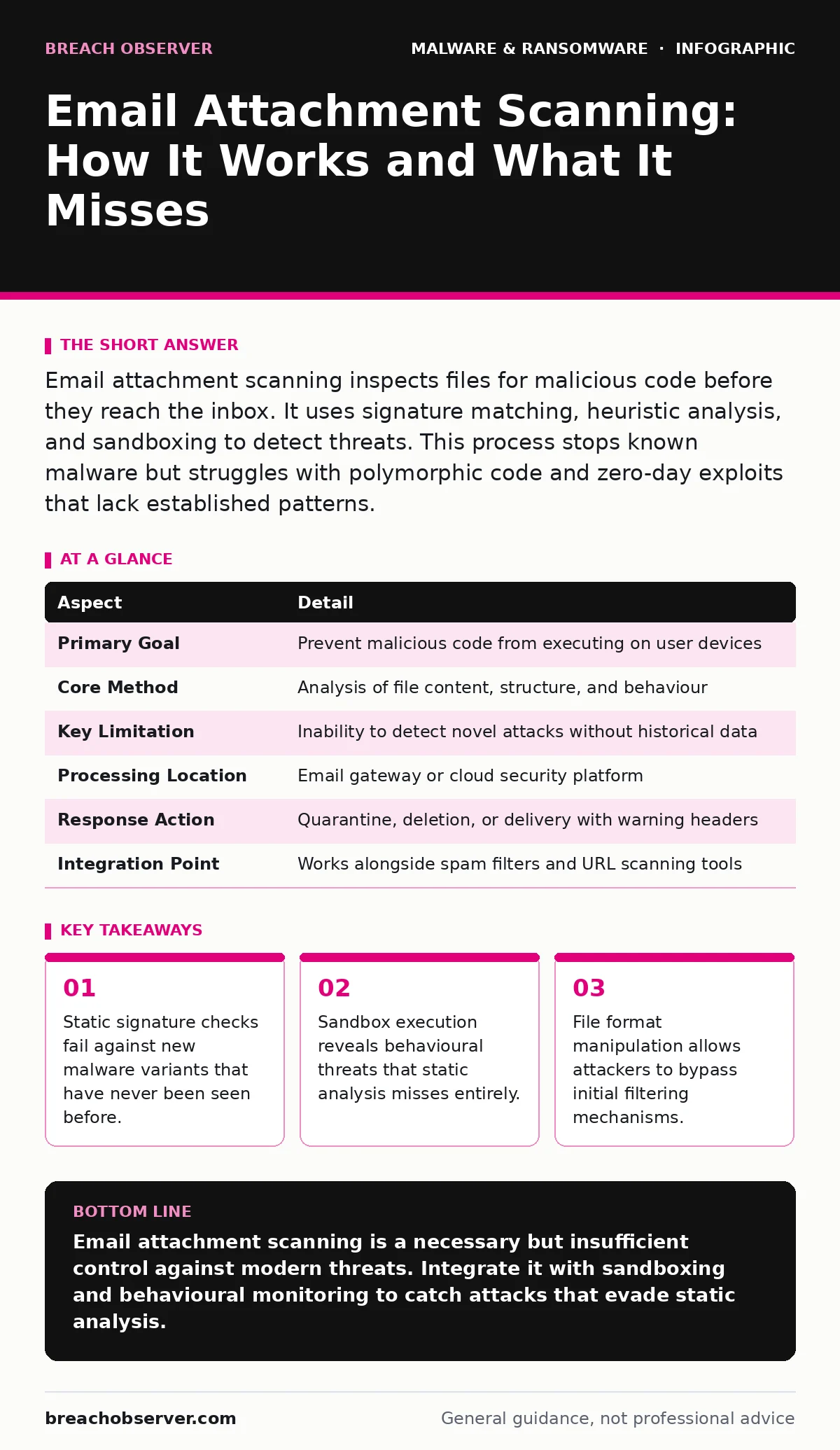
Email attachment scanning inspects files for malicious code before they reach the inbox. It uses signature matching, heuristic analysis, and sandboxing to detect threats. This process stops known malware but struggles with polymorphic code and zero-day exploits that lack established patterns.
The Post Office Analogy for Digital Threats
Imagine a busy post office sorting centre. Every letter passes through a X-ray machine that looks for dangerous shapes. This is static scanning. It compares the shape of the item against a database of known weapons. If the shape matches, the item is rejected. This works well for standard threats. It fails when someone wraps a weapon in soft material or hides it inside a legitimate package. The scanner sees only the outer shape. It cannot see the intent or the mechanism inside. Email attachment scanning operates on similar principles but with digital files instead of physical objects.
What Email Attachment Scanning Actually Does
Email attachment scanning is the automated inspection of files attached to messages before those messages are delivered to user inboxes. The primary purpose is to intercept malicious payloads that rely on social engineering to trigger execution. Attackers often hide executables, scripts, or macros within common document formats. The scanner examines the file structure, metadata, and content to determine if the file poses a risk. This process happens on the server side, often before the message even reaches the local mail client. It acts as a perimeter control, reducing the attack surface exposed to end users.
The mechanism solves the problem of mass-distribution malware. Without scanning, every user becomes a potential entry point for ransomware or data theft. By filtering at the gateway, organisations reduce the cognitive load on staff. Users do not need to manually inspect every file. The system handles the initial triage. This allows human analysts to focus on complex incidents rather than routine noise.
| Aspect | Detail |
|---|---|
| Primary Goal | Prevent malicious code from executing on user devices |
| Core Method | Analysis of file content, structure, and behaviour |
| Key Limitation | Inability to detect novel attacks without historical data |
| Processing Location | Email gateway or cloud security platform |
| Response Action | Quarantine, deletion, or delivery with warning headers |
| Integration Point | Works alongside spam filters and URL scanning tools |
The Three Layers of Inspection
Effective scanning relies on three distinct methods working in tandem. Relying on only one layer creates gaps that sophisticated attackers exploit. Each layer addresses different types of threats and has specific trade-offs regarding speed and accuracy.
- Signature-based detection: This method compares file hashes and code patterns against a database of known malware. It is fast and has a low false-positive rate. It fails completely against new threats that have no existing signature. This is the equivalent of recognising a criminal by their face. If the criminal wears a mask, this method fails.
- Heuristic analysis: This looks for suspicious characteristics rather than exact matches. It flags files with unusual compression, hidden sections, or obfuscated code. Heuristics catch variants of known malware but generate more false positives. You must tune these rules carefully to avoid blocking legitimate business documents.
- Sandboxing: This executes the file in a isolated, virtual environment. It observes the behaviour of the file in real-time. Does it try to modify system files? Does it contact external command-and-control servers? Sandboxing catches zero-day attacks and fileless malware. It is the most thorough method but adds latency to email delivery.
Where Scanning Fits in the Defence Stack
Email attachment scanning does not operate in isolation. It is one component of a layered security strategy. If you treat it as a silver bullet, you create a false sense of security. The scanner must work with other controls to provide meaningful protection.
Spam filters reduce the volume of messages reaching the scanner. They block obvious phishing attempts and bulk mail. This allows the attachment scanner to focus on targeted, high-value threats. URL scanning complements attachment scanning by inspecting links within the email body. Many attacks use a combination of a safe attachment and a malicious link. You need both controls active.
Identity and access management controls limit the damage if a file does get through. If a user clicks a malicious link, strong authentication prevents lateral movement. Endpoint detection and response tools monitor the device after the email is opened. They catch threats that bypassed the gateway. This is similar to how malware droppers and loaders operate; they often bypass initial filters and rely on endpoint activity to establish persistence. Understanding this relationship helps you prioritise investments in gateway versus endpoint controls.
Common Misconceptions About Scanning
Many security teams misunderstand what attachment scanning can and cannot do. These misconceptions lead to configuration errors and alert fatigue. Correcting these views improves the overall effectiveness of your defences.
The first misconception is that scanning guarantees safety. It does not. Advanced persistent threats often use living-off-the-land binaries or scripts that look like legitimate system tools. The scanner cannot distinguish between a malicious PowerShell script and a legitimate administrative script based on content alone. The context is missing.
The second misconception is that file type blocking is sufficient. Blocking all .exe files seems logical but breaks business workflows. Attackers quickly adapt by using allowed file types like .pdf, .docx, or .xlsx. They embed malicious macros or exploit vulnerabilities in the rendering engine. Blocking extensions is a blunt instrument that causes friction without stopping determined adversaries.
The third misconception is that sandboxing is always better. Sandboxing adds time to email delivery. For time-sensitive communications, this latency is unacceptable. Additionally, some malware detects virtual environments and behaves differently. It may remain dormant if it senses it is being watched. This is known as anti-analysis techniques. You must balance thoroughness with usability.
The Hidden Costs of False Positives
Every security control has a cost. For attachment scanning, the cost is often measured in productivity loss. When legitimate files are blocked, users become frustrated. They may bypass security controls to get their work done. This creates new vulnerabilities.
False positives occur when the scanner mistakes a benign file for malware. This happens frequently with complex documents, such as those containing embedded fonts, macros, or unusual formatting. Tuning the scanner to reduce false positives requires constant maintenance. You must review quarantined files regularly and update allow-lists.
This maintenance burden falls on the security operations team. If the team is overwhelmed, they may lower the sensitivity of the scanner to reduce noise. This increases the risk of missing real threats. You must find the right balance between security and usability. Automating the review process where possible helps manage this load.
Integration with Broader Security Frameworks
Attachment scanning must integrate with other security tools to provide context. A file flagged by the scanner should trigger alerts in the security information and event management system. This allows analysts to correlate the event with other activities.
For example, if a user receives a suspicious attachment and then attempts to access sensitive data, the correlation engine flags this as high risk. This contextual awareness is vital for detecting sophisticated attacks. It moves beyond simple file inspection to behavioural analysis.
Consider how ransomware-as-a-service operators structure their campaigns. They often send multiple lures to different targets. Some may be caught by scanning, while others slip through. By integrating scanning data with threat intelligence, you can identify the campaign pattern even if individual emails appear benign. This holistic view is necessary for modern defence.
Key takeaways
- Static signature checks fail against new malware variants that have never been seen before.
- Sandbox execution reveals behavioural threats that static analysis misses entirely.
- File format manipulation allows attackers to bypass initial filtering mechanisms.
- Integration with broader security stacks prevents isolated detection failures.
Email attachment scanning is a necessary but insufficient control against modern threats. Integrate it with sandboxing and behavioural monitoring to catch attacks that evade static analysis.
Frequently asked questions
Does email attachment scanning protect against phishing?
It protects against the payload in the attachment, not the deceptive content of the email body. You need separate phishing detection and user training to address the social engineering aspect.
Can attackers bypass email attachment scanning?
Yes, by using encryption, obfuscation, or zero-day exploits that lack known signatures. Sandboxing and behavioural analysis reduce but do not eliminate this risk.
How do I reduce false positives in attachment scanning?
Tune heuristic rules based on your organisation's specific file types. Regularly review quarantined items and update allow-lists for trusted senders and file patterns.
Is sandboxing safe for all file types?
Sandboxing is generally safe as it runs in an isolated environment. However, some file types may not execute correctly in the sandbox, leading to missed detections or false negatives.
How this guide was produced: written by the Breach Observer editorial team with AI assistance, checked against the public references listed below, and reviewed when the facts change. See our editorial policy or report an error.