
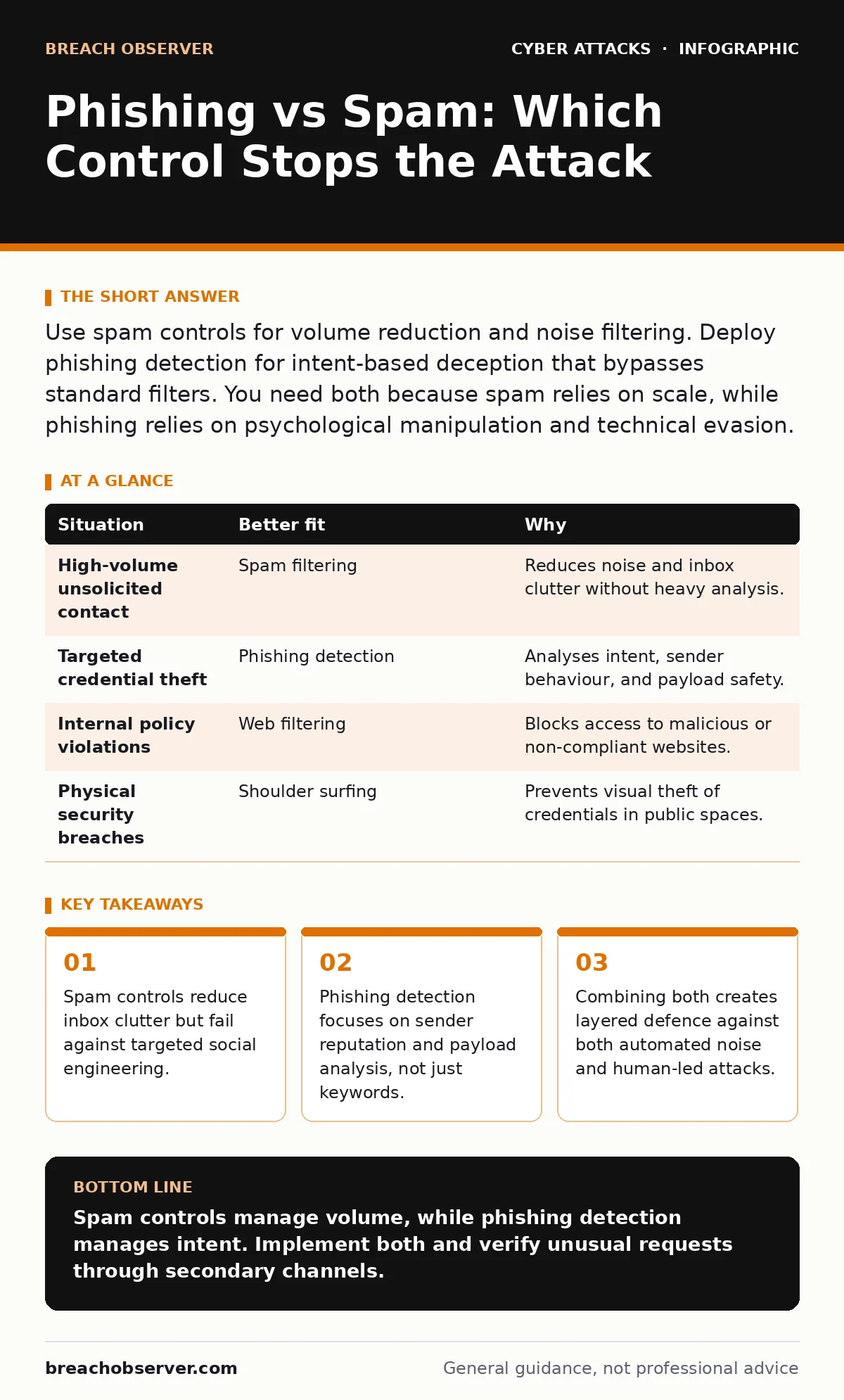
Use spam controls for volume reduction and noise filtering. Deploy phishing detection for intent-based deception that bypasses standard filters. You need both because spam relies on scale, while phishing relies on psychological manipulation and technical evasion.
Volume Versus Intent
Spam is unsolicited bulk messaging. Its primary characteristic is volume. The goal is often commercial or nuisance-driven. Phishing is deceptive communication designed to steal credentials or install malware. It relies on intent and precision. The message mimics a trusted source to trigger a specific action.
You cannot treat these as the same problem. Spam filters operate on statistical likelihood and keyword matching. Phishing controls must analyse context, sender behaviour, and payload safety. If you apply spam rules to phishing, you miss the subtle cues of social engineering. If you apply phishing rules to spam, your systems collapse under the weight of false positives.
The Sender Reputation Check
Does the sender have a verifiable history? Spam often originates from disposable or newly registered domains. These sources lack a reputation history. Phishing attempts frequently impersonate legitimate brands. The sender address may look familiar but contain subtle typos or look-alike domains.
Standard email authentication protocols like SPF, DKIM, and DMARC help verify sender identity. However, sophisticated attackers bypass these by compromising legitimate accounts. This is known as account takeover. When a trusted user sends a malicious message, reputation checks pass. You must look beyond the header. Examine the relationship between the sender and the recipient. Is this communication expected? Does the context match recent business activities?
The Call to Action Analysis
What does the message ask you to do? Spam usually asks for attention, sales, or clicks to low-value landing pages. The urgency is artificial. Phishing creates genuine urgency. It demands immediate password resets, invoice payments, or document reviews. The psychological pressure is the weapon.
The link destination is critical. Spam links often lead to generic marketing pages. Phishing links lead to credential harvesting sites that mimic login portals. These sites are designed to capture input in real-time. Even if the URL appears legitimate, the underlying certificate may be newly issued. Certificate transparency logs can reveal this. You must inspect the certificate age and issuer, not just the domain name.
Imagine an employee receiving an email from their CEO requesting urgent wire transfers. The sender is real. The domain is correct. The content is persuasive. This is not spam. It is high-impact phishing. Standard filters see a valid sender and allow it through. Human verification is the only effective control here.
Payload and Attachment Inspection
Does the message contain executable content? Spam rarely includes attachments due to storage costs and filtering ease. Phishing frequently uses attachments to deliver malware. These files may be disguised as invoices, resumes, or shipping documents. The file extension might be hidden or spoofed.
Modern endpoint detection and response systems sandbox these files. They execute the attachment in an isolated environment to observe behaviour. If the file attempts to modify system settings or connect to external servers, it is blocked. This method catches zero-day exploits that signature-based antivirus misses. However, some phishing attacks use no attachments. They rely entirely on the link. You must balance inspection depth with user productivity. Overly aggressive scanning can delay legitimate business communications.
Situation-Based Control Selection
Different environments face different risks. A public-facing marketing team receives high volumes of unsolicited contact. A finance team receives targeted requests for payment. The control strategy must match the threat profile.
| Situation | Better fit | Why |
|---|---|---|
| High-volume unsolicited contact | Spam filtering | Reduces noise and inbox clutter without heavy analysis. |
| Targeted credential theft | Phishing detection | Analyses intent, sender behaviour, and payload safety. |
| Internal policy violations | Web filtering | Blocks access to malicious or non-compliant websites. |
| Physical security breaches | Shoulder surfing | Prevents visual theft of credentials in public spaces. |
Combining Controls for Depth
No single control stops all attacks. Spam filters reduce the attack surface by removing obvious noise. This allows phishing detection systems to focus on suspicious messages that slipped through. The two controls complement each other. Spam controls handle quantity. Phishing controls handle quality and intent.
You should also consider related threats. Payroll diversion fraud often follows a successful phishing attack. Attackers use stolen credentials to redirect funds. DNS spoofing can redirect users to fake sites even if the phishing email is blocked. DNS filtering helps mitigate this by blocking known malicious domains. Session cookie theft allows attackers to hijack active sessions without needing passwords. Account lockout policies limit the damage of brute-force attempts following credential theft.
Integrate these controls into a unified security information and event management system. Correlate events across email, network, and endpoint logs. A single suspicious email may be harmless. But an email followed by a login from a new location and a change in payment details is an attack. Context is the key to detection.
The Human Element
Technology has limits. Attackers adapt. They use artificial intelligence to generate convincing text. They use legitimate cloud services to host malicious content. The human element remains the final line of defence. Training must focus on recognition of intent, not just spotting bad grammar.
Encourage a culture of verification. If a request seems unusual, verify through a secondary channel. Do not reply to the email. Call the sender using a known number. This simple step breaks the attack chain. Pretexting attacks rely on the assumption that you will not verify. Challenge that assumption.
Key takeaways
- Spam controls reduce inbox clutter but fail against targeted social engineering.
- Phishing detection focuses on sender reputation and payload analysis, not just keywords.
- Combining both creates layered defence against both automated noise and human-led attacks.
Spam controls manage volume, while phishing detection manages intent. Implement both and verify unusual requests through secondary channels.
Frequently asked questions
Can spam filters block all phishing attempts?
No, spam filters focus on volume and keywords, missing sophisticated social engineering and targeted attacks that mimic trusted senders.
Why do I need phishing detection if I have spam filters?
Phishing detection analyses context, sender behaviour, and payload safety, catching intent-based attacks that bypass standard spam rules.
How does DNS filtering help against phishing?
DNS filtering blocks connections to known malicious domains, preventing users from reaching phishing sites even if they click a link.
What is the role of account lockout policies in phishing defence?
Account lockout policies limit the damage of credential theft by blocking repeated login attempts, reducing the window for attackers to access systems.
How this guide was produced: written by the Breach Observer editorial team with AI assistance, checked against the public references listed below, and reviewed when the facts change. See our editorial policy or report an error.