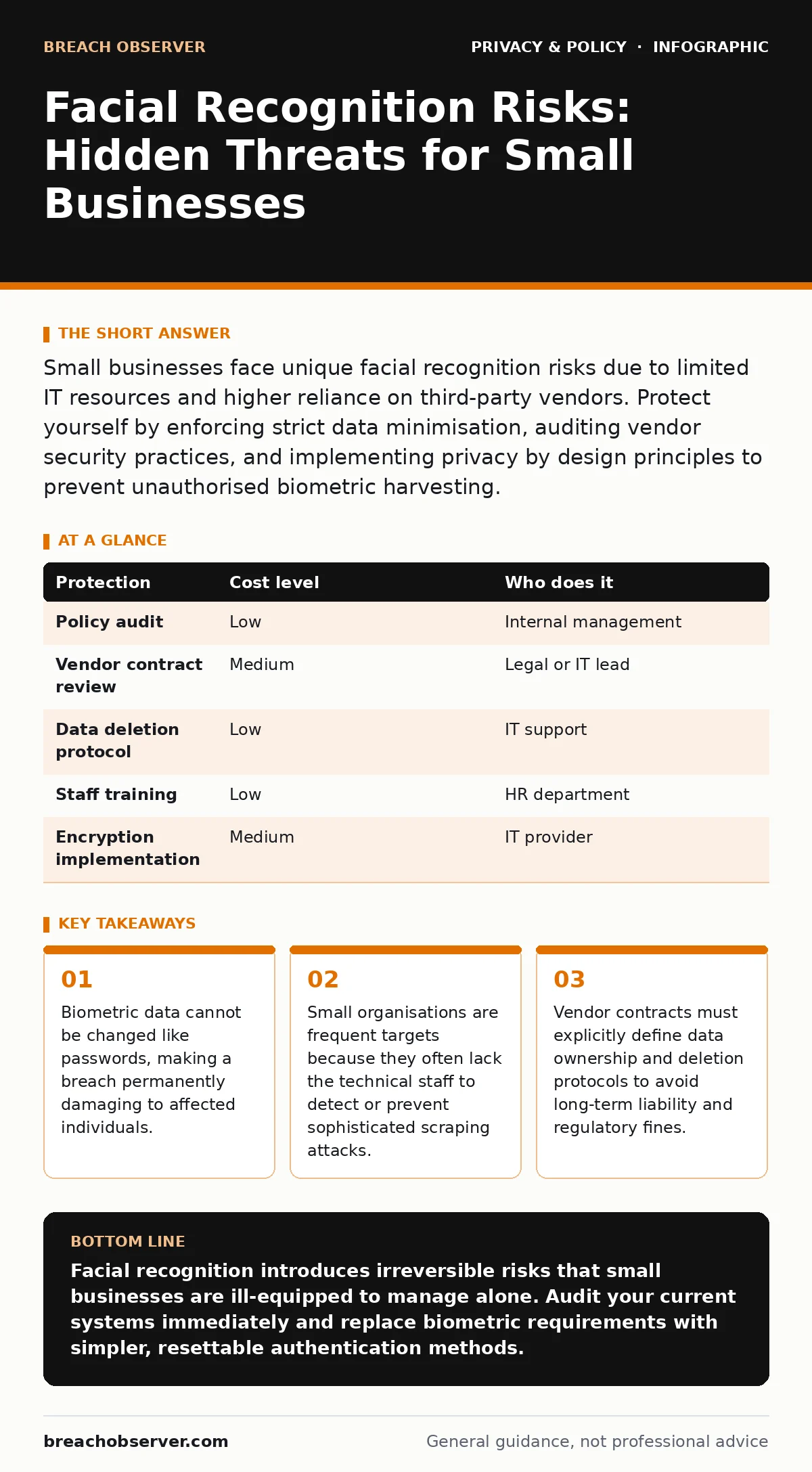
Small businesses face unique facial recognition risks due to limited IT resources and higher reliance on third-party vendors. Protect yourself by enforcing strict data minimisation, auditing vendor security practices, and implementing privacy by design principles to prevent unauthorised biometric harvesting.
Why Small Organisations Are Exposed
Small businesses often assume they are too insignificant to attract cybercriminal attention. This assumption is dangerous when dealing with biometric data. Facial recognition systems create unique digital fingerprints of human faces. Unlike a password, a face cannot be reset if stolen. Criminals hoard this data for identity fraud or to bypass security systems elsewhere.
Your organisation is exposed because you likely rely on third-party software providers. These vendors may store your biometric data on centralised servers. If that server is compromised, your data is lost forever. You do not control the security of that remote infrastructure. You only control the contract that governs its use.
Many small firms use facial recognition for convenience rather than necessity. They use it for clocking in staff or unlocking devices. This creates a large repository of sensitive data with little justification. The risk outweighs the benefit when the data cannot be revoked. You are building a target on your own roof.
The Hidden Cost of Biometric Storage
Storing facial data introduces a specific legal and operational burden. Biometric information is classified as special category data under many privacy frameworks. This means you must have a lawful basis for processing it. Mere consent is often insufficient if there is an imbalance of power, such as between employer and employee.
You must consider the concept of data minimisation. This principle requires collecting only the data strictly necessary for a specific purpose. Storing full facial images is rarely necessary. Storing a mathematical template derived from the image is better. Storing nothing at all is best. Each step up this ladder increases your liability.
If you store this data, you become a custodian of irreplaceable secrets. A breach forces you to notify every affected individual. You must explain that their unique biological identifier is now compromised. This damages trust and invites regulatory fines. The cost of remediation far exceeds the cost of avoiding the technology entirely.
Low-Cost Protections for Limited Resources
You do not need expensive hardware to mitigate these risks. The most effective protections are policy-based and procedural. Start by auditing every system that captures images. Identify cameras, smartphones, and software that use facial analysis. Remove any that do not serve a critical security function.
Implement privacy by design in your workflows. This means considering privacy at the start of any project, not as an afterthought. Ask if facial recognition is the only way to achieve your goal. Often, a badge or PIN code is sufficient. These methods are cheaper, easier to reset, and less invasive.
Use open standards where possible. Avoid proprietary black-box solutions that hide how data is processed. Open standards allow for independent verification of security claims. This transparency reduces the risk of hidden data collection. It also makes it easier to switch providers if security issues arise.
| Protection | Cost level | Who does it |
|---|---|---|
| Policy audit | Low | Internal management |
| Vendor contract review | Medium | Legal or IT lead |
| Data deletion protocol | Low | IT support |
| Staff training | Low | HR department |
| Encryption implementation | Medium | IT provider |
What to Ask an IT Provider
Your IT provider is your first line of defence. You must verify their competence in handling biometric data. Do not accept vague assurances about security. Ask specific questions that reveal their technical depth. If they cannot answer, they are not qualified to manage this risk.
First, ask where the data is stored. Is it on your local servers or in their cloud? Cloud storage introduces third-party risk. You must know who has access to the physical servers. Ask about the encryption methods used. Data must be encrypted at rest and in transit. Weak encryption renders all other security measures useless.
Second, ask about data retention. How long do they keep biometric templates? Is there an automated deletion process? Data should be deleted as soon as it is no longer needed. Indefinite storage increases the attack surface. Ask for proof of deletion. A certificate of destruction is a standard practice for sensitive data.
- Where is the biometric data physically stored?
- Who has administrative access to the database?
- What encryption standard is used for data at rest?
- How is data deleted when an employee leaves?
- Can you provide a third-party security audit?
The Risk of Implicit Consent
Employees often feel pressured to accept facial recognition systems. They may fear job loss if they refuse. This creates a legal grey area regarding consent. Under frameworks like the legitimate interest under the GDPR, you must balance your interests against employee rights. Convenience is rarely a legitimate interest that overrides privacy.
You must provide a clear alternative. If an employee refuses facial scanning, they must be able to use a badge or PIN. Without this alternative, the system is coercive. Coercion invalidates consent. This can lead to regulatory action and employee lawsuits.
Be transparent about how data is used. Publish clear privacy policies that explain the purpose of data collection. Avoid legalese. Use plain language that employees can understand. Transparency builds trust. It also demonstrates compliance with regulatory requirements.
Mitigating Third-Party Software Risks
Many small businesses use off-the-shelf software that includes facial recognition features. These features may be enabled by default. You must disable any feature you do not actively use. Unknown features are unknown risks. They may collect data without your knowledge.
Check the software’s update history. Does the vendor patch security vulnerabilities quickly? A slow response to vulnerabilities indicates poor security hygiene. Avoid vendors with a history of security breaches. Their past performance is a predictor of future risk.
Consider the right to be forgotten. This right allows individuals to request the deletion of their personal data. Your systems must support this request. If the software cannot delete biometric data easily, it is not compliant. You must be able to erase data upon request. Failure to do so is a regulatory violation.
Building a Culture of Privacy Awareness
Technical controls are only part of the solution. Your staff must understand the risks of biometric data. Train them to recognise phishing attempts that target biometric information. Attackers may try to trick employees into uploading photos or granting camera access.
Encourage a culture of questioning. Staff should feel comfortable asking why data is being collected. They should report any unusual camera activity or software behaviour. Early detection of misuse can prevent a major breach. Empower your team to be your eyes and ears.
Regularly review your data practices. Technology changes quickly. New features may introduce new risks. Stay informed about emerging threats. Adapt your policies as needed. Privacy is an ongoing process, not a one-time setup.
Key takeaways
- Biometric data cannot be changed like passwords, making a breach permanently damaging to affected individuals.
- Small organisations are frequent targets because they often lack the technical staff to detect or prevent sophisticated scraping attacks.
- Vendor contracts must explicitly define data ownership and deletion protocols to avoid long-term liability and regulatory fines.
Facial recognition introduces irreversible risks that small businesses are ill-equipped to manage alone. Audit your current systems immediately and replace biometric requirements with simpler, resettable authentication methods.
Frequently asked questions
Can I use facial recognition for employee time tracking?
It is risky. Biometric data is highly sensitive. Use badge readers or PIN codes instead, which are cheaper and easier to reset if compromised.
How do I know if my vendor is secure?
Ask for their security certifications and audit reports. Verify their data storage locations and encryption standards. Do not rely on marketing claims.
What happens if my biometric data is stolen?
You must notify affected individuals and regulators. You cannot reset the stolen data. It may be used for identity fraud or to bypass security systems.
Is facial recognition illegal for small businesses?
It is not inherently illegal, but it is heavily regulated. You must have a lawful basis and ensure strict data protection measures are in place.
How this guide was produced: written by the Breach Observer editorial team with AI assistance, checked against the public references listed below, and reviewed when the facts change. See our editorial policy or report an error.