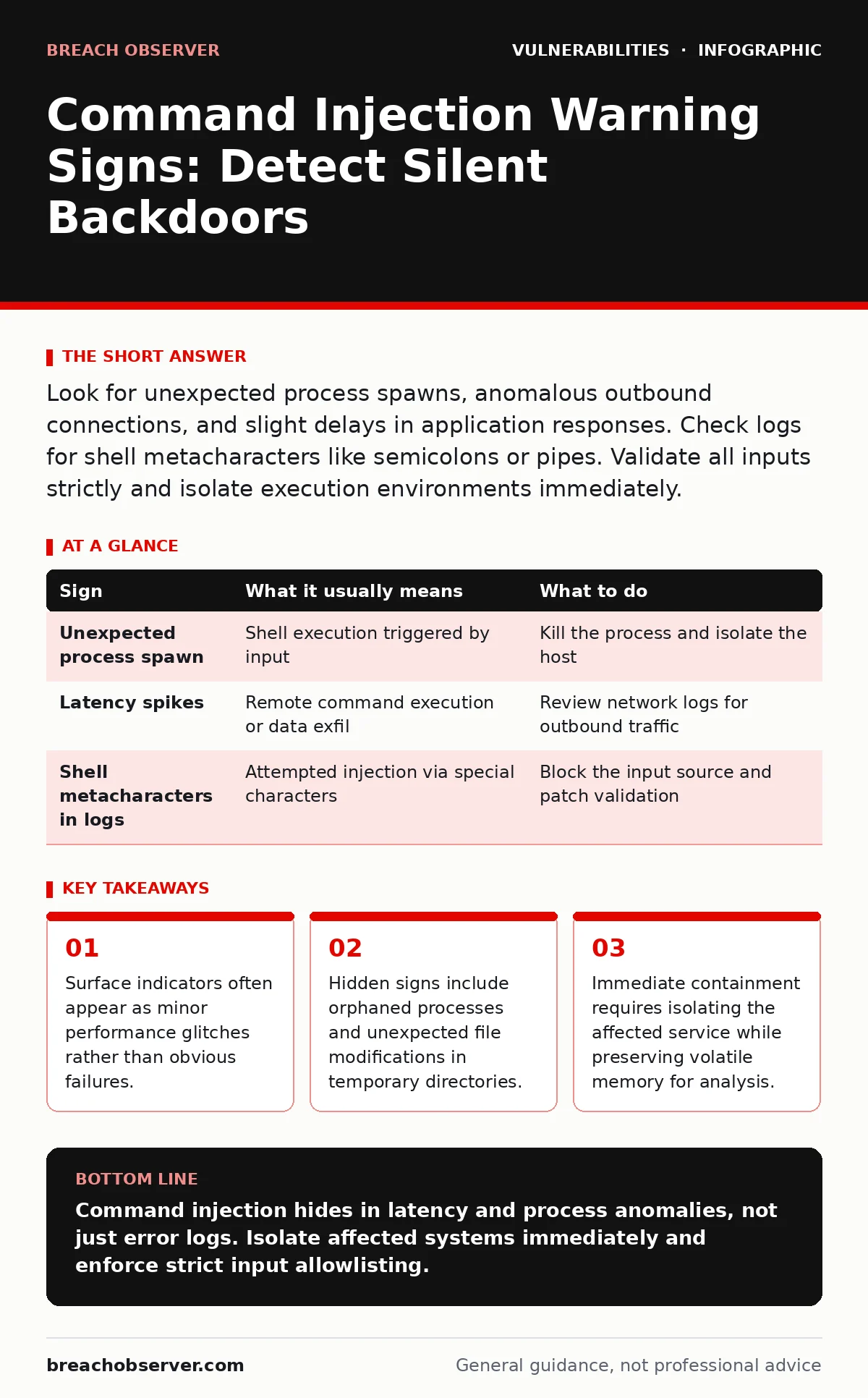
Look for unexpected process spawns, anomalous outbound connections, and slight delays in application responses. Check logs for shell metacharacters like semicolons or pipes. Validate all inputs strictly and isolate execution environments immediately.
The Mask of Normalcy
Imagine an application processing user input for a file search. An attacker injects a string that executes a remote command instead of searching for a file. To the end user, the application might simply load slower than usual. This delay is not a bug; it is the time taken to establish a connection to a remote server.
You might see this as a transient latency spike. Security teams often dismiss these spikes as network congestion or database load. This dismissal allows the attacker to maintain persistence. The application continues to function, masking the compromise behind a veneer of normal operation.
First Signs of Intrusion
The earliest warning signs are usually operational rather than security-specific. You may notice unexpected error messages that reference system binaries rather than application logic. For example, a web application might return a generic server error, but the internal log reveals a failed attempt to execute a shell command.
Another early indicator is the appearance of new processes that do not map to your service architecture. If you run a web server, you should not see shell interpreters spawning child processes frequently. These orphaned processes often consume minimal resources, avoiding detection by standard resource monitoring tools.
| Sign | What it usually means | What to do |
|---|---|---|
| Unexpected process spawn | Shell execution triggered by input | Kill the process and isolate the host |
| Latency spikes | Remote command execution or data exfil | Review network logs for outbound traffic |
| Shell metacharacters in logs | Attempted injection via special characters | Block the input source and patch validation |
Hidden Indicators in Logs
Logs are your primary source of truth, but they are often noisy. You must look for sequences of characters that represent shell operators. Semicolons, pipes, and backticks are common vectors. These characters allow an attacker to chain commands together.
Standard web application firewalls may filter obvious attacks. However, encoded or obfuscated payloads often slip through. You might see URL-encoded characters that decode to shell operators. This requires decoding layers in your log analysis pipeline. Without this, the injection attempt looks like benign text.
The Cost of Misconfiguration
Many command injection vulnerabilities arise from how applications interact with the operating system. Functions that pass strings directly to the shell are dangerous. Even if you sanitize input, the underlying mechanism remains risky. This is why input validation alone is insufficient.
You must also consider the principle of least privilege. If the application runs as root or an administrator, a successful injection grants full system control. If it runs as a restricted user, the impact is limited. This trade-off between functionality and security is often overlooked during development.
Immediate Containment Steps
When you suspect command injection, your first action is containment. Do not restart the service immediately. This destroys volatile memory evidence. Instead, isolate the affected system from the network. This prevents further data exfiltration and lateral movement.
Document the state of the system. Capture memory dumps and disk images. Identify the specific input that triggered the vulnerability. This information is vital for root cause analysis. You cannot fix what you do not understand.
See also: Breach Notification Rule Requirements: Timelines, Triggers and Compliance
Long-Term Mitigation Strategies
Prevention requires a shift in how applications handle external input. Use allowlists rather than blocklists. Define exactly what characters are permitted in each input field. Reject anything that does not match the expected pattern. This approach eliminates the risk of missing a new attack vector.
Additionally, consider using parameterised commands where possible. This ensures that user input is treated as data, not code. For example, passing arguments to a command as an array rather than a single string prevents shell interpretation. This is a fundamental change in application design.
The Role of Exposure Management
You cannot protect what you do not know exists. An accurate IT asset inventory is critical. If you are unaware of a legacy service running on the network, you cannot monitor it for command injection attempts. This service may be the entry point for a broader compromise.
Regularly review your external attack surface. Identify services that accept user input and execute system commands. Prioritise these for rigorous testing and monitoring. This proactive approach reduces the window of opportunity for attackers.
Beyond Basic Validation
Input validation is necessary but not sufficient. You must also monitor for anomalous behaviour at runtime. This includes unexpected file creations, network connections, and process executions. These behavioural indicators often reveal successful injections that bypassed initial checks.
Integrate these monitoring capabilities into your security operations centre workflows. Ensure that alerts are actionable. Reduce false positives by tuning your detection rules based on normal baseline behaviour. This allows your team to focus on genuine threats.
Key takeaways
- Surface indicators often appear as minor performance glitches rather than obvious failures.
- Hidden signs include orphaned processes and unexpected file modifications in temporary directories.
- Immediate containment requires isolating the affected service while preserving volatile memory for analysis.
Command injection hides in latency and process anomalies, not just error logs. Isolate affected systems immediately and enforce strict input allowlisting.
Frequently asked questions
How do I distinguish between a glitch and command injection?
Check for unexpected process spawns and outbound network connections that do not match normal application behaviour.
Can input validation prevent all command injection?
No, validation can be bypassed. Use parameterised commands and least privilege to reduce impact.
What is the first step after detection?
Isolate the system from the network to prevent lateral movement and data exfiltration.
How often should I review my attack surface?
Continuously. New services and configurations can introduce vulnerabilities at any time.
How this guide was produced: written by the Breach Observer editorial team with AI assistance, checked against the public references listed below, and reviewed when the facts change. See our editorial policy or report an error.