
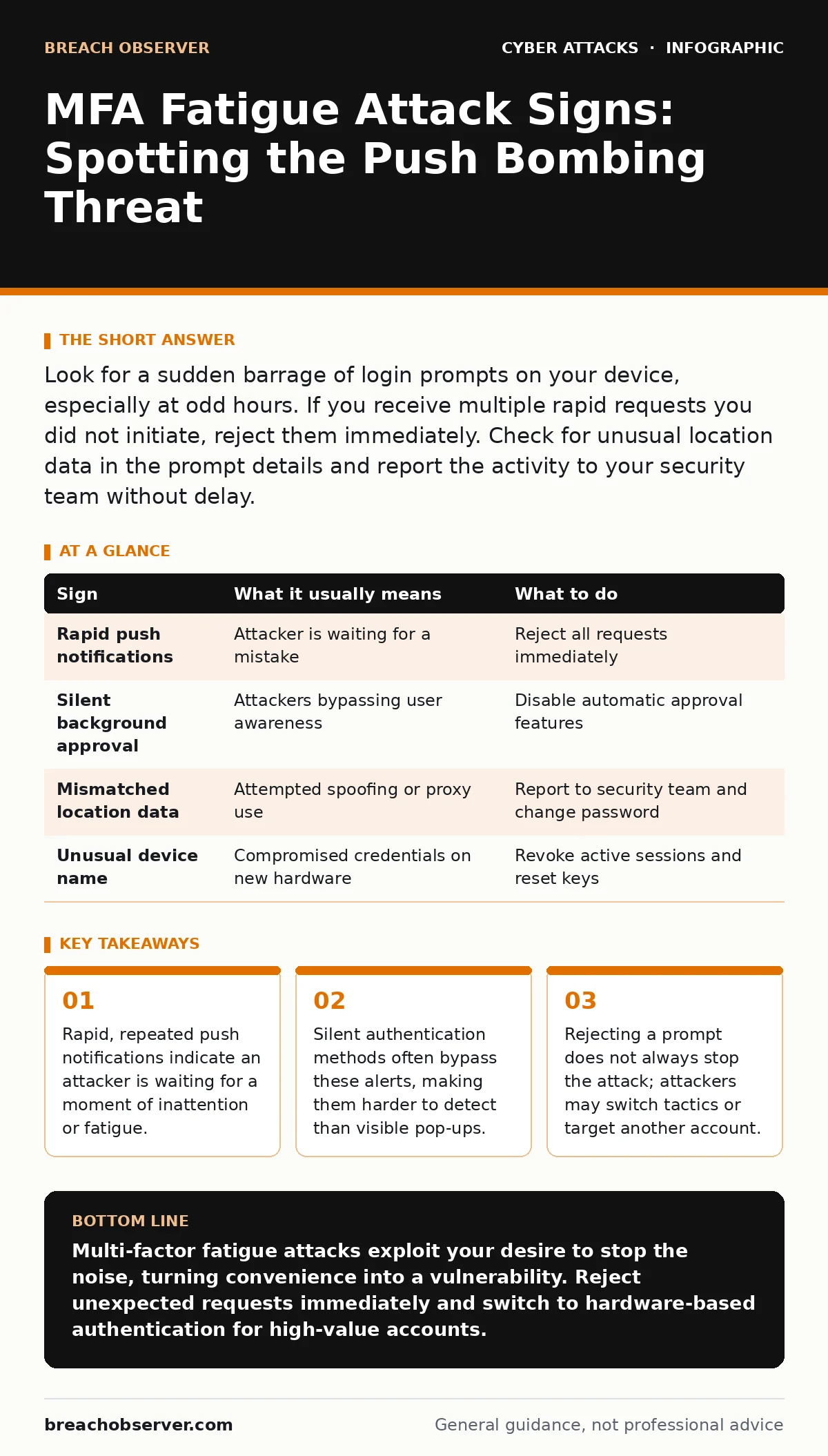
Look for a sudden barrage of login prompts on your device, especially at odd hours. If you receive multiple rapid requests you did not initiate, reject them immediately. Check for unusual location data in the prompt details and report the activity to your security team without delay.
The Onslaught of Push Notifications
The most obvious sign of a multi-factor authentication fatigue attack is a sudden, relentless stream of login requests. You receive a push notification asking you to approve a sign-in. You ignore it. Five seconds later, another arrives. Then another. This is not a glitch. An attacker is using a brute-force approach against your patience rather than your password.
This technique relies on the assumption that you will eventually approve the request to make the annoyance stop. It targets the cognitive load of the user. When your phone buzzes repeatedly, your brain seeks relief. That relief comes from tapping "Approve." The attacker counts on this psychological reflex.
The Silence of Background Authentication
While noisy notifications are easy to spot, the more dangerous variant is silent. Some authentication apps and systems allow for background verification without displaying a visible prompt. You might not hear a sound or see a screen light up. The approval happens in the background, often relying on the default "allow" state if the app is unlocked or if the user has enabled automatic approval for trusted devices.
This method is harder to detect because there is no immediate disruption to your workflow. You only notice the breach after the attacker has already accessed your email or financial accounts. This is why relying solely on push notifications is insufficient. You must understand how your specific authentication provider handles silent requests.
Contextual Clues in the Prompt
Not all prompts are created equal. Many modern authentication services include metadata in the notification. Look for the device name, operating system, or geographic location listed in the request. If the prompt says "Login from Windows 10 in London" and you are using a Mac in Manchester, the mismatch is immediate.
However, attackers can spoof some of this data. They may use virtual machines that mimic legitimate hardware signatures. The location might be a proxy server rather than the attacker's actual physical position. Do not assume that a familiar device name means the request is safe. Always verify the context against your current reality.
The False Sense of Security
Many users believe that having multi-factor authentication makes them immune to account takeover. This is a dangerous misconception. Multi-factor authentication adds a layer of defence, but it is not a wall. It is a gate that requires you to open it. If an attacker can trick you into opening that gate, the second factor becomes a liability.
This is where the concept of "authentication fatigue" becomes critical. The system works as designed, but the human element fails under pressure. You are the weakest link not because you are careless, but because the attack exploits natural human behaviour. Understanding this dynamic changes how you respond to alerts.
Immediate Response Protocols
When you suspect a fatigue attack, your first action is to reject the request. Do not approve it, even if you think it might be legitimate. It is safer to lock yourself out temporarily than to grant access to an intruder. After rejecting, change your password immediately. This invalidates any session tokens the attacker might have obtained.
Next, review your account activity logs. Look for successful logins from unfamiliar locations or devices. If you see activity you did not authorise, assume the account is compromised. Enable account lockout policies if your organisation has not already. These policies temporarily disable an account after multiple failed attempts, giving you time to react.
| Sign | What it usually means | What to do |
|---|---|---|
| Rapid push notifications | Attacker is waiting for a mistake | Reject all requests immediately |
| Silent background approval | Attackers bypassing user awareness | Disable automatic approval features |
| Mismatched location data | Attempted spoofing or proxy use | Report to security team and change password |
| Unusual device name | Compromised credentials on new hardware | Revoke active sessions and reset keys |
Preventing Future Exploitation
To reduce the risk of fatigue attacks, move away from simple push notifications where possible. Use hardware security keys or time-based one-time passwords. These methods require active participation from you, such as pressing a button on a physical key or entering a code from an authenticator app. They cannot be approved by accident or through fatigue.
Also, consider the risk of pretexting. Attackers often combine fatigue attacks with social engineering. They might call your IT helpdesk pretending to be you, claiming you lost your phone. This is a form of pretexting designed to reset your authentication methods. Verify all identity claims through out-of-band channels. Never trust a phone call that arrives simultaneously with suspicious login attempts.
The Hidden Cost of Convenience
The trade-off for easy authentication is security. Push notifications are convenient because they require minimal effort. You tap once and you are in. This convenience is what attackers exploit. Every time you enable a feature that reduces friction, you increase the attack surface.
You must balance usability with security. For high-risk accounts, such as those with access to financial data or administrative controls, disable automatic approvals. Require explicit action for every login. This adds a few seconds to your workflow but prevents catastrophic breaches. Remember that session cookie theft is also a risk if an attacker gains initial access. Clearing cookies and sessions is part of the remediation process.
Key takeaways
- Rapid, repeated push notifications indicate an attacker is waiting for a moment of inattention or fatigue.
- Silent authentication methods often bypass these alerts, making them harder to detect than visible pop-ups.
- Rejecting a prompt does not always stop the attack; attackers may switch tactics or target another account.
Multi-factor fatigue attacks exploit your desire to stop the noise, turning convenience into a vulnerability. Reject unexpected requests immediately and switch to hardware-based authentication for high-value accounts.
Frequently asked questions
Can I block MFA fatigue attacks completely?
No single measure blocks all attacks, but using hardware keys and disabling automatic approvals significantly reduces the risk by requiring active user consent.
What if I accidentally approve a request?
Immediately change your password and revoke all active sessions. Monitor your account for unusual activity and report the incident to your security team.
Do all authentication apps support silent approval?
Many do, especially those integrated with mobile operating systems. Check your app settings to see if automatic approval is enabled and disable it if possible.
Is changing my password enough to stop an attacker?
Changing the password invalidates existing sessions, but you should also review account permissions and enable additional security measures like hardware keys.
How this guide was produced: written by the Breach Observer editorial team with AI assistance, checked against the public references listed below, and reviewed when the facts change. See our editorial policy or report an error.