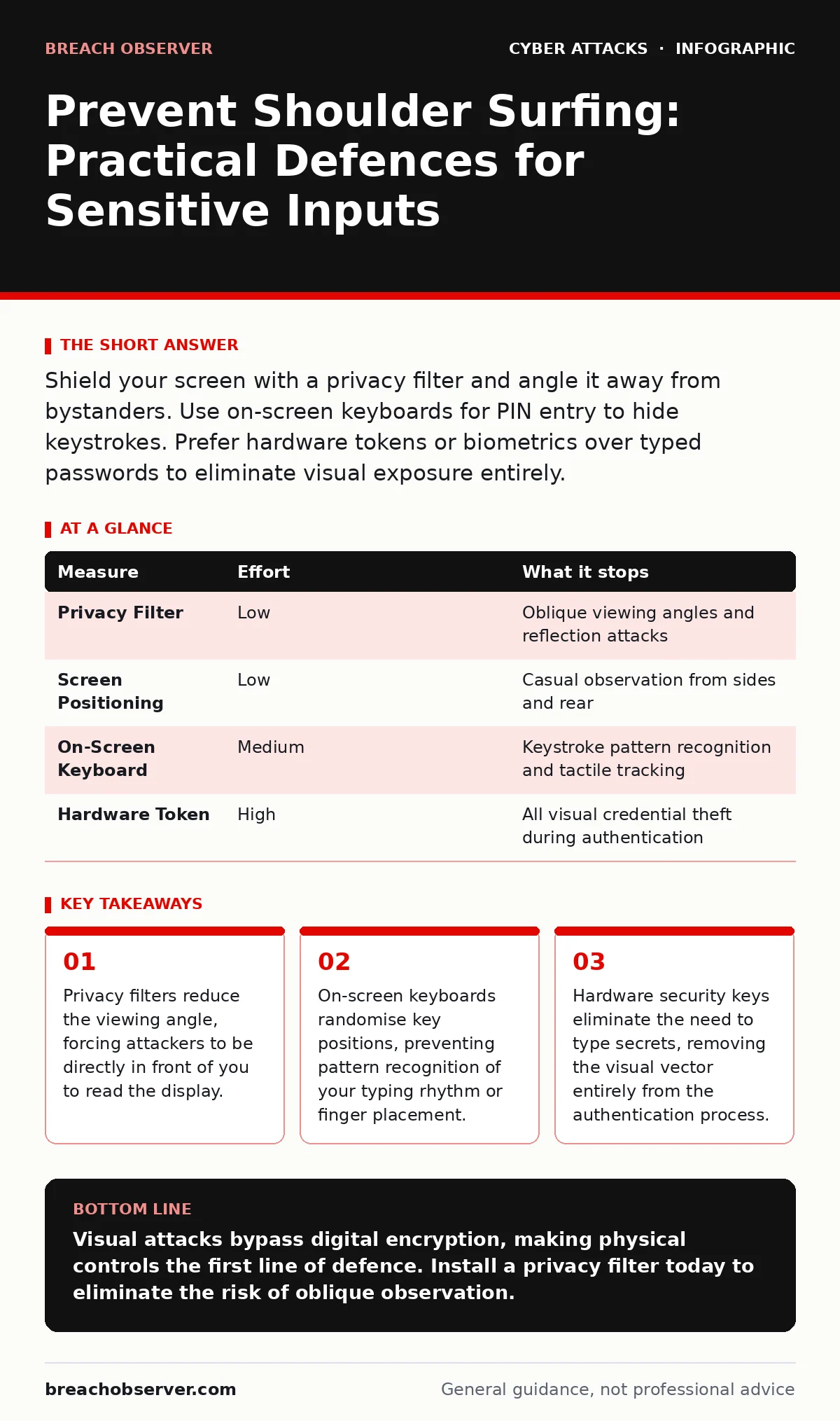
Shield your screen with a privacy filter and angle it away from bystanders. Use on-screen keyboards for PIN entry to hide keystrokes. Prefer hardware tokens or biometrics over typed passwords to eliminate visual exposure entirely.
The Physics of Visual Eavesdropping
Shoulder surfing relies on line-of-sight access to your device screen or keyboard. An attacker does not need to touch your hardware. They simply need a clear view of the characters you enter or the data you display. This threat exists in crowded offices, public transport, and airport lounges.
The risk increases when users habitually hold devices at eye level in open spaces. Attackers often use reflective surfaces, such as sunglasses or mobile screens, to capture images from oblique angles. These reflections can reveal text that is invisible to the naked eye from the side.
Understanding this mechanic changes how you view your workspace. It is not just about who stands behind you. It is about who can see your screen from across a table or through a reflection.
High-Impact Environmental Controls
The most effective defence is controlling the physical environment. Privacy filters are optical films that restrict the viewing angle of a display. Without the filter, the screen appears black or grey to anyone not directly in front of it.
Install these filters on all laptops and tablets used outside secure rooms. They provide an immediate barrier against casual observation. The trade-off is reduced screen brightness and potential colour distortion. You must adjust your display settings to compensate for the darker image.
Position your device so the screen faces a wall or a corner. This limits the number of angles from which an observer can gain a view. If you are working in a coffee shop, sit with your back to a wall. This allows you to monitor who approaches your table.
| Measure | Effort | What it stops |
|---|---|---|
| Privacy Filter | Low | Oblique viewing angles and reflection attacks |
| Screen Positioning | Low | Casual observation from sides and rear |
| On-Screen Keyboard | Medium | Keystroke pattern recognition and tactile tracking |
| Hardware Token | High | All visual credential theft during authentication |
Obfuscating Input Methods
If you must type a password or PIN, you must hide the action. Standard keyboards reveal your choice through finger placement and rhythm. Attackers can memorise which keys you press by watching your hands.
Use an on-screen keyboard for sensitive inputs. These virtual keyboards allow you to click keys with a mouse or touchscreen. This decouples the physical action from the logical input. Some advanced versions randomise the layout every time you open them.
This randomisation prevents attackers from learning a static pattern. Even if they see you click the top-left corner, they cannot know which letter it represents next time. The downside is slower entry speed and higher cognitive load. You must balance convenience with security.
Eliminating the Secret
The best way to prevent someone from seeing your password is to not have a password to type. Hardware security keys generate cryptographic proofs locally. They never transmit the secret itself.
When you authenticate with a hardware key, you simply press a button on the device. No characters appear on the screen. No fingers dance across keys. The attacker sees nothing but a confirmation prompt.
This method also protects against phishing and session cookie theft. Since the key signs a challenge specific to the website, a fake site cannot trick the device. The cost is higher initial setup and carrying a physical token. However, it removes the visual attack surface entirely.
Managing Display Content
Shoulder surfing is not limited to login screens. Attackers often look for sensitive data while you work. Email inboxes, financial spreadsheets, and code repositories are high-value targets.
Minimise the window size of sensitive applications. Use full-screen mode sparingly. Keep irrelevant applications in the background. The less information visible at any given time, the less an attacker can harvest.
Be mindful of notifications. Pop-up messages often display sensitive content briefly. Disable preview text for emails and messages on your lock screen. A notification showing a password reset link is a direct invitation for an observer to note the account details.
What Does Not Work
Many users believe that lowering screen brightness prevents observation. This is a misconception. While a dim screen is harder to read, it does not stop a determined attacker with a camera or reflective surface.
Another common myth is that using complex passwords protects against shoulder surfing. Complexity increases the time it takes to type, which actually gives the attacker more time to observe. A long password typed slowly is easier to memorise than a short one typed quickly.
Avoid using "fake typing" techniques, such as pressing random keys before the real password. Attackers are aware of this tactic. They watch for the pause and the change in rhythm. It adds little security while increasing your chance of typos.
The Human Element
Technical controls fail if user behaviour undermines them. You must remain aware of your surroundings. If someone stands too close, ask them to step back. This is not rude; it is a security requirement.
Train staff to recognise the signs of shoulder surfing. Look for people lingering near workstations or holding devices at odd angles. Report unusual behaviour to security teams.
Integrate these practices into your broader security strategy. Refer to our guide on account lockout policies to ensure that stolen credentials cannot be used indefinitely. Also, review our material on MFA fatigue attacks, as attackers may combine visual theft with harassment to bypass multi-factor authentication.
Immediate Action Checklist
Start securing your visual perimeter today. These three steps provide immediate risk reduction with minimal effort.
- Install a privacy filter on your primary work laptop.
- Configure your operating system to use an on-screen keyboard for password entry.
- Disable email and message previews on your lock screen.
Key takeaways
- Privacy filters reduce the viewing angle, forcing attackers to be directly in front of you to read the display.
- On-screen keyboards randomise key positions, preventing pattern recognition of your typing rhythm or finger placement.
- Hardware security keys eliminate the need to type secrets, removing the visual vector entirely from the authentication process.
Visual attacks bypass digital encryption, making physical controls the first line of defence. Install a privacy filter today to eliminate the risk of oblique observation.
Frequently asked questions
Can a camera phone capture my screen from across a room?
Yes, modern smartphone cameras have high resolution and zoom capabilities. They can capture text from several metres away, especially in bright conditions.
Do privacy filters work on mobile phones?
Yes, privacy filters are available for smartphones and tablets. They are applied as adhesive films and function identically to laptop filters, restricting the viewing angle.
Is biometric authentication safe from shoulder surfing?
Biometrics like fingerprints or facial recognition do not display secrets on screen. However, they can be spoofed if an attacker obtains a high-quality image or replica of your biometric trait.
How does this relate to DNS spoofing?
Shoulder surfing steals credentials directly, while DNS spoofing redirects you to fake sites to steal them. Both result in credential loss but use different vectors. Preventing one does not stop the other.
How this guide was produced: written by the Breach Observer editorial team with AI assistance, checked against the public references listed below, and reviewed when the facts change. See our editorial policy or report an error.