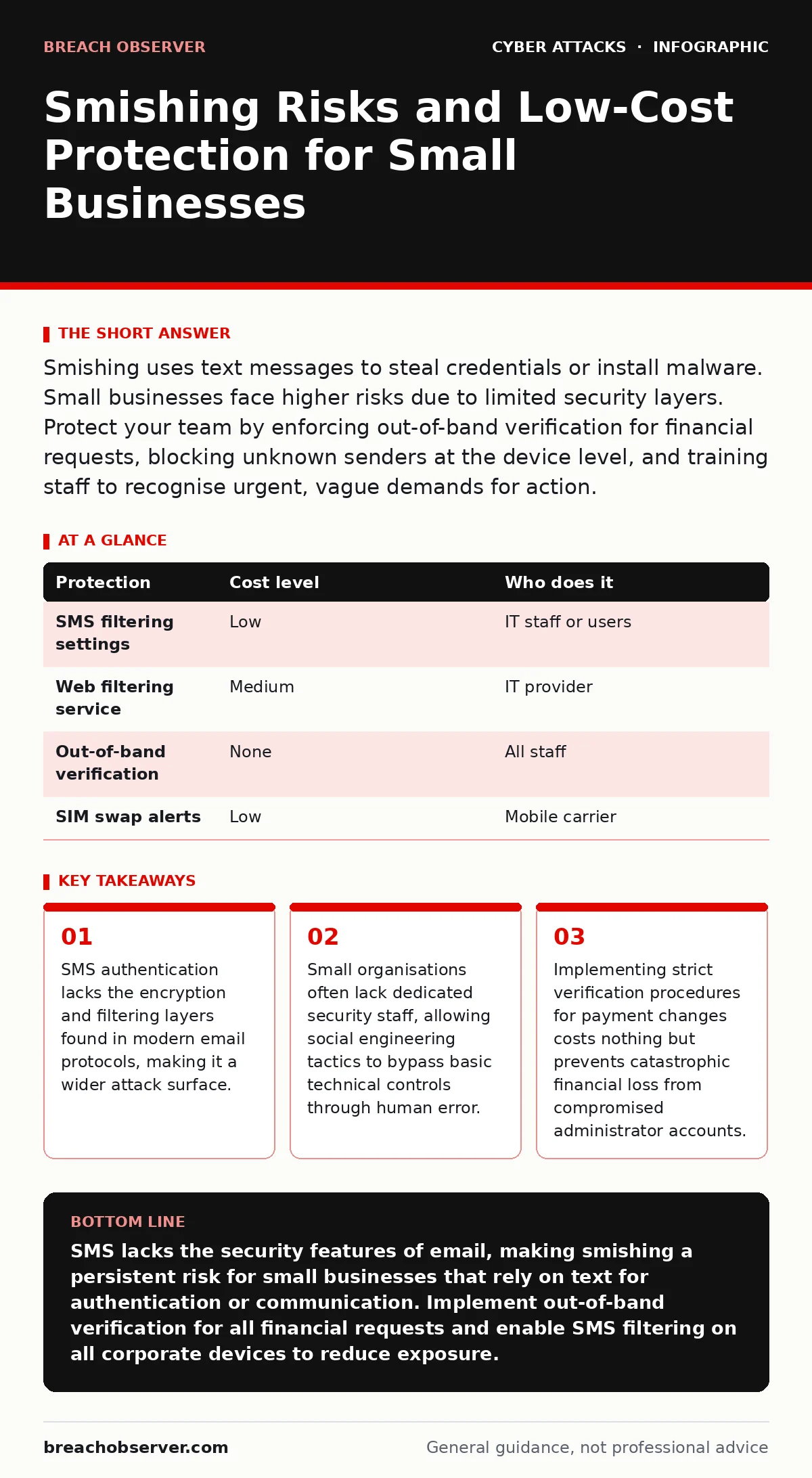
Smishing uses text messages to steal credentials or install malware. Small businesses face higher risks due to limited security layers. Protect your team by enforcing out-of-band verification for financial requests, blocking unknown senders at the device level, and training staff to recognise urgent, vague demands for action.
Why SMS remains a weak security channel
Text messaging operates on a different protocol than email, meaning your organisation’s email security filters provide zero protection against smishing. Short Message Service (SMS) was designed for basic connectivity, not secure data transmission. It lacks encryption in transit and does not support advanced authentication headers. Attackers exploit this architectural gap by sending phishing links via text, knowing these messages will land directly in the user’s primary communication app without scrutiny.
Small organisations are particularly exposed because they often rely on personal mobile devices for business communications. This blend of personal and professional use, known as Bring Your Own Device, creates a boundary where corporate security policies struggle to enforce strict controls. When an employee uses their personal phone for work texts, the organisation cannot apply network-level blocking or inspection to those messages. The device itself becomes the perimeter, and most consumer operating systems do not inspect SMS content for malicious URLs by default.
The trust factor amplifies the risk. Users perceive text messages as more personal and immediate than email. A message appearing on the lock screen demands attention. Attackers leverage this psychological trigger to create a sense of urgency. They mimic trusted entities, such as banks or logistics providers, to prompt quick action. The speed of the medium prevents the user from pausing to verify the source, leading to hasty clicks on malicious links.
The hidden cost of convenience
Implementing SMS-based two-factor authentication introduces a specific vulnerability known as SIM swapping. Attackers convince a mobile carrier to transfer a victim’s phone number to a new SIM card under their control. Once the number is ported, the attacker receives all SMS codes sent to that number. This bypasses the second factor of authentication entirely, rendering the extra security layer useless. For small businesses, this means that protecting employee accounts with SMS codes might actually create a false sense of security.
Another hidden cost is the lack of audit trails. Email systems log every message, including metadata such as sender IP addresses and encryption status. SMS networks do not provide equivalent transparency to the end user or the organisation. When a smishing attack occurs, investigating the source is difficult. The mobile carrier holds the records, and accessing them requires legal processes that small businesses rarely initiate. This opacity makes it hard to understand the scope of an attack or to identify if multiple team members were targeted.
Device-level protections for small teams
You can reduce exposure by configuring mobile devices to block messages from unknown senders. Both iOS and Android operating systems offer settings to silence or filter messages from contacts not in your address book. This simple step reduces the noise of unsolicited texts. It does not stop attackers who spoof numbers that match known contacts, but it raises the barrier for random, high-volume smishing campaigns.
Enable spam protection features provided by your mobile carrier or device manufacturer. These services use heuristic analysis to flag messages that resemble known phishing patterns. While not perfect, they provide a first line of defence. Ensure that these features are updated and active on all corporate-owned devices. For personal devices used for work, communicate the importance of keeping these filters enabled. This shared responsibility model helps maintain security without requiring expensive enterprise mobility management solutions.
Consider integrating web filtering into your mobile security strategy. Even if a user clicks a malicious link in an SMS, web filtering can block the loading of the phishing page. This requires a mobile proxy or a secure web gateway that inspects traffic from mobile devices. For small businesses, many cloud-based security providers offer this as a low-cost add-on. It protects users regardless of the application they use to access the internet.
Verification procedures that stop attacks
Technical controls alone cannot prevent social engineering. You must implement procedural safeguards that force verification before any sensitive action. Establish a policy that requires out-of-band verification for all requests involving money or data access. If a text message requests a password reset or a payment transfer, the employee must call the purported sender using a known, verified phone number. This breaks the chain of deception by moving the communication to a different channel.
Train staff to recognise the hallmarks of smishing. These include urgent language, threats of account suspension, and requests for personal information. Attackers often use vague greetings to cast a wider net. A legitimate bank will rarely ask you to verify your account via a text message link. Reinforce this knowledge through regular, brief training sessions. Use hypothetical scenarios to illustrate how attackers mimic trusted brands. This keeps the threat top-of-mind without causing alarm.
Implement account lockout policies to limit the damage if credentials are stolen. If an attacker obtains a username and password through smishing, a lockout policy prevents them from guessing additional details or brute-forcing other accounts. Configure your systems to lock an account after a small number of failed login attempts. This buys time for the security team to detect the breach and reset the compromised credentials. Ensure that legitimate users know how to recover from accidental lockouts to avoid productivity losses.
| Protection | Cost level | Who does it |
|---|---|---|
| SMS filtering settings | Low | IT staff or users |
| Web filtering service | Medium | IT provider |
| Out-of-band verification | None | All staff |
| SIM swap alerts | Low | Mobile carrier |
What to ask your IT provider
When evaluating IT support or security services, ask specific questions about SMS threats. Do not accept generic assurances about "phishing protection." Ask if their solution covers mobile messaging and how it integrates with your device management tools. Clarify who is responsible for updating filtering rules and monitoring for new smishing trends.
Inquire about incident response procedures for compromised mobile accounts. Ask how quickly they can disable access and reset credentials if a smishing attack is detected. Request a clear timeline for containment and recovery. This ensures that your provider has a plan ready, rather than reacting ad hoc during a crisis.
Finally, ask about training resources. Does the provider offer simulated smishing exercises to test staff awareness? Regular testing helps identify gaps in knowledge and reinforces good habits. Ensure that the provider can tailor these exercises to your specific industry and common threat vectors. This makes the training relevant and effective.
- Ask if SMS filtering is included in your current security package.
- Request details on how mobile devices are monitored for malicious links.
- Confirm the process for reporting and investigating smishing attempts.
Integrating related security measures
Smishing often works in conjunction with other attacks. Attackers may use pretexting to gather information about your business before sending targeted texts. They might pose as a vendor or IT support staff to gain trust. Understanding this connection helps you recognise the broader context of an attack.
Be aware of MFA fatigue attacks, where attackers bombard a user with push notification requests until they approve one by mistake. While different from smishing, this highlights the weakness of user-based authentication factors. Moving to hardware security keys or authenticator apps reduces reliance on both SMS and push notifications, providing stronger protection.
Consider DNS filtering to block access to known malicious domains. This adds a layer of protection at the network level, preventing devices from resolving addresses associated with phishing sites. Even if a user clicks a link in a text message, DNS filtering can stop the connection before any data is exchanged. This is a cost-effective measure that complements device-level controls.
Key takeaways
- SMS authentication lacks the encryption and filtering layers found in modern email protocols, making it a wider attack surface.
- Small organisations often lack dedicated security staff, allowing social engineering tactics to bypass basic technical controls through human error.
- Implementing strict verification procedures for payment changes costs nothing but prevents catastrophic financial loss from compromised administrator accounts.
SMS lacks the security features of email, making smishing a persistent risk for small businesses that rely on text for authentication or communication. Implement out-of-band verification for all financial requests and enable SMS filtering on all corporate devices to reduce exposure.
Frequently asked questions
Can smishing infect my computer directly?
Smishing typically delivers a link to a phishing website or a malicious app. It does not directly infect your computer through the text message itself, but clicking the link can lead to malware installation or credential theft.
Is it safe to use SMS for two-factor authentication?
SMS is less secure than authenticator apps or hardware keys because it is vulnerable to SIM swapping and interception. It provides better security than a password alone, but it is not the strongest available option.
How do I report a smishing attempt?
Forward the message to your IT department or security provider. They can log the incident, update filtering rules, and advise other staff. Do not reply to the message or click any links.
Can blocking unknown numbers stop smishing?
Blocking unknown numbers reduces exposure to random attacks but does not stop targeted smishing where attackers spoof known or trusted numbers. Verification procedures remain necessary for high-risk actions.
How this guide was produced: written by the Breach Observer editorial team with AI assistance, checked against the public references listed below, and reviewed when the facts change. See our editorial policy or report an error.