
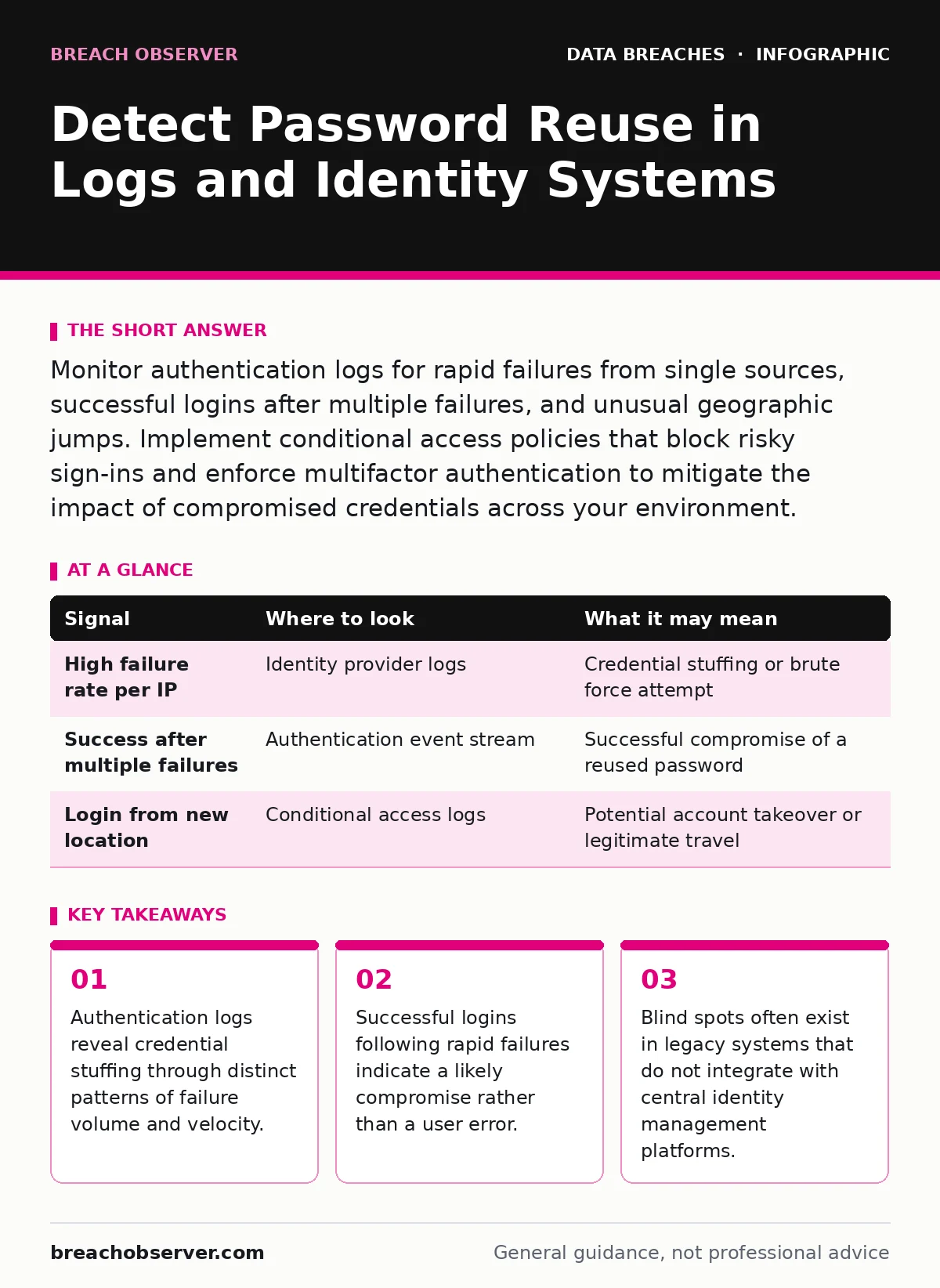
Monitor authentication logs for rapid failures from single sources, successful logins after multiple failures, and unusual geographic jumps. Implement conditional access policies that block risky sign-ins and enforce multifactor authentication to mitigate the impact of compromised credentials across your environment.
Authentication Log Anomalies
Authentication logs provide the primary evidence base for detecting reused credentials. You must look for volume anomalies that differ from normal user behaviour. A single user attempting to log in five times within a minute is likely a typo. A single IP address attempting to log into fifty different accounts within that same minute is an attack.
The mechanism behind this is credential stuffing. Attackers take username and password pairs obtained from one breach and test them against your systems. They assume users reuse the same combination. Your identity provider records every attempt, whether successful or failed.
You need to configure your logging to capture the source IP, the target username, the timestamp, and the result code. Without the result code, you cannot distinguish between a blocked attempt and a successful compromise. Many teams collect logs but fail to parse the result field, rendering the data useless for detection.
| Signal | Where to look | What it may mean |
|---|---|---|
| High failure rate per IP | Identity provider logs | Credential stuffing or brute force attempt |
| Success after multiple failures | Authentication event stream | Successful compromise of a reused password |
| Login from new location | Conditional access logs | Potential account takeover or legitimate travel |
Velocity and Volume Metrics
Standard alerts trigger on absolute thresholds, such as ten failures in ten minutes. This approach misses low-and-slow attacks. Attackers often throttle their requests to stay below these thresholds. They may try one account every thirty seconds. This looks like normal human activity to a simple rule.
You must analyse the velocity of attempts across the entire identity store, not just per user. If your system sees one hundred unique usernames failing authentication from a single subnet in an hour, that is an anomaly. The individual failure rate per user is low, but the aggregate rate is high.
Implement rate limiting at the application layer. This slows down the attacker without blocking legitimate users entirely. It adds friction to the attack chain. However, rate limiting is a deterrent, not a detection method. You still need to log the blocked attempts to understand the scope of the targeting.
Post-Compromise Behaviour
Detecting the initial breach is only half the battle. You must identify what happens after the attacker gains access. A successful login from a known IP address with a known device is usually safe. A successful login from a new IP address, followed immediately by data access or profile changes, is dangerous.
Look for impossible travel. If a user logs in from London and then from New York ten minutes later, one of those logins is fraudulent. Your identity system may flag this as risky. If you do not have geolocation data in your logs, you miss this signal entirely.
Identity Provider Integration
Your identity provider acts as the gatekeeper. It decides whether a login attempt is allowed. Most modern providers offer adaptive authentication. This means the system evaluates the risk of each login in real time. It considers factors like device health, location, and behaviour history.
You must ensure your identity provider shares these risk scores with your security operations centre. If the identity provider blocks a login, the security operations centre might not see it. This creates a blind spot. The attack was stopped, but you do not know it happened.
Integrate your identity provider with your security information and event management system. This allows you to see the risk score alongside the raw log entry. You can then create detections based on high-risk scores rather than just failure counts. This reduces false positives significantly.
Legacy System Blind Spots
Not every system in your environment uses modern authentication protocols. Legacy applications often rely on local account stores. These systems do not talk to your central identity provider. They have their own password policies, or lack thereof.
You must map all systems that accept user authentication. Identify which ones are disconnected from your central identity management. These systems are your weakest links. They are prime targets for attackers who have already compromised credentials elsewhere.
See also: Account Lockout Policies for Small Business: Prevent Lockouts and Breaches · Data Exfiltration: How Attackers Steal Information and How to Stop It
Tooling and Automation
Manual log review is impossible at scale. You need automated tooling to process the data. Security information and event management platforms aggregate logs from various sources. They allow you to write correlation rules that combine authentication data with network and endpoint data.
Identity threat detection and response tools are specialised for this purpose. They understand the nuances of identity protocols. They can detect subtle anomalies that generic log analysers miss. They also provide remediation actions, such as forcing a password reset or revoking sessions.
Incident Response Integration
When you detect reuse, you must respond quickly. Your incident communication plans should include procedures for credential compromise. This includes notifying the user and forcing a password change. It also includes revoking active sessions.
Revoking sessions is critical. Changing the password does not always terminate existing connections. Attackers may have already established a session. You must invalidate all session tokens for that user. This forces them to re-authenticate, which will fail if the password is changed.
Key takeaways
- Authentication logs reveal credential stuffing through distinct patterns of failure volume and velocity.
- Successful logins following rapid failures indicate a likely compromise rather than a user error.
- Blind spots often exist in legacy systems that do not integrate with central identity management platforms.
Frequently asked questions
How long should authentication logs be retained?
Retain logs for at least one year to support forensic investigations and trend analysis. Longer retention helps identify low-and-slow attacks that span months.
Can multifactor authentication stop credential stuffing?
Multifactor authentication significantly reduces the risk. If the attacker does not have the second factor, they cannot access the account even with the correct password. However, it does not prevent the initial password guess from occurring.
What is the difference between credential stuffing and brute force?
Credential stuffing uses known valid username-password pairs from other breaches. Brute force involves guessing passwords for a single account. Stacking is faster and harder to detect because it targets many accounts with one attempt each.
How do I prevent users from reusing passwords?
Enforce passwordless authentication or use enterprise password managers. These tools eliminate the need for users to remember or create passwords. They also prevent the use of compromised credentials by managing the secret for the user.
How this guide was produced: written by the Breach Observer editorial team with AI assistance, checked against the public references listed below, and reviewed when the facts change. See our editorial policy or report an error.