
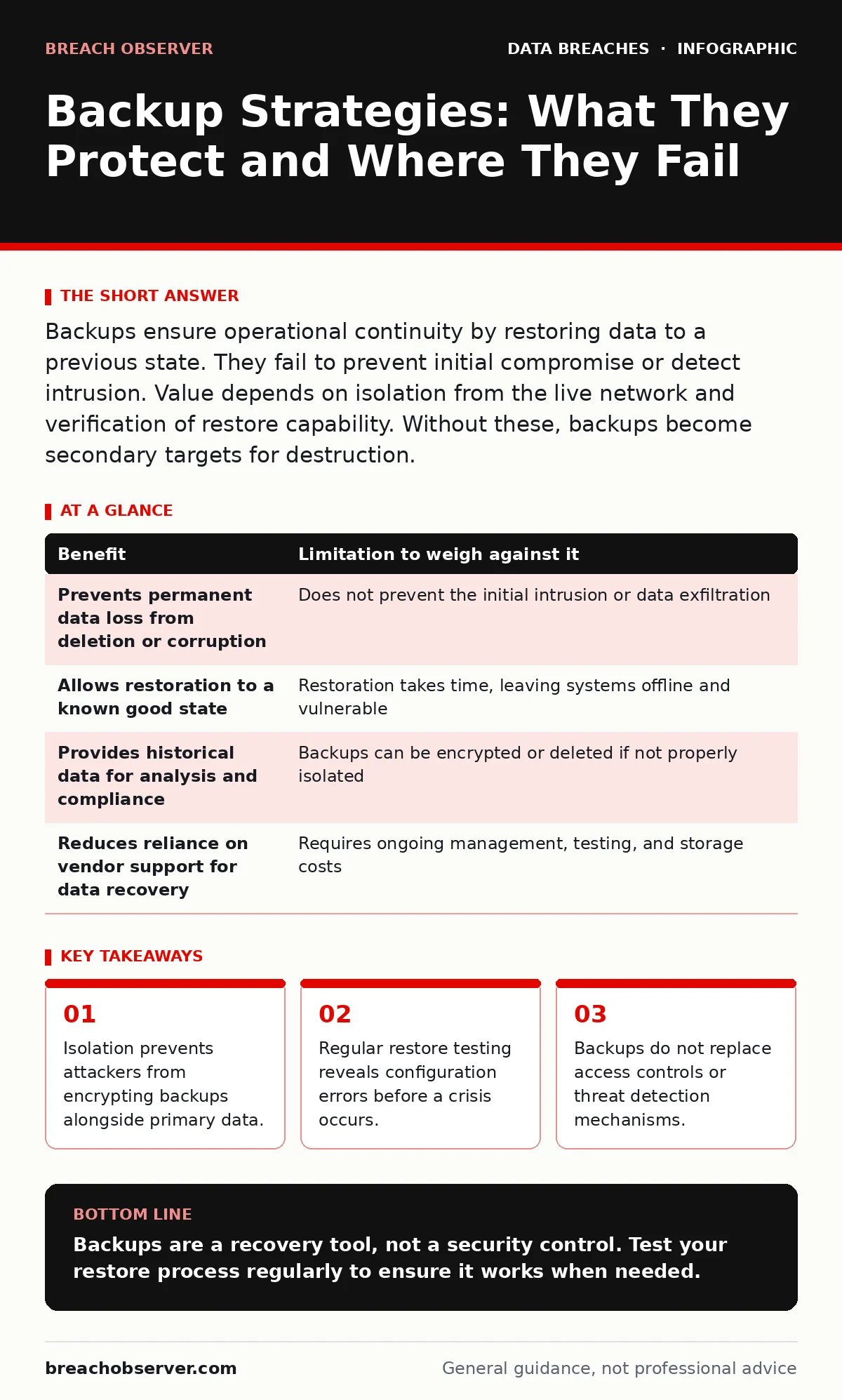
Backups ensure operational continuity by restoring data to a previous state. They fail to prevent initial compromise or detect intrusion. Value depends on isolation from the live network and verification of restore capability. Without these, backups become secondary targets for destruction.
The Illusion of Safety in Static Copies
A backup is a copy of data stored separately from the primary source. It serves as a recovery point, allowing you to restore files or systems to a state prior to an incident. Many organisations treat backups as a silver bullet for data loss. This view is dangerously incomplete. A backup does not stop an attacker from entering your network. It does not prevent the initial compromise. It only offers a way to rebuild after the damage is done.
If your backup infrastructure shares the same credentials as your production environment, it is already compromised. Attackers often move laterally to backup systems immediately after gaining initial access. They know that destroying your ability to restore is more effective than encrypting your live data. This makes the separation of backup systems a primary defensive control, not just an administrative task.
Concrete Benefits of Structured Recovery
The primary benefit of a backup strategy is business continuity. When data is lost due to hardware failure, human error, or malware, backups allow you to resume operations. This reduces downtime and prevents permanent loss of critical information. Without backups, you are forced to recreate data from scratch, which is often impossible for historical records.
Backups also provide a forensic snapshot. If you retain previous versions of files, you can analyse changes over time. This helps identify when and how data was altered. It supports investigations into data integrity violations. However, this benefit only exists if you retain sufficient history. A single daily backup may not capture the moment before an intrusion occurred.
The Hidden Costs and Limitations
Backups are not a substitute for security controls. They do not detect intrusions. They do not block malicious traffic. Relying on backups alone creates a false sense of security. Attackers are aware of this dependency. They often target backup systems first to increase the pressure on victims. This forces organisations to pay ransoms rather than attempt restoration.
The cost of maintaining backups is significant. It involves storage, management, and monitoring. If backups are not tested regularly, they are likely to fail when needed. Corrupted files or misconfigured retention policies can render backups useless. You may discover this failure only during a crisis. This delay can be catastrophic for operational recovery.
Another limitation is the recovery time objective. Restoring terabytes of data takes time. During this period, your systems remain offline. This window of vulnerability can be exploited by attackers who have not been fully removed from the network. If you restore infected data, the problem persists. This is why digital forensics is necessary before any restoration attempt.
Weighing Benefits Against Limitations
| Benefit | Limitation to weigh against it |
|---|---|
| Prevents permanent data loss from deletion or corruption | Does not prevent the initial intrusion or data exfiltration |
| Allows restoration to a known good state | Restoration takes time, leaving systems offline and vulnerable |
| Provides historical data for analysis and compliance | Backups can be encrypted or deleted if not properly isolated |
| Reduces reliance on vendor support for data recovery | Requires ongoing management, testing, and storage costs |
When It Is Worth It
Backups are worth the investment when you handle data that is difficult or impossible to recreate. This includes customer records, financial transactions, and intellectual property. If losing this data would halt your operations or violate legal obligations, backups are mandatory. The cost of restoration is far lower than the cost of business failure.
It is also worth it when you have a clear data classification strategy. Knowing which data is critical allows you to prioritise backup resources. You can allocate more frequent backups to high-value data and less frequent ones to low-value data. This optimises storage costs and recovery speeds. Without classification, you may waste resources backing up irrelevant data while neglecting critical assets.
Imagine a scenario where a server fails unexpectedly. Without backups, you lose weeks of work. With backups, you restore from the previous night. The difference is operational continuity. This clarity of purpose justifies the expense. It transforms backups from a cost centre into a risk mitigation tool.
See also: Prevent Stolen Session Tokens: Technical Controls and Detection · Encryption vs Hashing: The Critical Difference for Data Security
When It Is Not
Backups are not worth it when the data is easily reproducible. If you can regenerate logs, temporary files, or public information, backing them up is a waste of resources. Focus your efforts on data that has unique value. Storing redundant copies of public web pages or cached data consumes storage without adding resilience.
It is also not worth it if you cannot verify the integrity of the backups. If you never test restoration, you are assuming the backups work. This assumption is often wrong. Corrupted files or incompatible formats can prevent recovery. In such cases, the backup strategy provides no real protection. It is better to invest in stronger access controls and detection mechanisms.
Consider the risk of password reuse across systems. If your backup system uses the same credentials as your email, an attacker who compromises one can access both. This makes the backup a liability. Without unique credentials and multi-factor authentication, the backup system is a weak link in your security chain.
The Critical Role of Immutability
Immutable backups are copies that cannot be altered or deleted for a set period. This technology prevents ransomware from encrypting or deleting backups. It ensures that a clean copy remains available for restoration. Without immutability, backups are vulnerable to the same attacks as live data.
Implementing immutability requires careful planning. It involves configuring storage systems to lock data for a specific duration. During this period, even administrators cannot change the files. This protects against insider threats and external attacks. However, it also means you cannot fix configuration errors in the backup without waiting for the lock to expire.
Testing and Verification Protocols
A backup strategy is only as good as its last successful restore test. Regular testing verifies that backups are readable and complete. It identifies issues such as corruption, missing files, or configuration errors. Without testing, you are flying blind. You may discover failures only when you need them most.
Testing should simulate real-world scenarios. Restore a single file, a database, or an entire system. Measure the time it takes to complete the process. Document any issues and resolve them promptly. This process builds confidence in your recovery capabilities. It also trains your team on the restoration procedure.
Integrate backup testing with your incident communication plans. Ensure that stakeholders understand the recovery timeline and potential impact. Clear communication reduces panic and confusion during an incident. It ensures that everyone knows their role in the restoration process. This preparedness is often overlooked but is vital for effective recovery.
Integration with Broader Security
Backups do not exist in isolation. They must be part of a broader security strategy. This includes full disk encryption to protect data at rest. It also includes monitoring for unusual access patterns to backup systems. Any attempt to modify or delete backups should trigger an alert.
Consider the risk of stolen session tokens. If an attacker steals a valid session, they may access backup systems without triggering password-based alerts. This makes token management and session monitoring critical. Ensure that backup access is tightly controlled and audited. Limit access to only those who need it.
Finally, maintain a detailed data inventory and mapping document. This helps you understand what data is backed up and where it is stored. It ensures that no critical data is missed. It also helps in planning recovery priorities. Without this visibility, your backup strategy is incomplete.
Key takeaways
- Isolation prevents attackers from encrypting backups alongside primary data.
- Regular restore testing reveals configuration errors before a crisis occurs.
- Backups do not replace access controls or threat detection mechanisms.
Backups are a recovery tool, not a security control. Test your restore process regularly to ensure it works when needed.
Frequently asked questions
How often should I perform backups?
Frequency depends on your recovery point objective. Critical data may require hourly backups, while less critical data can be backed up daily or weekly. Align frequency with business impact.
Are cloud backups secure?
Cloud backups can be secure if properly configured. Use encryption for data in transit and at rest. Ensure that access controls are strict and that the provider offers immutability options.
What is the difference between a backup and an archive?
Backups are for recovery of operational data. Archives are for long-term retention of historical data. Backups are frequently updated, while archives are static and rarely accessed.
How do I test my backups?
Perform regular restore tests. Restore files, databases, and systems in a isolated environment. Document the process and results. Address any issues found during testing.
How this guide was produced: written by the Breach Observer editorial team with AI assistance, checked against the public references listed below, and reviewed when the facts change. See our editorial policy or report an error.