
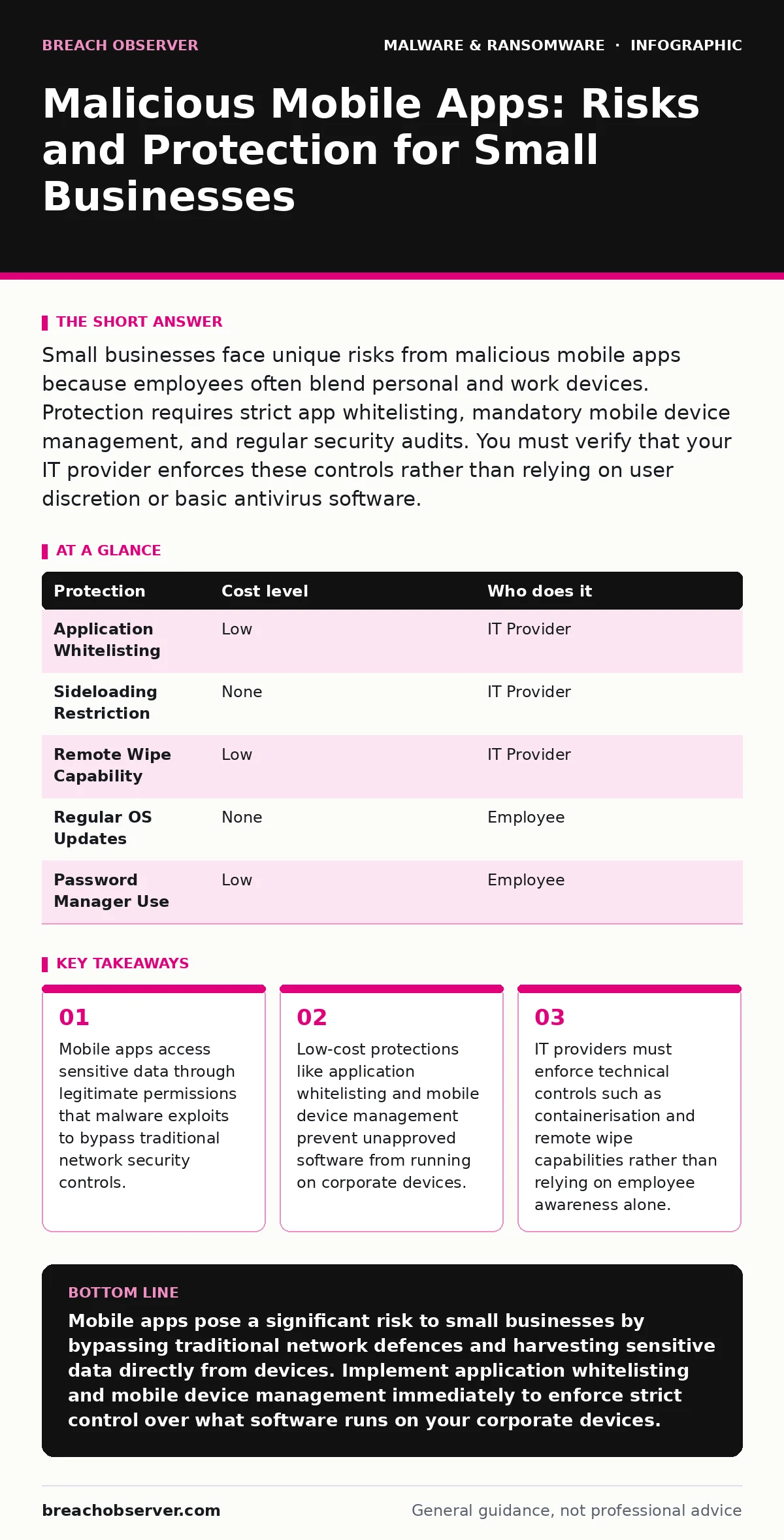
Small businesses face unique risks from malicious mobile apps because employees often blend personal and work devices. Protection requires strict app whitelisting, mandatory mobile device management, and regular security audits. You must verify that your IT provider enforces these controls rather than relying on user discretion or basic antivirus software.
Why Small Organisations Are Exposed to Mobile Threats
Small organisations often lack the dedicated security teams required to monitor mobile device activity. Employees frequently use personal devices for work tasks, a practice known as bring your own device. This blending of personal and professional use creates multiple entry points for attackers. Mobile operating systems grant apps extensive permissions to access contacts, location data, and camera functions. Malicious apps request these permissions under the guise of legitimate functionality. Once installed, these applications operate silently in the background. They can harvest credentials entered into other apps or intercept messages sent via secure channels.
The exposure increases when employees install applications from unofficial sources. Official app stores perform basic screening, but they do not catch every piece of malware. Third-party websites and direct APK downloads bypass these checks entirely. Small businesses rarely enforce strict policies on where software can be installed. This freedom allows malicious code to enter the corporate environment undetected. The absence of centralised monitoring means that security teams remain unaware of new installations until damage occurs.
The Mechanics of Malicious Mobile Applications
Malware on mobile devices operates differently than traditional desktop viruses. It relies on the permissions granted by the operating system to function. A malicious app might request accessibility services, which allow it to read screen content and simulate touches. This capability enables keylogging and session hijacking. The app can capture login credentials as the user types them into banking or email applications. It can also intercept two-factor authentication codes displayed on the screen.
Another common technique involves the use of overlay attacks. The malicious app draws a fake interface over a legitimate application. When the user enters their password into the fake window, the malware captures the input. The user believes they are interacting with the trusted app, but the data goes directly to the attacker. These attacks succeed because they exploit trust in the visual interface rather than technical vulnerabilities in the code.
Hidden Costs of Mobile Security Neglect
The financial impact of a mobile breach extends beyond immediate data loss. Downtime occurs while security teams investigate the incident and reset credentials. Productivity drops as employees switch to less efficient communication methods. Reputational damage follows when clients learn that their data was exposed through a mobile device. Insurance premiums may rise due to the increased risk profile of the organisation.
There is also a hidden cost in terms of technical debt. Once a device is compromised, it is often safer to wipe it completely rather than attempt to remove the malware. This results in the loss of local data and configuration settings. Restoring these settings consumes time and resources. Repeated incidents lead to a cycle of reactive fixes rather than proactive prevention. The cumulative effect erodes the organisation's financial stability and operational efficiency.
Low-Cost Protections for Mobile Devices
Effective mobile security does not require expensive hardware or complex infrastructure. Application whitelisting is a primary defence mechanism. This approach allows only approved applications to run on the device. Any other app is blocked from executing. This prevents malicious software from launching, even if it is installed. Whitelisting can be enforced through mobile device management solutions, which are often available at low cost for small businesses.
Another low-cost measure is the restriction of sideloading. Sideloading refers to installing apps from sources other than the official app store. By disabling this feature, you eliminate the risk of installing unvetted software. Most mobile operating systems allow administrators to enforce this restriction remotely. You should also enforce regular updates for the operating system and applications. Updates often include patches for known vulnerabilities that malware exploits.
| Protection | Cost level | Who does it |
|---|---|---|
| Application Whitelisting | Low | IT Provider |
| Sideloading Restriction | None | IT Provider |
| Remote Wipe Capability | Low | IT Provider |
| Regular OS Updates | None | Employee |
| Password Manager Use | Low | Employee |
What to Ask Your IT Provider
Your IT provider plays a critical role in mobile security. You must ensure they implement technical controls rather than relying on policy alone. Ask them how they manage mobile device enrolment. They should use a mobile device management platform to enforce security settings. This platform allows them to monitor device health and enforce compliance.
You should also inquire about their incident response procedures for mobile devices. They must have a process for remotely wiping data from lost or compromised devices. This capability limits the exposure window. Ask them how they handle data separation between personal and work information. Containerisation is a common method that keeps work data isolated from personal apps. This ensures that a personal app breach does not compromise corporate data.
- How do you enforce application whitelisting on employee devices?
- What is your process for remotely wiping data from a lost device?
- How do you separate personal and work data on shared devices?
- Do you monitor for unusual app behaviour or permission requests?
- How do you ensure operating system updates are applied promptly?
See also: Network Enumeration Risks: How Small Businesses Lose Visibility · Email Attachment Scanning: Practical Defences for Small Teams
Integrating Mobile Security with Broader Defences
Mobile security cannot exist in isolation. It must align with your broader security strategy. For instance, disaster recovery plans should include procedures for restoring access from mobile devices. If mobile credentials are compromised, the recovery process must account for this vector. Similarly, backdoors left by poorly configured mobile management tools can provide attackers with persistent access. Regular audits of these configurations are necessary to close such gaps.
You should also consider the risk of adware bundled with legitimate apps. Adware may not steal data directly, but it can degrade device performance and expose users to phishing links. Including adware detection in your mobile security policy helps maintain device integrity. For organisations using custom software, ensure that malicious PyPI packages are not introduced through mobile development tools. Supply chain risks extend to the mobile ecosystem as well.
Long-Term Strategies for Mobile Resilience
Building resilience against mobile threats requires ongoing effort. Regular training helps employees recognise suspicious app behaviour. They should know to check app permissions and reviews before installing software. However, training alone is insufficient. Technical controls must enforce good behaviour. You should review your mobile security policies annually to address new threats.
Consider the integration of mobile security with your endpoint detection and response systems. This provides visibility into mobile device activity alongside desktop systems. It allows for correlated threat detection. For example, if a user logs in from a new mobile device and a desktop simultaneously, it may indicate credential theft. Such insights help you respond faster to potential breaches.
Key takeaways
- Mobile apps access sensitive data through legitimate permissions that malware exploits to bypass traditional network security controls.
- Low-cost protections like application whitelisting and mobile device management prevent unapproved software from running on corporate devices.
- IT providers must enforce technical controls such as containerisation and remote wipe capabilities rather than relying on employee awareness alone.
Mobile apps pose a significant risk to small businesses by bypassing traditional network defences and harvesting sensitive data directly from devices. Implement application whitelisting and mobile device management immediately to enforce strict control over what software runs on your corporate devices.
Frequently asked questions
Can I trust apps from official app stores?
Official stores perform basic screening but do not guarantee safety. Malicious apps can slip through initial checks and be removed later. You should still monitor permissions and behaviour.
What is the difference between sideloading and official installs?
Sideloading involves installing apps from outside the official store, bypassing security checks. Official installs go through the store's verification process, reducing but not eliminating risk.
How do I know if my device has malware?
Signs include unusual battery drain, increased data usage, and unexpected pop-ups. However, sophisticated malware may show no visible signs. Regular security scans and monitoring are more reliable.
Should I allow employees to use personal devices?
Allowing personal devices increases risk. If permitted, you must enforce strict separation of work and personal data through containerisation and mobile device management.
How this guide was produced: written by the Breach Observer editorial team with AI assistance, checked against the public references listed below, and reviewed when the facts change. See our editorial policy or report an error.