
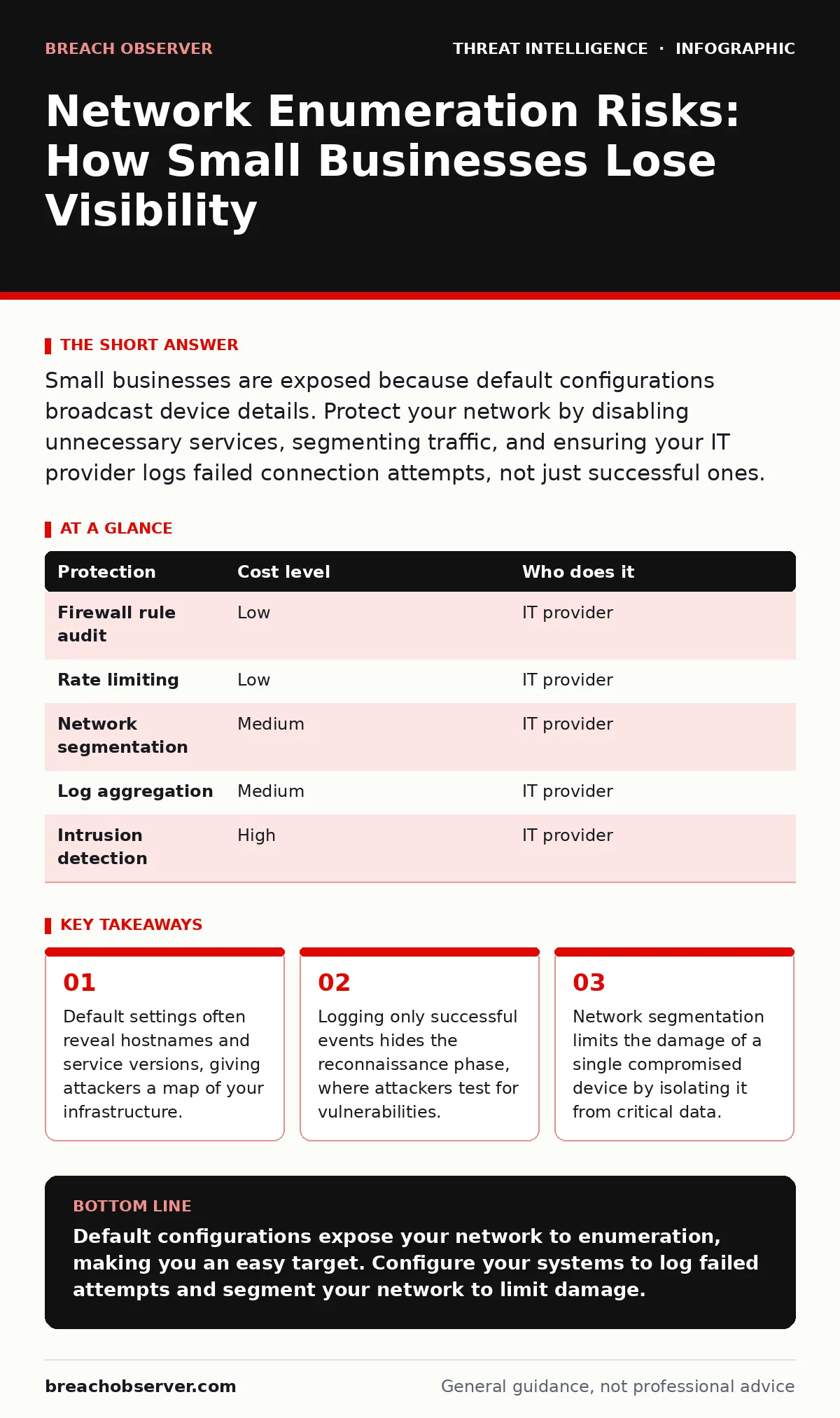
Small businesses are exposed because default configurations broadcast device details. Protect your network by disabling unnecessary services, segmenting traffic, and ensuring your IT provider logs failed connection attempts, not just successful ones.
The Illusion of Invisibility
Small organisations often believe their size protects them from sophisticated attacks. This assumption is dangerous. Attackers do not need to breach a global enterprise to find valuable data. They target networks with weak defences and predictable structures. Your network is visible to anyone who knows how to look.
Network enumeration is the process of mapping your infrastructure. Attackers use this data to identify operating systems, open ports, and running services. They are not guessing; they are reading the information your devices broadcast. If you have not explicitly hidden this data, it is available to the public.
Why Default Configurations Fail
Most network devices ship with default settings designed for easy setup, not security. These defaults often include open ports for remote administration and diagnostic tools. They also broadcast hostnames and service versions in response to simple queries.
Imagine you install a new printer or server. By default, it may respond to a request with its model number and firmware version. An attacker uses this information to search for known vulnerabilities. They do not need to hack your device directly; they simply look for a weakness in that specific software version.
The Blind Spot in Logging
Many small businesses configure their systems to log only successful events. This creates a critical blind spot. Network enumeration rarely triggers a successful login alert. It generates thousands of failed connection attempts and port scans.
If your system does not record these failures, you cannot see the reconnaissance phase. You will only notice the attack when data is stolen or systems are encrypted. By then, the damage is done. You need to log failed authentication attempts and unusual traffic patterns.
This requires storage and analysis. You cannot review thousands of log entries manually. You need automated tools to flag anomalies. This is where the trade-off between cost and visibility becomes apparent.
Low-Cost Protections for Small Networks
You do not need expensive hardware to improve your visibility. Many protections are configuration changes. Start by auditing your firewall rules. Ensure that only necessary ports are open to the internet.
Enable rate limiting on your firewall. This slows down rapid connection attempts, making automated scanning difficult. It does not stop a determined attacker, but it increases the time and effort required.
Segment your network. Separate guest Wi-Fi from internal business devices. Isolate sensitive servers from general workstations. If one device is compromised, segmentation prevents the attacker from moving laterally to critical systems.
| Protection | Cost level | Who does it |
|---|---|---|
| Firewall rule audit | Low | IT provider |
| Rate limiting | Low | IT provider |
| Network segmentation | Medium | IT provider |
| Log aggregation | Medium | IT provider |
| Intrusion detection | High | IT provider |
What to Ask Your IT Provider
Your IT provider is your first line of defence. You must verify that they are monitoring for enumeration, not just fixing broken printers. Ask specific questions about their monitoring capabilities.
- Do you log failed login attempts and port scans, or only successful connections?
- How do you detect and respond to automated scanning activity?
- What is your process for patching devices that show signs of reconnaissance?
- Do you segment the network to limit lateral movement?
- Can you provide a report of recent enumeration attempts against our IP addresses?
See also: Disaster Recovery for Small Teams: Restore Operations Fast · Malicious Mobile Apps: Risks and Protection for Small Businesses
The Hidden Cost of Visibility
Implementing these protections requires ongoing maintenance. Logs grow quickly. You need storage and a way to analyse the data. This is where many small businesses struggle. They collect data but never review it.
Consider the trade-off between privacy and security. Detailed logging can reveal employee behaviour. You must have a clear policy on what is monitored and how the data is used. Transparency with staff reduces legal risk and builds trust.
Also, be aware that some protections can impact performance. Intrusion detection systems scan every packet. This can slow down network speeds if not configured correctly. Balance security needs with operational requirements.
Beyond Basic Defences
As your security posture improves, you may want to explore more advanced techniques. Understanding threat intelligence program frameworks can help you prioritise threats. Knowing how to interpret indicators of compromise allows you to detect breaches earlier.
You might also look into security telemetry to gather broader context. This data helps you understand the full scope of an attack. For deeper analysis, the Diamond Model of intrusion analysis provides a structured way to map adversary behaviour.
Maintaining Long-Term Security
Security is not a one-time setup. It is a continuous process. Attackers change their tactics. New vulnerabilities are discovered regularly. Your defences must evolve.
Review your firewall rules quarterly. Update your logging policies. Ensure your IT provider is up to date with the latest threats. Do not rely on default settings. Configure your devices to hide as much information as possible.
Remember that no system is immune. The goal is to make the attack difficult and detectable. By improving visibility and limiting exposure, you reduce the risk of a successful breach.
Key takeaways
- Default settings often reveal hostnames and service versions, giving attackers a map of your infrastructure.
- Logging only successful events hides the reconnaissance phase, where attackers test for vulnerabilities.
- Network segmentation limits the damage of a single compromised device by isolating it from critical data.
Default configurations expose your network to enumeration, making you an easy target. Configure your systems to log failed attempts and segment your network to limit damage.
Frequently asked questions
How do I know if my network is being enumerated?
Look for spikes in failed connection attempts or unusual traffic patterns in your logs. If you do not log these events, you cannot know.
Is network segmentation expensive?
It depends on your current infrastructure. Simple VLANs can be configured on existing hardware at low cost, while complex setups may require new equipment.
Can I do this myself?
Basic configuration changes are manageable if you have technical skills. However, ongoing monitoring and analysis usually require specialised tools and expertise.
What is the first step I should take?
Audit your firewall rules. Close any ports that are not essential for your business operations. This immediately reduces your attack surface.
How this guide was produced: written by the Breach Observer editorial team with AI assistance, checked against the public references listed below, and reviewed when the facts change. See our editorial policy or report an error.