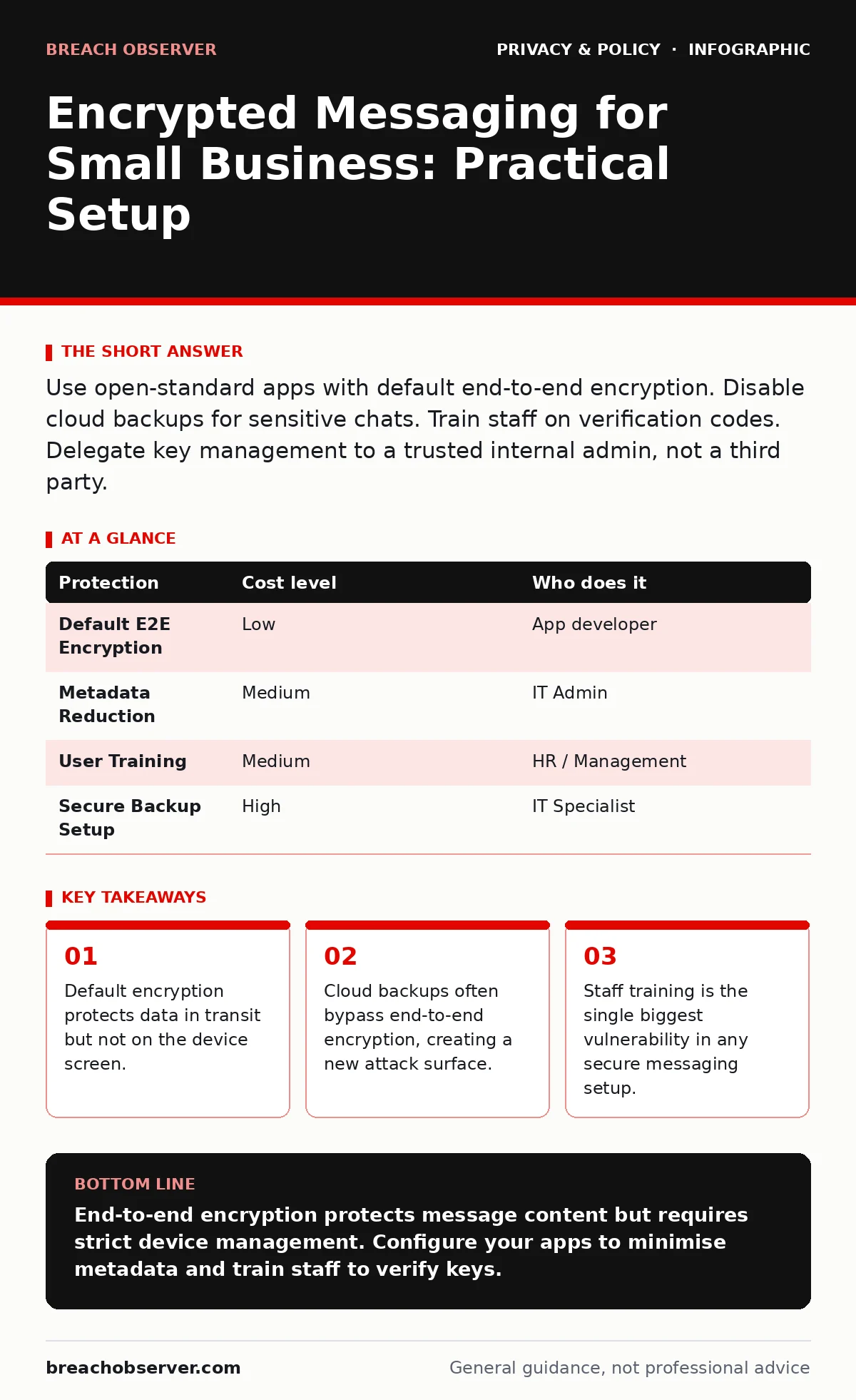
Use open-standard apps with default end-to-end encryption. Disable cloud backups for sensitive chats. Train staff on verification codes. Delegate key management to a trusted internal admin, not a third party.
The Illusion of Transit Security
Most users assume that if an app claims to be secure, their data is safe everywhere. This is rarely true. Encryption in transit protects data while it moves between your phone and the server. It does not necessarily protect data at rest on the server or on your device.
For small teams, the distinction matters. If your provider stores a copy of your messages to allow you to switch phones easily, they hold the keys. You are trusting their security posture as much as the encryption algorithm.
Open standards like Signal Protocol provide end-to-end encryption. This means only the sender and receiver hold the keys. The provider sees only gibberish. However, this convenience comes with a trade-off: you cannot recover messages if you lose your device, unless you have set up a specific backup method.
Choosing the Right Protocol
Do not choose apps based on user interface features. Choose them based on their cryptographic foundation. Look for applications that implement the Signal Protocol or a similar widely audited framework. These standards are public, meaning independent experts can verify their strength.
Avoid proprietary encryption methods. If a company invents its own encryption, no one outside the company can verify if it is secure. This lack of transparency is a significant risk for business communications.
Consider the metadata. Even if the message content is encrypted, the app may record who spoke to whom and when. This metadata can reveal sensitive business relationships. Check the privacy policy to see what metadata is collected and how long it is retained.
The Backup Paradox
Here is the non-obvious consequence of true security: convenience is your enemy. If you enable cloud backups for your encrypted messages, the backup must be decrypted somewhere. If the app decrypts it to store it in the cloud, the cloud provider can read it.
Some apps offer encrypted backups. This requires you to create a passphrase. If you lose this passphrase, your backups are useless. If you store the passphrase in a password manager that is compromised, your backups are exposed.
You must decide whether the risk of losing access to old messages is greater than the risk of those messages being read. For most small businesses, the risk of exposure outweighs the inconvenience of losing history. Configure apps to delete messages from the cloud after a short period.
| Protection | Cost level | Who does it |
|---|---|---|
| Default E2E Encryption | Low | App developer |
| Metadata Reduction | Medium | IT Admin |
| User Training | Medium | HR / Management |
| Secure Backup Setup | High | IT Specialist |
Managing Device Security
Encryption is only as strong as the device it runs on. If an attacker has physical access to an unlocked phone, encryption is irrelevant. They can read the messages directly from the screen or memory.
Enforce device passcodes and biometric locks. Require these to unlock the messaging app specifically. Many apps allow you to require a PIN before opening a chat. This adds a layer of protection if the main device lock is bypassed.
Be aware of screen recording and screenshots. Most apps cannot prevent a user from taking a screenshot of a sensitive message. This is a policy issue, not a technical one. Train staff to recognise that a screenshot can be leaked just as easily as the original message.
Training and Human Factors
The strongest encryption fails if the user verifies the wrong key. Many apps show a safety number or code to verify a contact. If users ignore this, they are vulnerable to man-in-the-middle attacks. An attacker could intercept the connection and impersonate a colleague.
Train staff to verify keys for sensitive contacts. This does not need to happen every day, but it should happen when starting a new project or when a new device is joined.
Discuss the limits of security. Users must understand that "secure" does not mean "invisible". Metadata, timing, and context can still reveal information. Refer to our guide on online tracking to understand how behaviour patterns can be analysed even without reading message content.
See also: Malicious Mobile Apps: Risks and Protection for Small Businesses · Network Enumeration Risks: How Small Businesses Lose Visibility
Delegating Responsibility
Small teams often lack dedicated security staff. This does not mean security is optional. It means you must delegate specific tasks to trusted individuals.
One person should own the configuration of the messaging platform. This includes setting retention policies, disabling unnecessary features, and managing account recovery processes. This person must understand the difference between end-to-end encryption and standard TLS encryption.
Do not delegate key management to a third-party IT provider unless they have a strict confidentiality agreement and you retain control of the master keys. If an external provider manages your accounts, they could access your messages. For high-sensitivity communications, keep key management in-house.
Check our guide on data subject access requests to understand how to handle employee or client requests for message logs when encryption makes retrieval difficult.
Monitoring and Auditing
You cannot monitor the content of encrypted messages by design. This is a feature, not a bug. However, you can monitor for anomalous behaviour.
Watch for sudden changes in communication patterns. If an employee starts messaging a new contact frequently, or if messages are sent at unusual hours, investigate the context, not the content.
Maintain an inventory of devices accessing the service. If a new device appears without authorisation, revoke access immediately. This limits the window of opportunity for an attacker who has stolen a device.
Remember, security is a process, not a product. Regularly review your settings and train your team. Refer to public Wi-Fi risks to understand why you should avoid sending sensitive data over untrusted networks, even with encryption.
Key takeaways
- Default encryption protects data in transit but not on the device screen.
- Cloud backups often bypass end-to-end encryption, creating a new attack surface.
- Staff training is the single biggest vulnerability in any secure messaging setup.
End-to-end encryption protects message content but requires strict device management. Configure your apps to minimise metadata and train staff to verify keys.
Frequently asked questions
Can I use encrypted messaging on company phones?
Yes, but you must enforce device passcodes and remote wipe capabilities. If the phone is lost, you must be able to remove access to the messaging service.
Does encryption protect against screenshot leaks?
No. Encryption protects data in transit and at rest. It cannot prevent a user from photographing the screen or taking a screenshot. This requires policy enforcement.
What if I lose my backup passphrase?
You lose the backup. There is no backdoor. This is by design to protect your privacy. Ensure you store the passphrase securely, ideally in a hardware security key or a separate secure location.
Should I disable cloud sync?
For sensitive business communications, yes. Cloud sync often involves decrypting messages on the server. Disabling it ensures only your devices hold the readable data.
How this guide was produced: written by the Breach Observer editorial team with AI assistance, checked against the public references listed below, and reviewed when the facts change. See our editorial policy or report an error.