
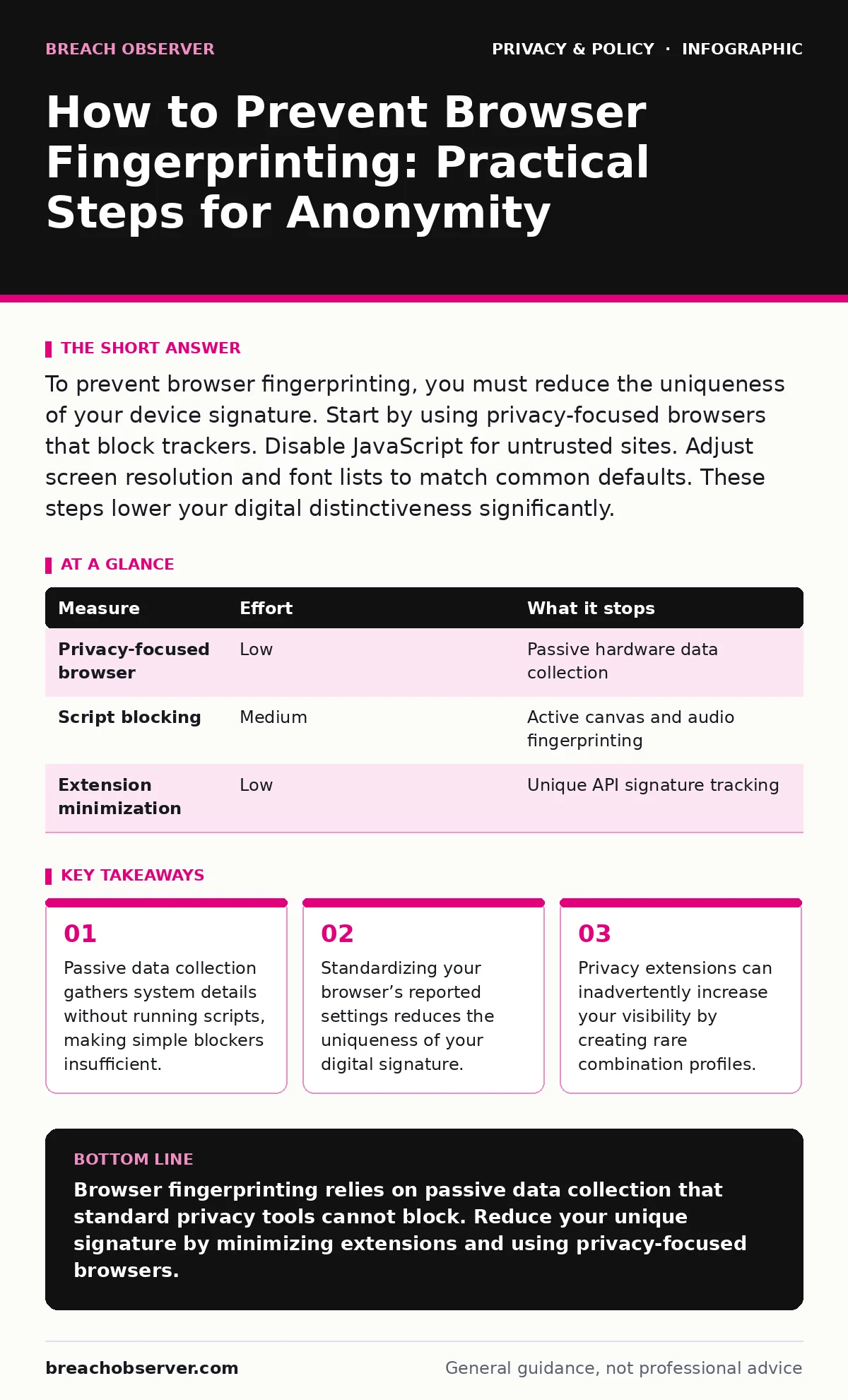
To prevent browser fingerprinting, you must reduce the uniqueness of your device signature. Start by using privacy-focused browsers that block trackers. Disable JavaScript for untrusted sites. Adjust screen resolution and font lists to match common defaults. These steps lower your digital distinctiveness significantly.
Why standard privacy tools fail against fingerprinting
You might believe that installing an ad blocker or enabling private browsing stops tracking. This assumption is incorrect. Browser fingerprinting works by reading the configuration of your system. It does not require cookies or active tracking pixels. The website queries your browser for details like screen resolution, installed fonts, and hardware concurrency. These details form a unique identifier.
This method bypasses most traditional privacy controls. Private browsing modes often leave the same hardware signature. Ad blockers remove ads but do not hide your system capabilities. You remain visible to analytics engines that aggregate these passive data points. Understanding this mechanism is the first step toward effective mitigation. You must treat your browser configuration as a public profile.
How to prevent browser fingerprinting effectively
The most effective approach reduces the uniqueness of your digital signature. You achieve this by making your browser look like thousands of others. Start with the browser engine itself. Standard browsers report exact hardware details. Privacy-focused browsers often spoof or limit this data. They report generic values for GPU models and screen resolutions.
Next, manage your extensions carefully. Each extension adds a unique entry to your browser’s API list. A rare combination of extensions makes you easier to track. Stick to a minimal set of widely used tools. Finally, consider using a browser that isolates sites. This isolation prevents one site from seeing data from another, breaking the link between your activities.
| Measure | Effort | What it stops |
|---|---|---|
| Privacy-focused browser | Low | Passive hardware data collection |
| Script blocking | Medium | Active canvas and audio fingerprinting |
| Extension minimization | Low | Unique API signature tracking |
The hidden cost of privacy extensions
Many users install multiple privacy tools to feel safe. This strategy often backfires. Each extension modifies the browser environment in a specific way. Fingerprinting scripts can detect these modifications. A common browser with five rare extensions is more unique than a standard browser with none.
This phenomenon is known as the "extension fingerprint." You create a rare profile by trying to hide. The solution is restraint. Use only essential extensions. Choose tools that are widely adopted. If an extension is not critical for your security, remove it. Simplicity provides better anonymity than complexity.
Adjusting system settings for anonymity
You can manually adjust settings to reduce your uniqueness. Screen resolution is a primary identifier. Most users have standard resolutions like 1920x1080. If you use a 4K monitor, you stand out. Changing your display resolution to a common standard helps blend in.
Font lists are another vector. Websites ask your browser which fonts are installed. Your specific list of fonts is often unique. You cannot easily change installed fonts, but you can use a browser that reports a standard subset. This prevents the site from seeing your full font library.
Audio context fingerprinting is harder to stop. It measures how your hardware processes sound. This data is very specific to your device. Most users cannot change this without specialized software that may break site functionality. Accepting this risk is often the only practical option for average users.
Managing JavaScript and site isolation
JavaScript enables many fingerprinting techniques. Canvas fingerprinting uses JavaScript to draw graphics and read the result. Small variations in rendering reveal your GPU driver. Blocking JavaScript stops this. However, it breaks many modern websites.
You need a balanced approach. Use a browser extension that blocks JavaScript by default. Allow it only on trusted sites. This reduces your exposure to active fingerprinting. Site isolation is another key feature. It ensures that data from one tab does not leak to another. This prevents trackers from correlating your activity across different domains.
See also: Children's Online Privacy Risks: Definition, Vectors and Controls
The limits of do-not-track signals
You might see a "Do Not Track" option in your browser settings. This feature sends a signal to websites asking them not to track you. It relies on voluntary compliance. Most commercial websites ignore this signal. It provides no technical protection against fingerprinting.
Relying on this setting gives a false sense of security. It does not change your browser’s data output. It does not block scripts or hide your hardware details. Treat this feature as a courtesy request, not a security control. Focus on technical measures that actively block data collection.
Understanding related privacy frameworks
Privacy is a broader ecosystem than just browser settings. Regulations like GDPR require consent for tracking, but they do not stop technical fingerprinting. Companies can still collect data if they claim it is necessary for service delivery. You must understand that legal compliance does not equal technical privacy.
For families, parental controls can limit exposure to tracking sites. They restrict access to platforms known for aggressive data collection. This reduces the attack surface for children. Similarly, awareness of children's online privacy risks helps parents choose safer environments.
Other technologies like facial recognition risks and ad tracking operate outside the browser. Encrypted messaging apps protect content, not metadata. Online tracking persists across devices. Understanding these boundaries helps you apply the right protection to the right threat.
Immediate actions for better privacy
You do not need to change everything at once. Start with high-impact, low-effort changes. Switch to a browser that prioritizes privacy by default. Review your extensions and remove the unnecessary ones. Check your screen resolution and adjust it to a common standard if possible.
These steps significantly reduce your visibility. They make your browser profile less unique. You will blend in with the crowd rather than standing out. Continue to monitor new developments in tracking technology. Adapt your settings as new fingerprinting methods emerge.
- Switch to a privacy-focused browser engine
- Remove unused browser extensions
- Verify screen resolution matches common standards
Key takeaways
- Passive data collection gathers system details without running scripts, making simple blockers insufficient.
- Standardizing your browser’s reported settings reduces the uniqueness of your digital signature.
- Privacy extensions can inadvertently increase your visibility by creating rare combination profiles.
Browser fingerprinting relies on passive data collection that standard privacy tools cannot block. Reduce your unique signature by minimizing extensions and using privacy-focused browsers.
Frequently asked questions
Does incognito mode stop browser fingerprinting?
No, incognito mode only prevents local storage of history and cookies. It does not hide your hardware configuration or browser settings from websites.
Can changing my IP address stop fingerprinting?
Changing your IP address helps, but it does not stop fingerprinting. Your browser still reports the same hardware and software details to the new server.
Is fingerprinting legal in all countries?
Laws vary by region. Some regions require consent for tracking, while others have looser regulations. Technical fingerprinting often operates in legal grey areas.
Do VPNs prevent browser fingerprinting?
VPNs hide your IP address and location, but they do not mask your browser’s hardware signature. You remain identifiable by your system configuration.
How this guide was produced: written by the Breach Observer editorial team with AI assistance, checked against the public references listed below, and reviewed when the facts change. See our editorial policy or report an error.