Full disk encryption is a security measure that automatically encrypts all data stored on a device’s storage medium. It ensures that if the device is lost, stolen, or physically accessed by an unauthorised party, the data remains unreadable without the correct decryption key or authentication credentials.
The Locked Briefcase Analogy
Imagine you carry a metal briefcase containing your most sensitive documents. When you are inside your office, you leave the case open on your desk to work. If a colleague walks in, they can read everything. When you leave for the day, you lock the case. If someone steals the briefcase from your car, they have the metal box, but they cannot open it without the key.
Full disk encryption functions as that lock. It does not protect you while you are working with the data inside the unlocked system. It only protects the data when the system is powered off or asleep. The "briefcase" is your hard drive or solid-state drive. The "key" is the cryptographic material derived from your password or a hardware token.
This distinction is vital for setting realistic expectations. Many organisations assume that encrypting drives secures their data against all threats. It does not. It specifically addresses the risk of physical theft or unauthorised physical access to storage media.
What Problem Does It Solve?
The primary threat model for full disk encryption is loss of physical custody. If a laptop is left in a taxi, or a server hard drive is discarded in general waste, the attacker has direct access to the raw magnetic or flash memory cells.
Without encryption, an attacker can remove the drive, connect it to another computer, and copy every file. This is known as a cold boot attack or direct interface access. Encryption transforms the raw data on the drive into ciphertext, a jumble of characters that looks like random noise.
To read that noise, the attacker must reverse the mathematical transformation. This requires the decryption key. If the key is not present on the drive or in the device’s memory, the data is effectively unrecoverable. This prevents data exfiltration from stolen hardware, which is a common vector in data extortion scenarios.
The Core Components
Full disk encryption relies on three distinct components working together. Understanding how they interact reveals where the system can fail.
- The Cipher Algorithm: This is the mathematical rule used to scramble and unscramble data. Algorithms like AES (Advanced Encryption Standard) are widely accepted and efficient on modern processors. The algorithm is public; its strength lies in its mathematical properties, not secrecy.
- The Key: This is a large number that the algorithm uses. You do not type this number. Instead, your password or PIN is processed through a key derivation function to create it. If the key is exposed, the encryption is useless.
- The Key Storage Mechanism: This is where the key lives when the computer is off. It might be stored in a Trusted Platform Module, a dedicated chip on the motherboard that never releases the key unless the hardware state is verified. Alternatively, it may be derived on-the-fly from your password every time you boot.
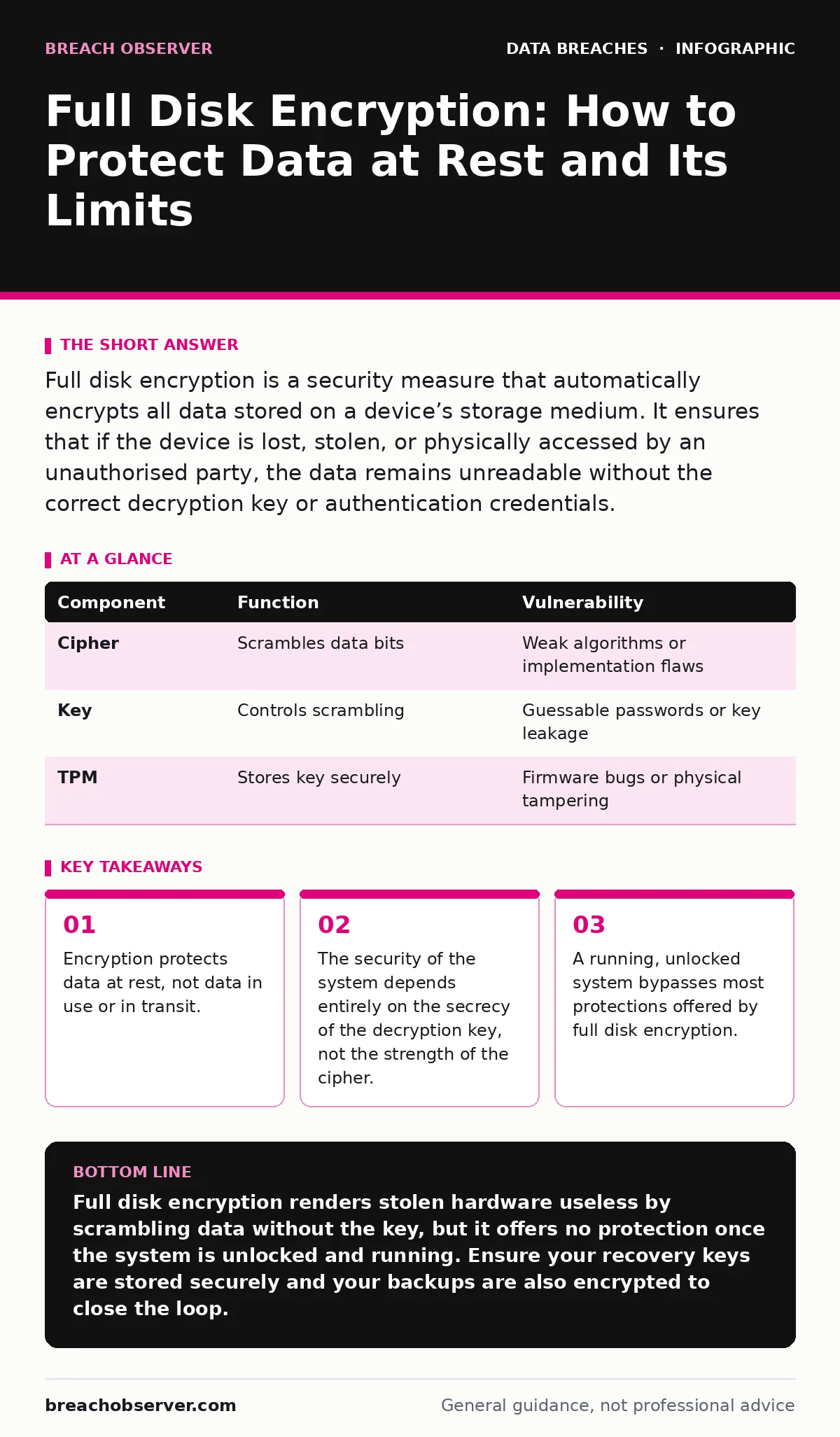
| Component | Function | Vulnerability |
|---|---|---|
| Cipher | Scrambles data bits | Weak algorithms or implementation flaws |
| Key | Controls scrambling | Guessable passwords or key leakage |
| TPM | Stores key securely | Firmware bugs or physical tampering |
Where It Fits in Defence
Encryption is one layer in a deeper stack. It does not replace other controls; it complements them. You must understand where it ends and other defences begin.
Consider data classification. Not all data needs the highest level of protection. Encrypting every device by default is a good baseline, but sensitive data requires additional handling. If you know which data is critical, you can apply stricter key management policies to those specific systems.
Think about backup strategies. If you encrypt your primary drive, your backups must also be encrypted. Often, automated backup tools create unencrypted copies for speed or compatibility. If an attacker steals your backup tapes or cloud backup snapshots, the encryption on your laptop is irrelevant. The chain of trust must extend to every storage location.
It also interacts with digital forensics. If a device is encrypted and the key is lost, investigators cannot access the logs or evidence on that drive. This creates a tension between security and accountability. You must balance the need for secrecy with the need to investigate incidents.
The Hidden Cost of Convenience
There is a trade-off between usability and security that many organisations overlook. Modern systems often cache the decryption key in memory after you log in. This allows the system to resume from sleep instantly without asking for your password again.
This is a fundamental flaw in how we think about "locked" screens. The screen lock is a barrier for casual viewers. The full disk encryption key in memory is a barrier for data theft. If the system is running, the encryption layer is effectively disengaged for all practical purposes.
To mitigate this, you must require authentication on wake. However, this adds friction. Users often disable this requirement for convenience. Security teams must decide whether the speed of resuming work is worth the risk of key extraction from a running system.
See also: What the CIA triad stands for and how to enforce it · Privacy Policies: The Real Benefits and Hard Limitations
What People Usually Get Wrong
The most common misconception is that full disk encryption protects against malware. It does not. If a virus or ransomware infects a running system, it can read and write to the files just like any other application. The encryption is transparent to the operating system once unlocked.
Another error is assuming that the password is the only thing that matters. If your password is "123456", the encryption is weak not because the math is bad, but because the key derivation is trivial to brute-force. However, if the key is stored in a hardware module that never leaves the device, even a weak password might be safer than you think, because the attacker cannot easily test millions of passwords against the stored hash.
Finally, many believe that deleting a file removes it. On an encrypted drive, deleting a file only removes the pointer to it. The encrypted data remains on the drive until it is overwritten. If an attacker gains access to the raw drive and has the key, they can recover deleted files. This impacts data inventory and mapping, as you cannot assume that sanitised drives are clean without cryptographic erasure or physical destruction.
Operationalising the Protection
To get value from full disk encryption, you must manage the keys, not just the drives. This involves several operational steps.
- Enforce encryption on all mobile devices and servers by default.
- Store recovery keys in a secure, separate location. If an employee leaves and changes their password, you must be able to recover the drive.
- Monitor for devices that fail to encrypt. Some systems allow users to bypass encryption during setup.
- Integrate encryption status into your incident communication plans. If a device is lost, the first question is: "Is it encrypted?" If yes, the data breach risk is low. If no, the risk is high.
The Limits of the Shield
Full disk encryption is a passive defence. It does not stop an attacker who has physical access to a running machine. It does not stop an attacker who has remote access via stolen session tokens. It does not stop an attacker who has compromised the endpoint before encryption is enabled.
It is a specific tool for a specific job: protecting data at rest from physical theft. Use it for that purpose, and do not expect it to solve other problems. Combine it with strong access controls, regular patching, and user training to build a wider defence.
Key takeaways
- Encryption protects data at rest, not data in use or in transit.
- The security of the system depends entirely on the secrecy of the decryption key, not the strength of the cipher.
- A running, unlocked system bypasses most protections offered by full disk encryption.
Full disk encryption renders stolen hardware useless by scrambling data without the key, but it offers no protection once the system is unlocked and running. Ensure your recovery keys are stored securely and your backups are also encrypted to close the loop.
Frequently asked questions
Does full disk encryption protect my data in the cloud?
No, full disk encryption only protects the local storage of the specific device. Cloud data requires separate encryption in transit and at rest, managed by the cloud provider or your own keys.
Can hackers bypass full disk encryption?
They cannot bypass the mathematical encryption itself, but they can steal the key if the system is running or if they gain access to the unencrypted memory. Physical attacks on running systems are the main bypass vector.
Is full disk encryption enough if I use a strong password?
A strong password makes brute-forcing the key difficult, but it does not protect against key extraction from memory or social engineering. It is a strong layer, but not a complete defence.
What happens if I forget my password on an encrypted drive?
If you do not have a recovery key stored securely, you cannot access the data. The system cannot guess your password, and the data remains encrypted forever.
How this guide was produced: written by the Breach Observer editorial team with AI assistance, checked against the public references listed below, and reviewed when the facts change. See our editorial policy or report an error.