
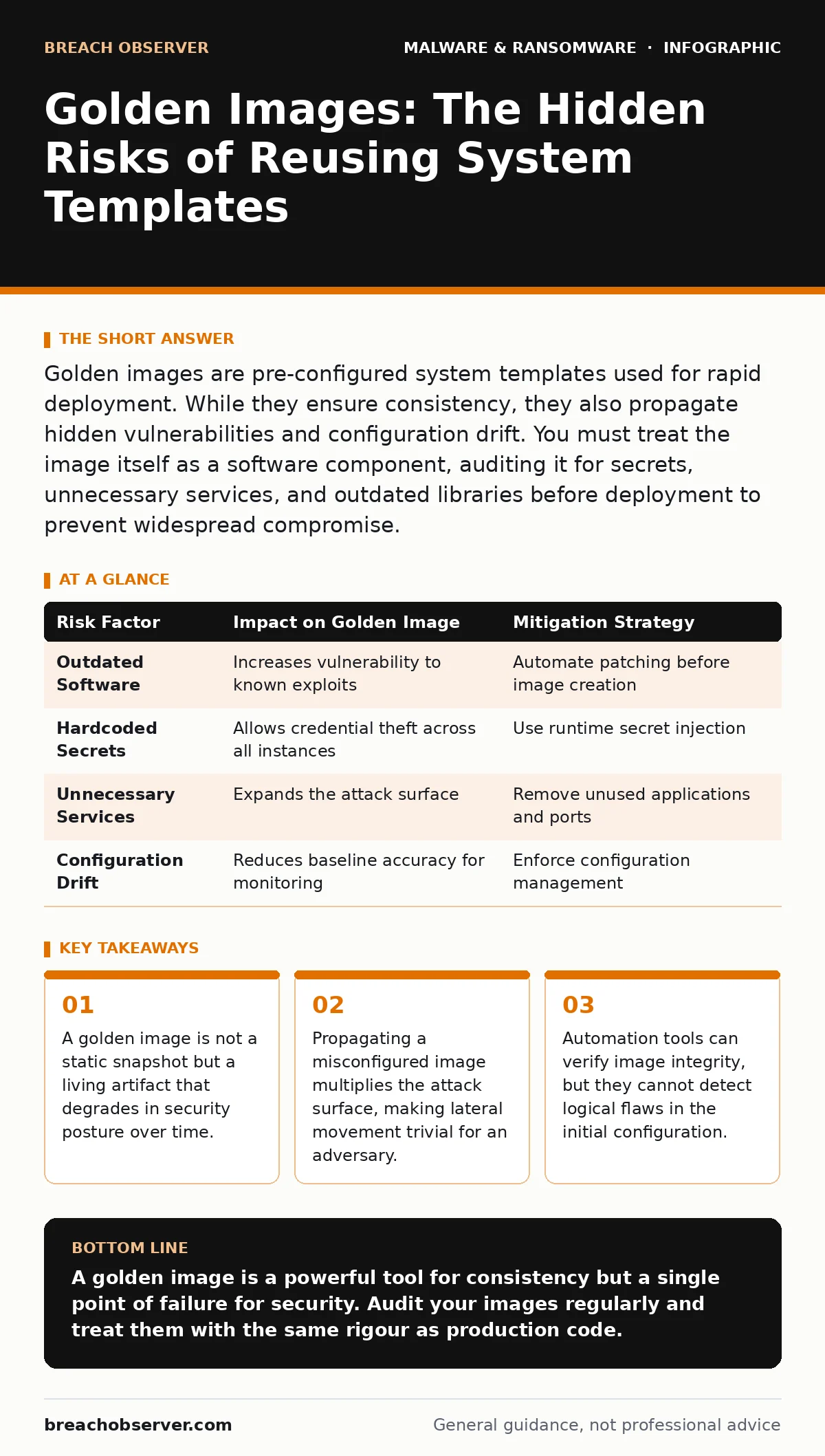
Golden images are pre-configured system templates used for rapid deployment. While they ensure consistency, they also propagate hidden vulnerabilities and configuration drift. You must treat the image itself as a software component, auditing it for secrets, unnecessary services, and outdated libraries before deployment to prevent widespread compromise.
What exactly is a golden image in system administration?
A golden image is a pre-configured master copy of an operating system, including applications, patches, and security settings, used to deploy identical systems at scale. It serves as the baseline for virtual machines or physical servers, ensuring every instance starts with the same known state. This standardisation reduces deployment time and eliminates configuration drift between individual machines. However, it also means that any flaw in the image is replicated across every system created from it.
Why do organisations prefer golden images over manual installation?
Manual installation is prone to human error, where an administrator might miss a security patch or misconfigure a firewall rule on a single server. A golden image guarantees that every deployed system meets the exact same security and functional requirements defined in the template. This consistency is vital for compliance audits, as it proves that security controls were applied uniformly. It also simplifies troubleshooting, as engineers know exactly what software and settings exist on any given machine.
How does a golden image differ from a standard backup?
A backup captures the state of a running system at a specific point in time, including user data and temporary files. A golden image is a clean, purpose-built template intended for deployment, stripped of personal data and transient state. Backups are used for recovery after data loss or ransomware attacks, as discussed in guides on reimaging infected computers. Golden images are used for creation and renewal, providing a known-good starting point rather than a restoration of a potentially compromised state.
What is the primary security risk of using a golden image?
The primary risk is the propagation of vulnerabilities, where a single weakness in the template affects every machine cloned from it. If the image contains a hardcoded password, an outdated library, or an unnecessary service, that flaw exists on every system. This creates a large attack surface where an adversary only needs to exploit one vulnerability to potentially access hundreds of systems. It turns a local configuration error into a systemic infrastructure failure.
How do you prevent credential leakage within a golden image?
You must audit the image for stored secrets, such as API keys, database passwords, or service account credentials, before deployment. Many applications store these in configuration files or environment variables that persist in the image file. Tools can scan for high-entropy strings that resemble passwords, but manual review of application configurations is often required. Never bake secrets directly into the image; instead, use a secrets management system to inject them at runtime.
Can a golden image help defend against ransomware?
Yes, by providing a clean baseline for rapid recovery, a golden image allows you to rebuild systems faster than restoring from backups. If a machine is infected, you can discard it and deploy a fresh instance from the image, assuming the image itself is clean. This speed is critical when dealing with ransomware-as-a-service groups that encrypt data quickly. However, the image must be stored offline and verified to ensure it does not contain the malware that infected the original system.
How often should you update your golden image?
You should update the image regularly to include the latest security patches, application updates, and configuration changes. An outdated image introduces known vulnerabilities into new deployments, effectively installing broken software. The frequency depends on your risk tolerance and the criticality of the systems, but monthly updates are common for high-security environments. You must balance the stability of the template with the need for current security fixes.
What is configuration drift and how does it affect golden images?
Configuration drift occurs when individual systems diverge from the golden image due to manual changes or software updates after deployment. This makes the golden image less useful as a reference, as the actual state of the servers no longer matches the template. It complicates security monitoring because baseline behaviour changes, making it harder to detect anomalies. You should use configuration management tools to enforce the desired state and alert when systems drift from the image.
| Risk Factor | Impact on Golden Image | Mitigation Strategy |
|---|---|---|
| Outdated Software | Increases vulnerability to known exploits | Automate patching before image creation |
| Hardcoded Secrets | Allows credential theft across all instances | Use runtime secret injection |
| Unnecessary Services | Expands the attack surface | Remove unused applications and ports |
| Configuration Drift | Reduces baseline accuracy for monitoring | Enforce configuration management |
How do you verify the integrity of a golden image?
You must use cryptographic hashes to verify that the image has not been tampered with between creation and deployment. Store the hash in a secure, read-only location and compare it against the image file before use. This detects accidental corruption or malicious modification. Additionally, use digital signatures to verify the identity of the entity that created the image, ensuring it comes from a trusted source.
What is the role of golden images in incident response?
In an incident response scenario, golden images provide a known-good state for rebuilding compromised systems quickly. They allow you to discard infected machines and replace them with clean instances, reducing downtime. However, you must ensure the image used for replacement is not the source of the compromise. This is particularly relevant when dealing with malware droppers and loaders that may have modified the system state before detection.
How do golden images interact with managed detection and response (MDR)?
MDR services rely on accurate baselines to detect anomalous behaviour, and golden images help define those baselines. By ensuring all systems start with the same configuration, MDR tools can more easily identify deviations that indicate compromise. However, if the golden image itself contains unusual or poorly documented configurations, it can generate false positives and alert fatigue. You must document the image contents thoroughly to help MDR analysts distinguish between normal and malicious activity.
Can golden images be used for IoT devices?
Yes, many IoT devices are deployed using golden images or similar firmware templates to ensure consistency. However, IoT devices often have limited resources, making comprehensive security scanning difficult. This can lead to the deployment of devices with hardcoded credentials or outdated software, as seen in various IoT malware outbreaks. You must apply the same rigorous security auditing to IoT images as you do to traditional servers, despite resource constraints.
Key takeaways
- A golden image is not a static snapshot but a living artifact that degrades in security posture over time.
- Propagating a misconfigured image multiplies the attack surface, making lateral movement trivial for an adversary.
- Automation tools can verify image integrity, but they cannot detect logical flaws in the initial configuration.
A golden image is a powerful tool for consistency but a single point of failure for security. Audit your images regularly and treat them with the same rigour as production code.
Frequently asked questions
Is a golden image the same as a system snapshot?
No, a snapshot captures the current state of a running system, including data and temporary files, while a golden image is a clean template for deployment.
How do I handle updates to applications within a golden image?
You should rebuild the image with the updated applications rather than updating individual systems, to maintain consistency and security.
How this guide was produced: written by the Breach Observer editorial team with AI assistance, checked against the public references listed below, and reviewed when the facts change. See our editorial policy or report an error.