
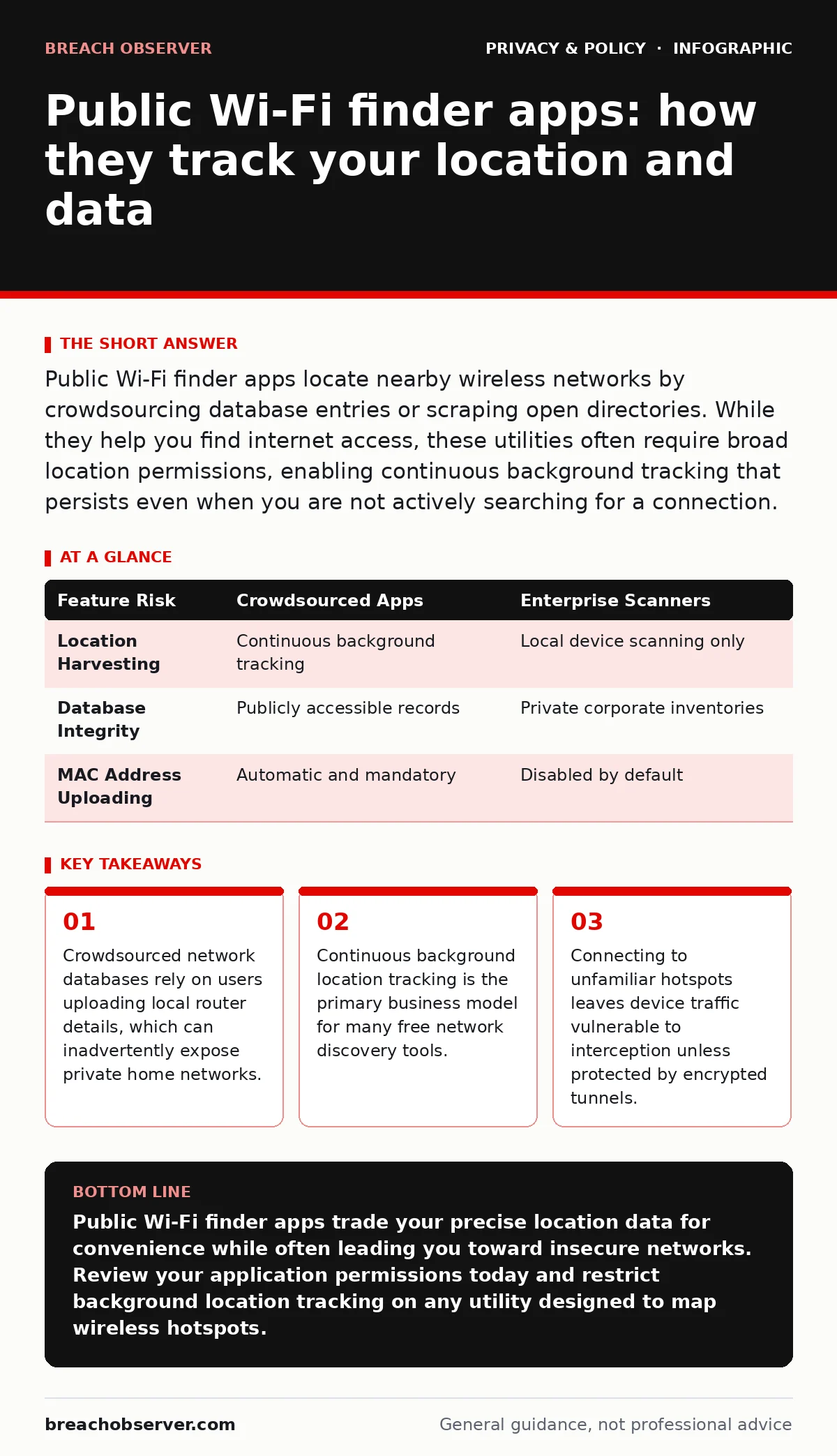
Public Wi-Fi finder apps locate nearby wireless networks by crowdsourcing database entries or scraping open directories. While they help you find internet access, these utilities often require broad location permissions, enabling continuous background tracking that persists even when you are not actively searching for a connection.
How do public Wi-Fi finder apps actually locate wireless networks?
Public Wi-Fi finder apps locate wireless networks by maintaining massive databases of SSID (Service Set Identifier) names paired with geographic coordinates. These repositories grow through crowdsourcing, where mobile applications installed on user devices silently scan the surrounding radio frequency environment and upload router coordinates to a central server. When you open the utility, it queries this database using your current GPS (Global Positioning System) position to render a map of nearby access points. This mapping mechanism means accuracy depends entirely on how recently another user passed by and updated the record for that specific router.
Are public Wi-Fi finder apps safe to use on mobile devices?
Public Wi-Fi finder apps introduce significant privacy risks because their underlying permission requirements often exceed their core functionality. Granting permanent background location access allows developers to aggregate and sell your movement patterns to data brokers without your explicit secondary consent. Furthermore, using these tools to select a connection frequently steers you toward rogue access points configured by malicious actors to mimic legitimate venue names.
Can these applications steal your personal data while running?
Public Wi-Fi finder apps typically do not steal your personal data directly through file system access, but they track metadata aggressively. Every time the software pings a central server to download map tiles or update network lists, it transmits your device identifier, IP address, and precise coordinates. Ad networks integrated into free versions of these utilities correlate this telemetry to build detailed profiles of your daily routines, mirroring methods seen in aggressive ad tracking ecosystems.
Do finder apps expose your home Wi-Fi network to strangers?
Public Wi-Fi finder apps expose your home Wi-Fi network by automatically uploading your private router's unique MAC (Media Access Control) address and GPS coordinates to public directories. When your mobile device detects your home router while walking past, background telemetry services register that physical location as an open or known access point. Other users of the same software can then view your residential network on their maps, inadvertently treating your private gateway as a public resource.
| Feature Risk | Crowdsourced Apps | Enterprise Scanners |
|---|---|---|
| Location Harvesting | Continuous background tracking | Local device scanning only |
| Database Integrity | Publicly accessible records | Private corporate inventories |
| MAC Address Uploading | Automatic and mandatory | Disabled by default |
How do rogue hotspots exploit users looking for free internet?
Rogue hotspots exploit users by broadcasting identical SSID names to legitimate public venues, tricking devices into connecting automatically based on previous association history. Once your device associates with this fraudulent access point, all unencrypted web traffic routes through the attacker's hardware, allowing them to inspect payloads or inject malicious scripts. Finder apps often exacerbate this danger by prioritizing open networks without verifying whether the underlying gateway belongs to the advertised venue.
See also: Mobile App Permission Abuse: 7 Mistakes and Fixes · Shared AI chat links in search results: how to stop leaks
Can a virtual private network protect you on networks found by these apps?
A VPN (Virtual Private Network) protects you on networks found by these apps by encapsulating your web traffic inside an encrypted tunnel before it reaches the local router. This cryptographic wrapper ensures that even if an attacker intercepts your connection at the access point, they only see garbled data rather than unencrypted passwords or browsing requests.
Why do free Wi-Fi finders require so many device permissions?
Free Wi-Fi finders require extensive device permissions because user telemetry monetization forms their primary revenue stream rather than upfront purchase costs. Access to your precise location, Bluetooth peripherals, and nearby Wi-Fi states allows developers to harvest high-value behavioral data that commands premium prices in data broker marketplaces. Balancing convenience against privacy requires scrutinizing every permission prompt rather than clicking accept to gain immediate internet access.
What is the difference between open portals and encrypted public networks?
Open portals require no authentication password to join, meaning any device within radio range can intercept unencrypted data packets transmitted across the airwaves. Encrypted public networks utilize wireless security standards like WPA3 (Wi-Fi Protected Access 3) to scramble data between your device and the local router, preventing casual eavesdropping by nearby devices. However, encryption on a public hotspot does not protect you from malicious operators running the actual network hardware, highlighting why privacy by design principles matter when evaluating network trustworthiness.
Key takeaways
- Crowdsourced network databases rely on users uploading local router details, which can inadvertently expose private home networks.
- Continuous background location tracking is the primary business model for many free network discovery tools.
- Connecting to unfamiliar hotspots leaves device traffic vulnerable to interception unless protected by encrypted tunnels.
Public Wi-Fi finder apps trade your precise location data for convenience while often leading you toward insecure networks. Review your application permissions today and restrict background location tracking on any utility designed to map wireless hotspots.
Frequently asked questions
Do offline Wi-Fi finder maps still track my location?
Offline maps tracking your location depends entirely on whether the application caches data locally or continues pinging servers in the background. Even without internet access, the software can log your GPS coordinates locally and transmit the batch the moment your device reconnects.
Can my mobile carrier block me from using public Wi-Fi finder apps?
Mobile carriers generally do not block public Wi-Fi finder apps because these utilities operate using standard operating system APIs and network protocols. Restrictions usually only occur if enterprise device management profiles enforced by an employer explicitly forbid location-sharing software.
Do these apps drain smartphone batteries quickly?
These apps drain smartphone batteries quickly because continuous background scanning forces your device Wi-Fi and GPS hardware to remain in an active power state. This constant polling prevents the phone processor from entering deep sleep modes, resulting in rapid power depletion.
How can I completely remove my home router from public Wi-Fi databases?
Removing your home router from public Wi-Fi databases usually requires opting out through specific vendor websites or appending specific opt-out strings to the end of your router SSID name. Major mapping providers maintain exclusion registries specifically for residential owners who want their private hardware hidden from public discovery tools.
How this guide was produced: written by the Breach Observer editorial team with AI assistance, checked against the public references listed below, and reviewed when the facts change. See our editorial policy or report an error.