
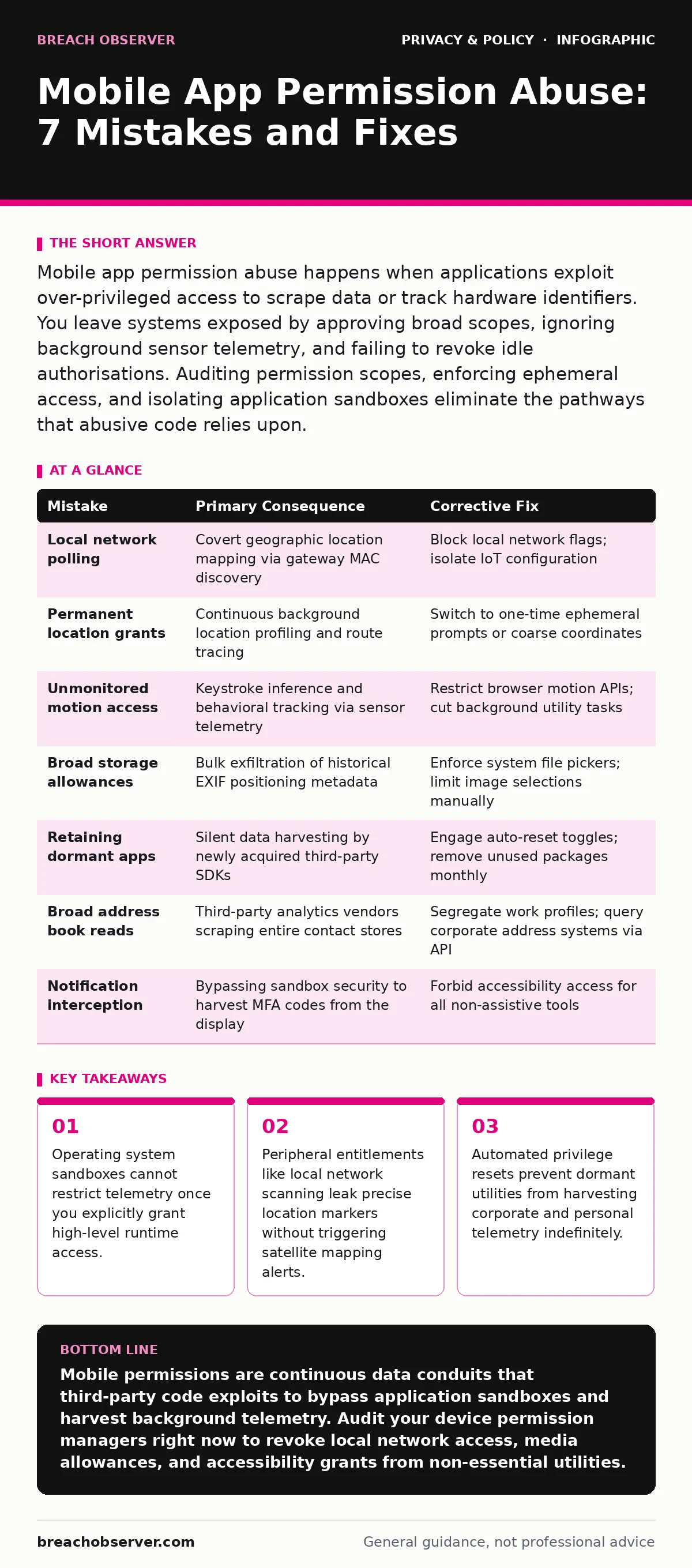
Mobile app permission abuse happens when applications exploit over-privileged access to scrape data or track hardware identifiers. You leave systems exposed by approving broad scopes, ignoring background sensor telemetry, and failing to revoke idle authorisations. Auditing permission scopes, enforcing ephemeral access, and isolating application sandboxes eliminate the pathways that abusive code relies upon.
Mistake 1: Treating local network access as an innocuous utility toggle
Local network discovery permits applications to poll every active host on your current subnet using standard discovery protocols. When you grant this entitlement, the software builds an inventory of connected hardware, including gateway media access control (MAC) addresses and smart home appliances. Abusive software correlates these hardware fingerprints against crowdsourced mapping tables to determine your physical location without ever asking for satellite positioning rights.
Why it hurts:
Network mapping bypasses operating system location prompts entirely by identifying fixed network hardware around you. Rogue analytics components embedded in benign tools use these subnet inventories to profile your physical habits, linking office attendance to domestic routines. Understanding these exposures mirrors the hazards outlined in our analysis of smart home privacy risks.
The fix:
Disable local network permissions for any utility that does not stream media to a known screen or manage local hardware directly. Audit these settings inside your device configuration menus monthly. Where an application demands local network reachability simply to configure an account, revoke the entitlement immediately after provisioning finishes.
Mistake 2: Approving runtime location privileges as a permanent grant
Runtime permissions separate one-time checks from continuous background access, yet many configurations default to continuous entitlements. An application that receives background positioning privileges schedules geofence triggers and wake-up routines that record your movements throughout the day. Aggressive telemetry engines bundle these coordinates with device battery levels and ambient cellular signal states to reconstruct historical itineraries.
Why it hurts:
Constant spatial tracking feeds directly into cross-application ad tracking platforms that trade on behavioral movement patterns. The telemetry persists across network transitions, allowing data aggregators to map your commercial relationships, domestic premises, and confidential business sites. Even when the interface remains closed in your memory stack, background positioning routines continue to transmit fine-grained coordinate traces.
The fix:
Configure all location requests to use ephemeral single-session access instead of persistent allowances.
- Inspect existing map and transport applications to confirm positioning is set to prompt every single session.
- Downgrade all secondary tools from precise coordinates to approximate horizontal boundaries.
- Deny location access entirely for applications that operate through fixed user addresses.
Mistake 3: Overlooking the data extraction power of motion and orientation sensors
Motion sensors such as accelerometers, gyroscopes, and magnetometers operate without explicit runtime permission dialogues on several mobile operating platforms. Mobile software queries these hardware components continuously through background threads to capture device tilt, vibration patterns, and user gait.
Why it hurts:
Continuous sensor access lets untrusted libraries measure the physical vibrations of your fingers on a glass display. Mathematical analysis of these micro-vibrations can infer typed numerical inputs and distinguish different users holding the same hardware. Motion profiles also reveal whether you are travelling in an automobile, riding rail transit, or walking, providing contextual surveillance without invoking battery-draining satellite chips.
The fix:
Audit operating system sensor flags and disable background activity for utilities that possess no navigational or fitness requirements. Restrict motion measurement inside browser environments, as mobile sites exploit device orientation APIs to perform browser fingerprinting without leaving a standard cookie footprint.
Mistake 4: Permitting full media storage reach instead of individual file pickers
Storage permissions traditionally operated as a single gate that exposed entire media libraries, shared documents, and cached downloads. When you approve broad read access to shared device volumes, an application reads the exchangeable image file format (EXIF) metadata appended to your photographs.
Why it hurts:
Embedded photograph metadata preserves exact capture coordinates, device serials, and precise timestamps. An application granted blanket read access searches through old images to assemble a multi-year timeline of where you travelled and who was present. The software extracts this historical telemetry without requesting active camera or satellite positioning authorisations.
The fix:
Shift storage consumption to the system photo picker mechanism rather than broad directory grants.
- Navigate to your operating system privacy sub-menu for media and storage permissions.
- Select limited library access instead of full access for every messaging and social platform.
- Choose explicit files manually whenever an application requires an upload, isolating the remaining storage partition.
Mistake 5: Leaving dormant utilities installed with historical privileges intact
Applications downloaded for single-use tasks retain every access entitlement you approved long after their utility ends. These dormant installations sit inside the application drawer while background services execute opportunistic network updates and data collection passes.
Why it hurts:
Dormant software frequently undergoes changes in ownership or integrates updated software development kits (SDKs) from data brokers. A utility you evaluated months ago may start transmitting device metrics and Wi-Fi connection logs to third-party endpoints. The resulting exposure evades the oversight that frameworks like GDPR enforce on transparent corporate data pipelines.
The fix:
Activate the automated permission revocation switches built into modern mobile operating systems. Configure mobile fleet policies to uninstall unmanaged code after thirty days of inactivity. Conduct a manual quarterly sweep across all installed packages, removing any tool that has not served an operational function within the preceding four weeks.
See also: Data subject access requests: handle legal queries safely · Smart home privacy risks exposed: what is actually leaking
Mistake 6: Trusting secondary SDKs inside enterprise collaboration applications
Primary applications rarely execute single-origin code; they bundle dozens of modular libraries designed to handle crash diagnostics, push signalling, and metrics. You grant entitlements to the parent tool, but runtime execution environments expose those capabilities equally to third-party libraries bundled inside the package.
Why it hurts:
Embedded telemetry code often ignores the declared operational purpose of the parent application. If you permit a messaging utility to query your address book, third-party advertising modules within that codebase read the names, phone numbers, and email accounts. The parent software vendor might not even store this data, while the integrated telemetry vendor harvests it quietly.
The fix:
Review software provenance and verify the privacy declarations of third-party libraries before approving software deployment. Enforce segregated work profiles that keep internal communications and company directories isolated from external contact stores. Deny contact book access across all tools, relying instead on integrated enterprise directory federation that queries names through dedicated, isolated API calls.
Mistake 7: Granting accessibility and notification monitoring services to unvetted software
Accessibility services and notification listeners represent the highest tier of user-granted administrative control outside of root privileges. Software containing accessibility reach inspects screen content, interacts with interface buttons autonomously, and logs state transitions across other installed packages.
Why it hurts:
Accessibility exploitation bypasses standard application sandboxing. Rogue utilities read one-time multi-factor authentication passcodes directly from incoming push notifications before you view them. The software captures private messages from encrypted platforms by scraping the unencrypted screen canvas as it renders, rendering end-to-end encryption protocols ineffective.
The fix:
Reserve accessibility entitlements exclusively for vetted assistive technologies that serve physical accessibility needs. Never approve notification listener permissions for wallpaper packages, third-party keyboards, or unvetted system management utilities. Review active accessibility profiles on mobile devices every month, revoking any grant awarded during external application installations.
Summary of mobile permission failures and remediations
| Mistake | Primary Consequence | Corrective Fix |
|---|---|---|
| Local network polling | Covert geographic location mapping via gateway MAC discovery | Block local network flags; isolate IoT configuration |
| Permanent location grants | Continuous background location profiling and route tracing | Switch to one-time ephemeral prompts or coarse coordinates |
| Unmonitored motion access | Keystroke inference and behavioral tracking via sensor telemetry | Restrict browser motion APIs; cut background utility tasks |
| Broad storage allowances | Bulk exfiltration of historical EXIF positioning metadata | Enforce system file pickers; limit image selections manually |
| Retaining dormant apps | Silent data harvesting by newly acquired third-party SDKs | Engage auto-reset toggles; remove unused packages monthly |
| Broad address book reads | Third-party analytics vendors scraping entire contact stores | Segregate work profiles; query corporate address systems via API |
| Notification interception | Bypassing sandbox security to harvest MFA codes from the display | Forbid accessibility access for all non-assistive tools |
Key takeaways
- Operating system sandboxes cannot restrict telemetry once you explicitly grant high-level runtime access.
- Peripheral entitlements like local network scanning leak precise location markers without triggering satellite mapping alerts.
- Automated privilege resets prevent dormant utilities from harvesting corporate and personal telemetry indefinitely.
Mobile permissions are continuous data conduits that third-party code exploits to bypass application sandboxes and harvest background telemetry. Audit your device permission managers right now to revoke local network access, media allowances, and accessibility grants from non-essential utilities.
Frequently asked questions
Can mobile applications track location if satellite positioning is turned off?
Mobile applications track your location without satellite positioning by reading the identifiers of nearby Wi-Fi routers, scanning local subnet hardware, and querying cellular towers. Data brokers match these network signatures against public mapping databases to calculate your physical coordinates.
What does the local network permission actually permit an application to see?
The local network permission allows software to discover and communicate with other hardware on the same subnet using standard network protocols. This access reveals the make, model, IP addresses, and MAC addresses of your local routers and connected smart equipment.
How do third-party analytics libraries abuse permissions without the main developer knowing?
Third-party software development kits share the identical runtime privilege container granted to the host application by the operating system. If a developer includes a third-party metrics library, that library can execute calls against the parent application's approved permissions and transmit the scraped output to separate endpoints.
Why are accessibility privileges dangerous on mobile devices?
Accessibility privileges are dangerous because they can read live interface content, intercept system notifications, and simulate touch events across every application on your device. Abusive utilities leverage this access to extract multi-factor authentication codes from incoming messages and capture encrypted chat text directly from the screen.
How this guide was produced: written by the Breach Observer editorial team with AI assistance, checked against the public references listed below, and reviewed when the facts change. See our editorial policy or report an error.