
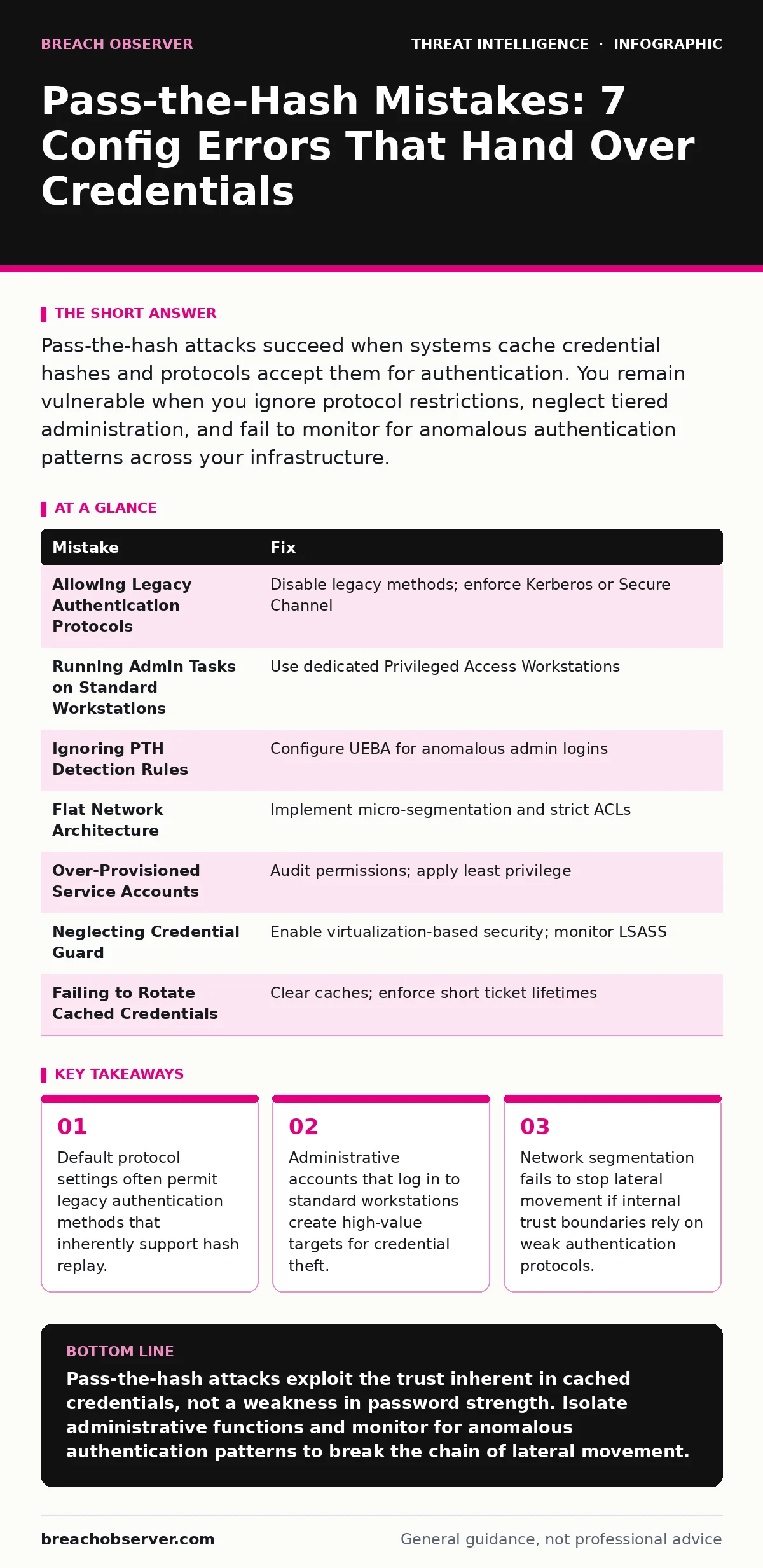
Pass-the-hash attacks succeed when systems cache credential hashes and protocols accept them for authentication. You remain vulnerable when you ignore protocol restrictions, neglect tiered administration, and fail to monitor for anomalous authentication patterns across your infrastructure.
Mistake 1: Allowing Legacy Authentication Protocols
Network infrastructure often defaults to supporting older authentication standards for backward compatibility. These legacy protocols transmit credential hashes in a manner that allows interception and reuse. When you permit these protocols, you enable attackers to capture hashes and replay them against other services without ever knowing the actual password.
Why it hurts: Legacy protocols like NTLMv1 or unencrypted SMB versions expose the hash directly on the wire or in memory. An attacker capturing this data gains immediate access to any system where the compromised account holds privileges. This bypasses password complexity requirements entirely.
The fix: Disable unsupported legacy authentication methods at the group policy level. Enforce modern standards such as Kerberos or Secure Channel protocols. Verify that your security telemetry captures authentication events to detect when legacy methods are attempted, even if blocked.
Mistake 2: Running Administrative Tasks on Standard Workstations
Administrators frequently log into their primary workstations using domain administrator accounts to perform routine tasks. This practice places high-privilege credentials on machines that users access frequently and that may run untrusted software. The workstation becomes a prime target for credential dumping tools.
Why it hurts: Standard workstations lack the hardened security controls of dedicated management servers. When an attacker compromises a user account, they can extract the cached hashes of any administrative session present on that machine. This grants immediate access to the entire directory structure.
The fix: Segregate administrative duties from daily operations. Use dedicated management workstations that never access the internet or user data. Implement Privileged Access Workstations that enforce strict application control and monitor for unauthorized credential access attempts.
Mistake 3: Ignoring Pass-the-Hash Specific Detection Rules
Many security operations teams configure detection rules for failed logins or brute force attempts. These rules miss pass-the-hash attacks because the authentication succeeds immediately. The attacker presents a valid hash, and the system accepts it as a legitimate login, generating no error logs.
Why it hurts: Successful authentications are logged as normal activity. Without specific monitoring for anomalous source-destination pairs or unusual protocol usage, lateral movement remains invisible. You cannot stop what you do not detect.
The fix: Configure user and entity behavior analytics to baseline normal login patterns. Alert on administrative accounts logging in from non-management hosts. Use YARA rules to identify processes known for extracting memory hashes, such as specific credential dumping utilities.
Mistake 4: Flat Network Architecture with Unrestricted Internal Traffic
Networks designed without internal segmentation allow free flow of traffic between all segments. This flat architecture assumes that perimeter security is sufficient. It ignores the reality that once an attacker is inside, they can query any system they can reach.
Why it hurts: An attacker with a single captured hash can scan the internal network for other systems that accept that credential. Without segmentation, the blast radius extends to every server and workstation. Network enumeration becomes trivial and silent.
The fix: Implement micro-segmentation to restrict lateral movement. Define strict firewall rules between server groups and workstations. Ensure that management traffic is isolated on separate VLANs with strict access control lists that block unnecessary broadcast traffic.
Mistake 5: Leaving Default Service Accounts Over-Provisioned
Default service accounts often retain excessive privileges long after their initial configuration. These accounts are used by applications to interact with directory services. Attackers target these accounts because they are widespread and often have predictable naming conventions.
Why it hurts: Service accounts are rarely monitored for unusual activity because their logins are expected. If an attacker captures the hash of a highly privileged service account, they can impersonate critical infrastructure components. This allows them to move laterally without triggering user-based alerts.
The fix: Audit service account permissions quarterly. Apply the principle of least privilege to every account. Disable unused accounts immediately. Monitor for service accounts logging in from unexpected IP addresses or during off-hours using your threat intelligence program.
See also: User and Entity Behavior Analytics Mistakes That Blind Your Defenders · Threat Actors in Cybersecurity: Tactics, Profiles and Detection Strategies
Mistake 6: Neglecting Credential Guard and Virtualization-Based Security
Modern operating systems offer hardware-backed isolation for credential material. Many organizations disable these features due to perceived performance impacts or compatibility issues with legacy applications. This leaves credential hashes stored in memory in a readable format.
Why it hurts: Without virtualization-based security, any process with SYSTEM-level access can read the LSASS memory space. Attackers use widely available tools to dump this memory and extract hashes. This turns a simple local privilege escalation into a network-wide compromise.
The fix: Enable Credential Guard on all endpoints where possible. Test compatibility with existing applications before deployment. Ensure that your endpoint detection and response solutions monitor for access to the LSASS process, as this is a strong indicator of credential theft.
Mistake 7: Failing to Rotate Cached Credentials After Compromise
When a potential compromise is identified, teams often reset passwords but ignore cached hashes. The old hash remains valid on local systems until the cache is cleared or the ticket lifetime expires. Attackers who retained access to a local machine can continue using the old hash.
Why it hurts: Password resets do not invalidate cached hashes on the client side. An attacker with local access can continue to authenticate using the stale hash. This allows persistent access even after your incident response team believes the threat has been contained.
The fix: Clear credential caches on affected endpoints immediately. Use group policy to enforce shorter ticket lifetimes. Implement short-lived credentials where possible to reduce the window of opportunity for hash replay attacks.
| Mistake | Fix |
|---|---|
| Allowing Legacy Authentication Protocols | Disable legacy methods; enforce Kerberos or Secure Channel |
| Running Admin Tasks on Standard Workstations | Use dedicated Privileged Access Workstations |
| Ignoring PTH Detection Rules | Configure UEBA for anomalous admin logins |
| Flat Network Architecture | Implement micro-segmentation and strict ACLs |
| Over-Provisioned Service Accounts | Audit permissions; apply least privilege |
| Neglecting Credential Guard | Enable virtualization-based security; monitor LSASS |
| Failing to Rotate Cached Credentials | Clear caches; enforce short ticket lifetimes |
Key takeaways
- Default protocol settings often permit legacy authentication methods that inherently support hash replay.
- Administrative accounts that log in to standard workstations create high-value targets for credential theft.
- Network segmentation fails to stop lateral movement if internal trust boundaries rely on weak authentication protocols.
Pass-the-hash attacks exploit the trust inherent in cached credentials, not a weakness in password strength. Isolate administrative functions and monitor for anomalous authentication patterns to break the chain of lateral movement.
Frequently asked questions
Does changing a password stop a pass-the-hash attack?
Changing a password does not automatically invalidate cached hashes on local machines. You must also clear the credential cache or enforce a logoff to prevent reuse of the old hash.
Can encryption prevent pass-the-hash attacks?
Data encryption protects information at rest and in transit, but it does not prevent the replay of authentication hashes. You must control how credentials are cached and transmitted.
How do I detect pass-the-hash without a password?
Detect pass-the-hash by monitoring for successful logins using legacy protocols or from unexpected source hosts. Look for administrative accounts authenticating from standard workstations.
Is Kerberos vulnerable to pass-the-hash?
Kerberos is resistant to simple hash replay because it uses tickets rather
How this guide was produced: written by the Breach Observer editorial team with AI assistance, checked against the public references listed below, and reviewed when the facts change. See our editorial policy or report an error.