
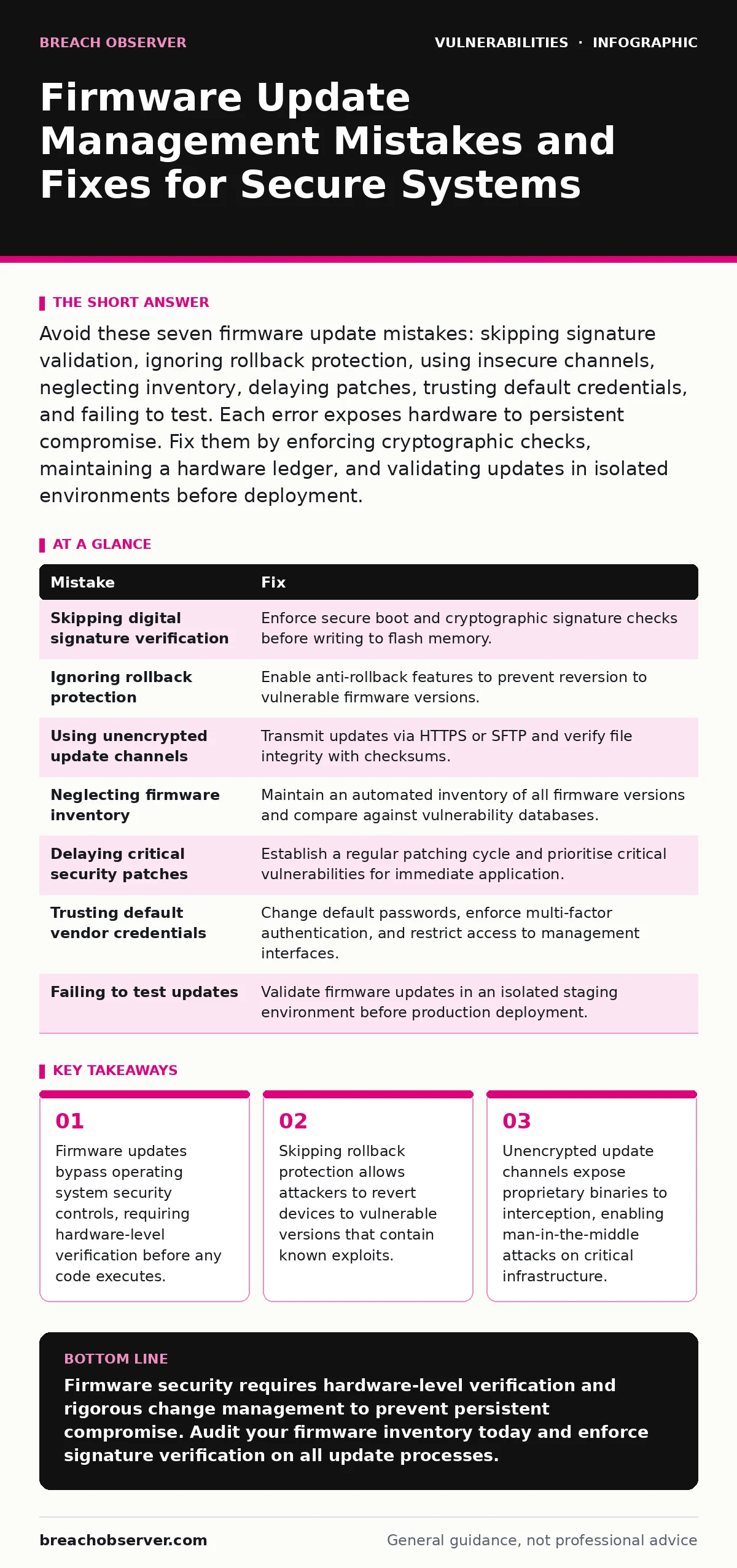
Avoid these seven firmware update mistakes: skipping signature validation, ignoring rollback protection, using insecure channels, neglecting inventory, delaying patches, trusting default credentials, and failing to test. Each error exposes hardware to persistent compromise. Fix them by enforcing cryptographic checks, maintaining a hardware ledger, and validating updates in isolated environments before deployment.
Mistake 1: Skipping Digital Signature Verification
Firmware operates below the operating system, giving it unrestricted access to hardware resources. Many administrators treat firmware updates like software patches, assuming the vendor’s reputation guarantees safety. This assumption fails when supply chain compromises occur or when local network traffic is intercepted. Without verifying the digital signature, the device accepts any binary file presented as an update.
Why it hurts: An attacker who injects a modified firmware image into the update stream can install a rootkit. This rootkit persists even after you reinstall the operating system or wipe the hard drive. The compromise remains hidden because standard antivirus tools cannot scan firmware stored in read-only memory. You lose control of the hardware’s boot process entirely.
The fix: Enforce strict digital signature verification at the hardware level. Configure the device to reject any update that lacks a valid cryptographic signature from the trusted vendor key. This process, known as secure boot, ensures that only authorised code executes during startup. Verify that the firmware update mechanism checks signatures before writing to the flash memory, not after.
Mistake 2: Ignoring Rollback Protection Mechanisms
Firmware versions often contain fixes for critical vulnerabilities, but they may also introduce new bugs. Administrators sometimes disable rollback protection to allow easy reversion to older, stable versions. This flexibility becomes a liability when an attacker discovers a vulnerability in an older firmware version that has since been patched.
Why it hurts: An attacker can force a device to revert to a vulnerable firmware version. Once the device runs the older code, the attacker exploits the known vulnerability to gain control. This technique, known as a rollback attack, bypasses security improvements introduced in newer versions. The device becomes a persistent threat vector, even if you intended to keep it updated.
The fix: Enable anti-rollback protection on all firmware-capable devices. This feature prevents the installation of older firmware versions by storing the version number in secure hardware. Ensure that the firmware update process checks the current version against the new version before applying changes. If the new version is lower, the update must fail immediately. This locks the device to the most secure available version.
Mistake 3: Using Unencrypted Update Channels
Firmware updates are large binary files that travel over the network. Many organisations transmit these files over standard HTTP or unencrypted internal protocols, assuming that the internal network is trusted. This assumption ignores the reality of lateral movement, where an attacker already inside the network can intercept traffic.
Why it hurts: An attacker on the same network segment can intercept the firmware update in transit. They can modify the binary to include malicious code or replace it entirely with a malicious version. Because the connection is unencrypted, the device has no way to detect that the file has been altered. The update installs successfully, but the hardware is now compromised.
The fix: Transmit firmware updates only over encrypted channels such as HTTPS or SFTP. Verify the integrity of the downloaded file using checksums before initiating the update process. This ensures that the file received is identical to the file published by the vendor. Encrypting the channel prevents interception, while checksum verification detects any corruption or tampering that occurred during transfer.
Mistake 4: Neglecting Comprehensive Firmware Inventory
Many organisations maintain detailed inventories of software applications and operating systems but neglect to track firmware versions. Without a complete inventory, you cannot determine which devices require updates or which versions are vulnerable. This blind spot allows outdated firmware to persist on critical devices, creating unpatched entry points for attackers.
Why it hurts: You cannot patch what you do not know exists. Untracked firmware remains vulnerable to known exploits indefinitely. When a new vulnerability is disclosed, you lack the data to identify affected devices quickly. This delay allows attackers to exploit the vulnerability across the organisation before you can respond. The absence of an inventory also complicates compliance audits and incident response efforts.
The fix: Maintain a comprehensive inventory of all firmware versions across your infrastructure. Use automated scanning tools to detect firmware versions and compare them against a database of known vulnerabilities. Update this inventory regularly to reflect changes in the environment. This visibility allows you to prioritise updates based on risk and ensures that no device remains hidden from your security operations.
Mistake 5: Delaying Critical Security Patches
Firmware vendors release security patches to address vulnerabilities that could be exploited in the wild. Administrators often delay applying these patches to avoid potential compatibility issues or downtime. This risk-averse approach assumes that the likelihood of exploitation is low. However, attackers actively scan for known vulnerabilities in firmware to gain persistent access.
Why it hurts: Delaying patches extends the window of exposure. Attackers can exploit known vulnerabilities to compromise devices before you apply the fix. Firmware vulnerabilities are particularly dangerous because they often allow privilege escalation to the highest level. Once an attacker gains this level of access, they can install backdoors, steal data, or disrupt operations. The longer you wait, the greater the chance of compromise.
The fix: Establish a regular patching cycle for firmware updates. Prioritise critical security patches that address known vulnerabilities. Test patches in a staging environment to verify compatibility before deploying them to production. Automate the deployment process where possible to reduce the time between patch release and application. This proactive approach minimises the window of exposure and reduces the risk of exploitation.
See also: Zero-Click Exploit Warning Signs and Immediate Response Actions · Remediation Tracking: How to Close Vulnerabilities Before Exploitation
Mistake 6: Trusting Default Vendor Credentials
Many firmware management interfaces use default usernames and passwords set by the manufacturer. Administrators often fail to change these credentials, assuming that the interface is not directly accessible from the internet. This assumption ignores the possibility of internal network breaches or misconfigured network segmentation that exposes management interfaces.
Why it hurts: An attacker who discovers default credentials can log into the firmware management interface. From there, they can modify settings, install malicious firmware, or disable security features. Because these credentials are widely known, attackers frequently try them as part of automated scanning campaigns. The ease of access makes this a low-effort, high-impact attack vector.
The fix: Change all default credentials immediately upon installation. Use strong, unique passwords for each device and enforce multi-factor authentication where supported. Restrict access to firmware management interfaces using network segmentation and firewall rules. Regularly audit access logs to detect any unauthorised login attempts. This reduces the risk of unauthorised access and ensures that only authorised personnel can manage firmware.
Mistake 7: Failing to Test Updates in Isolation
Firmware updates can introduce compatibility issues that disrupt operations. Administrators often deploy updates directly to production devices to save time. This approach risks downtime and instability if the update fails or conflicts with existing configurations. Without testing, you cannot predict how the update will affect device functionality or network performance.
Why it hurts: A failed firmware update can render a device unusable, requiring manual intervention to recover. This downtime disrupts operations and may expose the device to further attacks while it is in a vulnerable state. Compatibility issues can also cause unexpected behaviour, such as dropped connections or reduced performance, which can be difficult to diagnose. The cost of recovery often exceeds the time saved by skipping testing.
The fix: Test all firmware updates in an isolated staging environment before deploying them to production. Verify that the update applies successfully and that the device functions as expected. Check for compatibility with existing configurations and network settings. Only deploy the update to production after successful testing. This practice minimises the risk of downtime and ensures that updates do not introduce new issues.
| Mistake | Fix |
|---|---|
| Skipping digital signature verification | Enforce secure boot and cryptographic signature checks before writing to flash memory. |
| Ignoring rollback protection | Enable anti-rollback features to prevent reversion to vulnerable firmware versions. |
| Using unencrypted update channels | Transmit updates via HTTPS or SFTP and verify file integrity with checksums. |
| Neglecting firmware inventory | Maintain an automated inventory of all firmware versions and compare against vulnerability databases. |
| Delaying critical security patches | Establish a regular patching cycle and prioritise critical vulnerabilities for immediate application. |
| Trusting default vendor credentials | Change default passwords, enforce multi-factor authentication, and restrict access to management interfaces. |
| Failing to test updates | Validate firmware updates in an isolated staging environment before production deployment. |
Key takeaways
- Firmware updates bypass operating system security controls, requiring hardware-level verification before any code executes.
- Skipping rollback protection allows attackers to revert devices to vulnerable versions that contain known exploits.
- Unencrypted update channels expose proprietary binaries to interception, enabling man-in-the-middle attacks on critical infrastructure.
Firmware security requires hardware-level verification and rigorous change management to prevent persistent compromise. Audit your firmware inventory today and enforce signature verification on all update processes.
Frequently asked questions
How do I verify firmware signatures on legacy devices?
Check the device documentation for signature verification support. If unavailable, isolate the device on a restricted network segment and monitor traffic closely to detect anomalies.
Can firmware updates be automated safely?
Automation is safe if you include signature verification, rollback protection, and pre-deployment testing in the workflow. Ensure that failed updates trigger automatic reversion to the previous stable version.
What is the difference between firmware and software updates?
Firmware updates modify the low-level code that controls hardware, while software updates modify the operating system or applications. Firmware changes are more persistent and harder to reverse.
How this guide was produced: written by the Breach Observer editorial team with AI assistance, checked against the public references listed below, and reviewed when the facts change. See our editorial policy or report an error.