
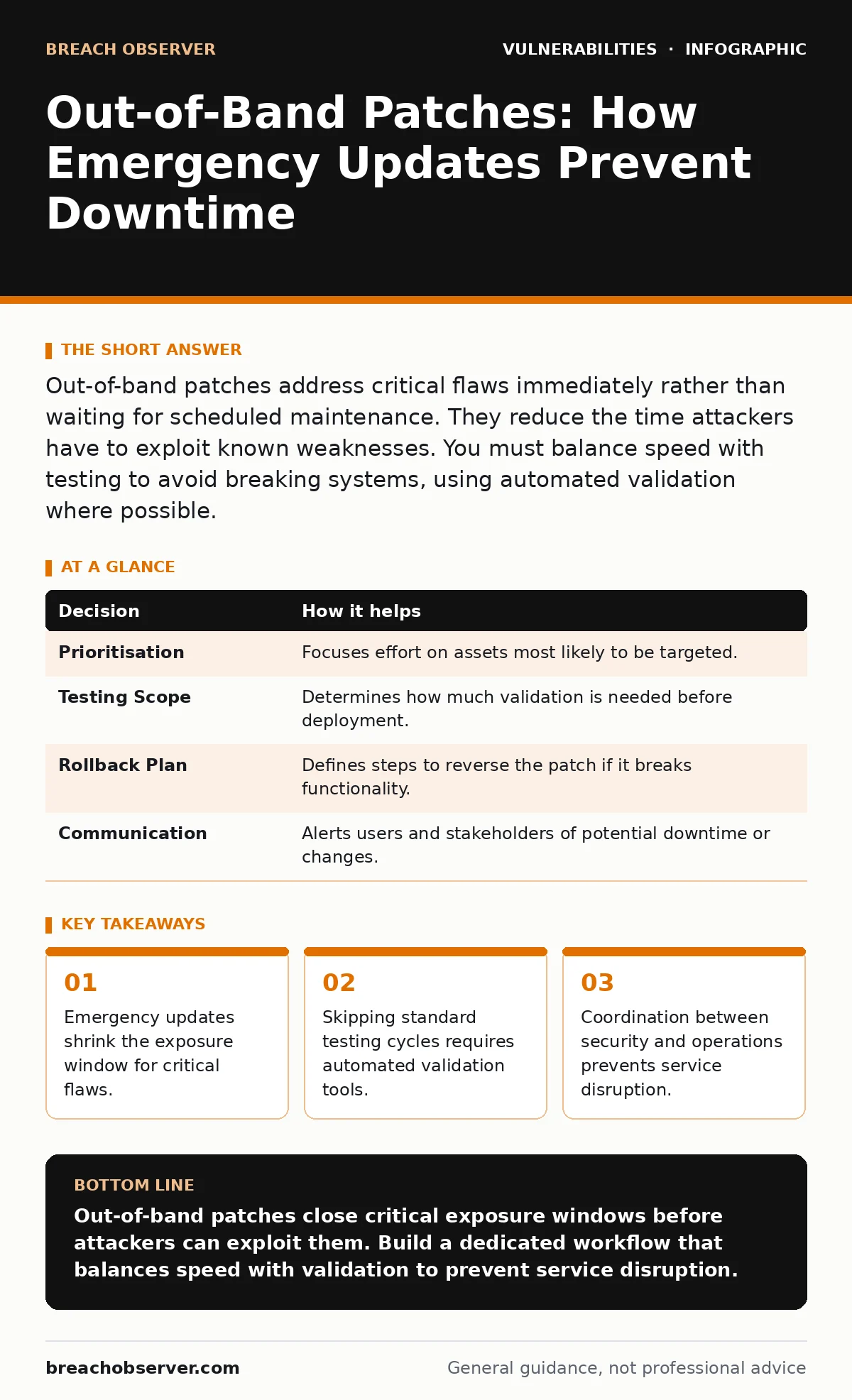
Out-of-band patches address critical flaws immediately rather than waiting for scheduled maintenance. They reduce the time attackers have to exploit known weaknesses. You must balance speed with testing to avoid breaking systems, using automated validation where possible.
The Window of Vulnerability
Software contains errors. Some are minor, affecting only specific edge cases. Others allow an attacker to bypass authentication or execute code remotely. When a vendor discovers a critical flaw, they release a patch. This is the out-of-band patch. It arrives outside the normal release cycle.
You face a choice. You can wait for the next scheduled maintenance window. Or you can apply the fix immediately. Waiting extends the time your systems remain vulnerable. This period is known as the exposure window. Attackers scan for known vulnerabilities automatically. They do not wait for your schedule.
Imagine a web server with a known remote code execution flaw. The vendor releases a patch on Tuesday. Your maintenance window is the following Friday. For four days, any bot scanning the internet can exploit your server. The patch closes the door. Delaying it leaves the door open.
Decisions Informed by Emergency Releases
Out-of-band patches force immediate decisions. You cannot rely on routine processes. You must assess risk, priority, and impact in real time. These decisions determine whether your organisation absorbs an attack or suffers a breach.
| Decision | How it helps |
|---|---|
| Prioritisation | Focuses effort on assets most likely to be targeted. |
| Testing Scope | Determines how much validation is needed before deployment. |
| Rollback Plan | Defines steps to reverse the patch if it breaks functionality. |
| Communication | Alerts users and stakeholders of potential downtime or changes. |
Each decision carries trade-offs. Prioritising one system may leave another exposed. Extensive testing reduces the risk of breakage but increases the exposure window. You must find the balance that fits your risk appetite. This balance shifts depending on the severity of the flaw and the value of the asset.
What Goes Wrong Without It
Without a process for out-of-band patches, teams fall into reactive chaos. Security alerts flood in. Operations teams scramble to apply fixes. Coordination breaks down. Critical systems may go offline due to poorly tested updates.
Suppose a database server requires an emergency update. The security team pushes the patch without consulting operations. The patch conflicts with a custom configuration. The database crashes. Business operations halt. The breach is prevented, but the business suffers. This is a common failure mode. Speed without coordination creates new risks.
Another failure is ignoring the patch entirely. Some teams fear breaking legacy systems. They defer the update indefinitely. The vulnerability remains. An attacker eventually finds it. The resulting breach is often more costly than the downtime of a failed patch. This is why exposure management matters. You must know what you are running to decide whether to patch.
How Teams Use Emergency Updates
Effective teams treat out-of-band patches as a distinct workflow. They do not mix them with routine updates. They have pre-defined procedures for assessment, testing, and deployment. This reduces decision fatigue during a crisis.
First, the team verifies the patch. They check the vendor’s advisory. They confirm the flaw affects their specific version. They assess the exploitability. Is there public exploit code? Is the asset internet-facing? These factors determine urgency.
Second, the team tests the patch. They use a staging environment that mirrors production. They run automated checks for compatibility. If the patch fails, they halt deployment. They do not guess. They wait for a vendor fix or a workaround.
Third, the team deploys. They apply the patch to a small subset of servers first. They monitor for errors. If stable, they roll out to the rest. This phased approach limits the blast radius of a bad patch. It is similar to managing file upload vulnerabilities. You validate inputs before processing them. Here, you validate the patch before applying it.
The Hidden Cost of Speed
Speed has a hidden cost. It is the erosion of process. When teams rush, they skip steps. They bypass logging. They forget to document changes. This creates technical debt. Future incidents become harder to diagnose.
You must maintain audit trails even in emergencies. Log who approved the patch. Log when it was applied. Log the result. This data is vital for post-incident review. It helps you improve the process. Without it, you repeat the same mistakes.
Another cost is alert fatigue. If every patch is treated as an emergency, teams become desensitised. They stop responding. You must reserve out-of-band status for true criticals. Use standard channels for low-risk updates. This preserves the urgency when it matters.
See also: Why Vulnerability Embargoes Matter for Security Operations · Cyber Kill Chain Lockheed Martin: Stages, Weaknesses, and Defence
Integration with Broader Security
Out-of-band patches do not exist in isolation. They interact with other security controls. For instance, a patch may fix a command injection flaw. But if you have weak password policies, attackers may still gain access. You must layer controls.
Consider subdomain takeover. A patch may fix the primary application. But if a subdomain points to a decommissioned service, attackers may take it over. The patch does not help. You must manage your entire exposure. This is why IT asset inventory is foundational. You cannot patch what you do not know you have.
Security bulletins provide the initial signal. They tell you what is broken. But they do not tell you how to fix it in your context. You must translate the bulletin into action. This requires expertise. It requires practice. Do not wait for a crisis to build this capability.
Building a Resilient Process
Resilience comes from preparation. You cannot prepare for every specific flaw. But you can prepare for the process. Define roles. Assign responsibilities. Create checklists. Drill them regularly.
Start with your IT asset inventory. Identify critical assets. Map their dependencies. Understand how they interact. This knowledge speeds up decision-making. When a patch arrives, you know which systems are affected. You know who to contact.
Next, automate where possible. Use configuration management tools. They allow you to deploy patches consistently. They reduce human error. They provide rollback capabilities. If a patch fails, you can revert quickly. This reduces the risk of downtime.
Finally, review and improve. After each out-of-band event, conduct a post-mortem. What worked? What failed? How can you improve? Update your procedures. Share lessons learned. This continuous improvement builds a stronger defence over time.
Key takeaways
- Emergency updates shrink the exposure window for critical flaws.
- Skipping standard testing cycles requires automated validation tools.
- Coordination between security and operations prevents service disruption.
Out-of-band patches close critical exposure windows before attackers can exploit them. Build a dedicated workflow that balances speed with validation to prevent service disruption.
Frequently asked questions
How do I know if a patch is truly critical?
Check the vendor’s advisory for evidence of active exploitation. If public exploit code exists and your asset is internet-facing, treat it as critical.
How often should I practice this process?
Practice at least quarterly. Simulate an emergency scenario. Time the response. Identify bottlenecks. Refine the procedure based on the results.
How this guide was produced: written by the Breach Observer editorial team with AI assistance, checked against the public references listed below, and reviewed when the facts change. See our editorial policy or report an error.