
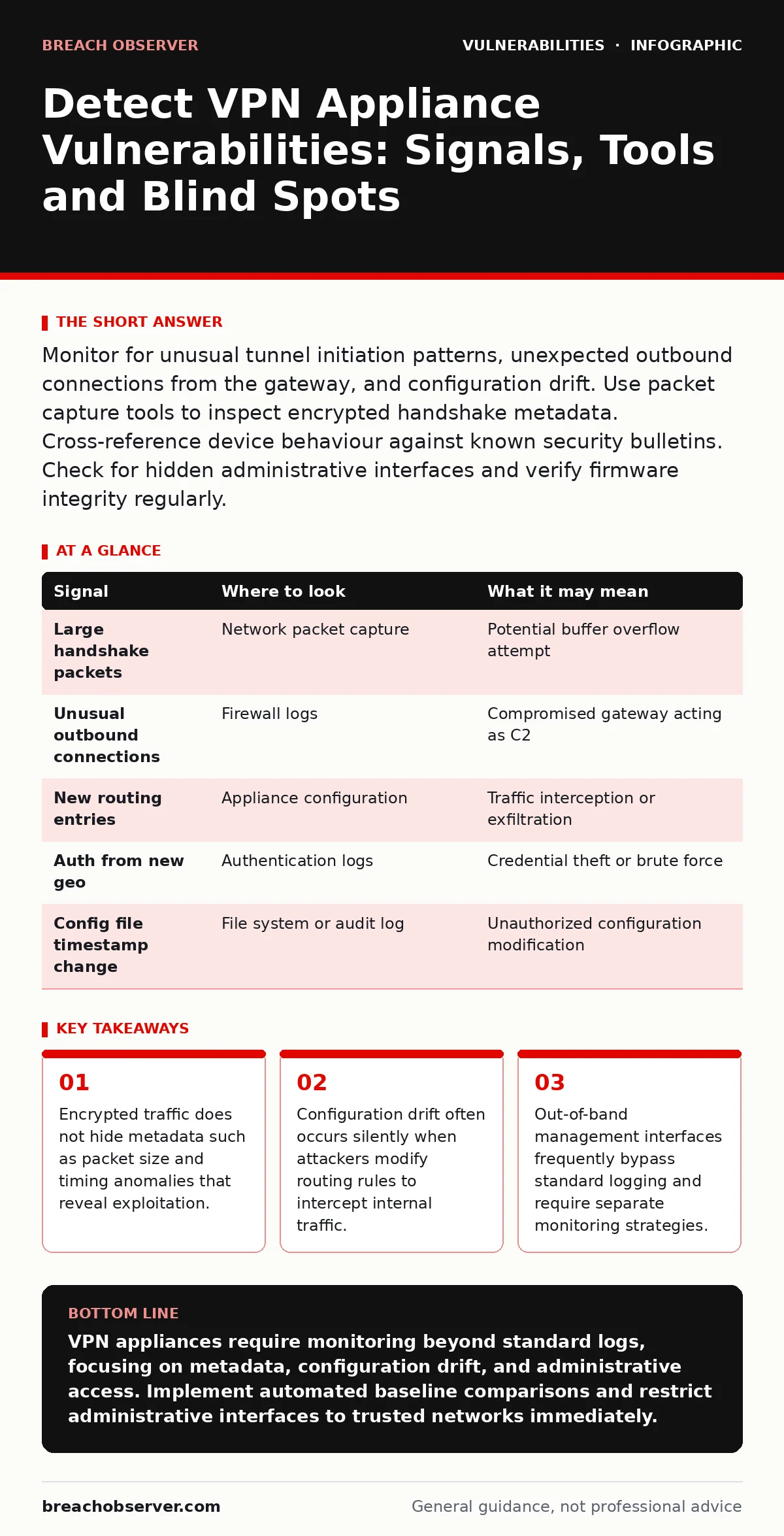
Monitor for unusual tunnel initiation patterns, unexpected outbound connections from the gateway, and configuration drift. Use packet capture tools to inspect encrypted handshake metadata. Cross-reference device behaviour against known security bulletins. Check for hidden administrative interfaces and verify firmware integrity regularly.
Log Anomalies Reveal Early Access
VPN appliance logs often contain the first evidence of compromise. Standard authentication logs show successful logins, but they rarely reveal how an attacker gained access if they used a valid credential. Look for authentication events from unusual geographic locations or at irregular times. These patterns suggest credential theft or brute-force success.
Pay attention to failed login attempts that suddenly stop. A spike in failures followed by a single success indicates a successful brute-force attack. This pattern is distinct from normal user error. Review the source IP addresses associated with these events. If the IP belongs to a known malicious range or a residential proxy, investigate further.
Do not rely solely on the appliance’s internal logs. Attackers often clear local logs to cover their tracks. Forward logs to a centralised system immediately. This ensures you retain evidence even if the appliance is wiped. Check for log entries that show configuration changes. Any modification to routing tables or user groups should trigger an immediate review.
Network Traffic Patterns Expose Exploitation
Encrypted VPN tunnels hide payload content, but they cannot mask metadata. Packet size and timing patterns remain visible to network monitoring tools. Look for unusually large packets during the initial handshake phase. This may indicate an attempt to exploit buffer overflow vulnerabilities in the encryption library.
Monitor outbound connections from the VPN gateway itself. The appliance should only initiate connections for updates or remote management. Any other outbound traffic suggests the device is acting as a command-and-control node. Check for connections to unknown external IPs on non-standard ports. These connections often indicate data exfiltration or attacker control.
Imagine a scenario where the VPN gateway starts sending small, regular packets to an external server every minute. This behaviour mimics a heartbeat signal from compromised software. Detecting this requires baseline monitoring of normal gateway traffic. Deviations from the baseline, even subtle ones, warrant immediate investigation.
Configuration Drift Indicates Silent Takeover
Attackers often modify configurations to maintain access without triggering alerts. Routing table changes are a common method. An attacker may insert a route that directs sensitive traffic through a compromised intermediate host. This allows them to intercept data without breaking the encryption tunnel.
Check for new user accounts or modified permission groups. Attackers create backdoor accounts with administrative privileges. These accounts may have generic names that blend in with legitimate staff. Review the last modification time for all configuration files. Any recent change without a corresponding ticket or approval process is suspicious.
Verify that default administrative interfaces are disabled. Many appliances ship with default passwords or enabled demo accounts. If these remain active, attackers can gain immediate access. Disable any unused services on the appliance. This reduces the attack surface and limits opportunities for exploitation.
| Signal | Where to look | What it may mean |
|---|---|---|
| Large handshake packets | Network packet capture | Potential buffer overflow attempt |
| Unusual outbound connections | Firewall logs | Compromised gateway acting as C2 |
| New routing entries | Appliance configuration | Traffic interception or exfiltration |
| Auth from new geo | Authentication logs | Credential theft or brute force |
| Config file timestamp change | File system or audit log | Unauthorized configuration modification |
Tooling for Deep Inspection
Standard vulnerability scanners often miss logic flaws in VPN appliances. You need tools that inspect protocol behaviour and configuration integrity. Use packet capture software to record and analyse traffic. This allows you to inspect handshake details and identify anomalous patterns.
Configuration comparison tools help detect drift. Take a snapshot of the secure configuration baseline. Compare the current configuration against this baseline regularly. Any differences highlight potential unauthorized changes. Automate this comparison to ensure frequent checks.
Integrate with exposure management platforms to identify internet-facing weaknesses. These tools map your external attack surface and flag misconfigured services. They provide context for vulnerabilities found in security bulletins. This helps prioritise remediation efforts based on actual exposure.
The Hidden Cost of Encrypted Blind Spots
Encrypted traffic creates a significant blind spot for traditional security tools. Firewalls and intrusion detection systems cannot inspect the payload. This makes it difficult to detect malware or data exfiltration occurring inside the tunnel. You must rely on metadata analysis and endpoint detection.
Endpoint detection and response tools on connected devices can identify malicious activity. If a user’s device is compromised, the VPN tunnel may carry malicious traffic. Monitor endpoint behaviour for signs of compromise. This provides visibility into the traffic that the appliance itself cannot see.
Consider the impact of weak password policies on VPN security. If users reuse passwords, attackers can gain access through other breached services. Enforce multi-factor authentication for all VPN connections. This adds a layer of security that passwords alone cannot provide.
See also: Remediation Tracking: How to Close Vulnerabilities Before Exploitation · Pre-authentication vulnerabilities: detection, exploitation and mitigation
Administrative Interfaces Require Separate Focus
Administrative interfaces on VPN appliances are high-value targets. Attackers often target these interfaces to gain full control. These interfaces may run on different ports or use different protocols than the user-facing VPN service. Ensure these interfaces are not exposed to the public internet.
Use out-of-band patches for critical administrative components. These patches address vulnerabilities in the management plane separately from the data plane. Applying them promptly reduces the window of exposure. Verify that patching processes do not disrupt service availability.
Imagine an attacker who gains access to the administrative interface. They can modify encryption settings to weaken security. They can also install backdoors that persist across reboots. Regular penetration testing helps identify these weaknesses before attackers do.
Blind Spots in Standard Monitoring
Standard monitoring often misses subtle signs of compromise. Attackers use low-and-slow techniques to avoid detection. They make small changes over time to blend in with normal activity. This requires continuous monitoring and baseline comparison.
Another blind spot is the reliance on vendor-provided logs. These logs may not capture all relevant events. Attackers can exploit gaps in logging to hide their activity. Supplement vendor logs with external monitoring tools. This provides a more complete view of appliance behaviour.
Check for signs of exploit kits being used against the appliance. These kits often target known vulnerabilities in web-based management interfaces. Ensure that the appliance’s web interface is up to date and hardened. Disable unnecessary features to reduce the attack surface.
Prioritising Remediation Based on Exposure
Not all vulnerabilities pose the same risk. Prioritise remediation based on the appliance’s exposure to the internet. Devices facing the public internet require immediate attention. Internal-only devices have a lower risk profile but still need regular updates.
Review coordinated vulnerability disclosure programmes for your appliance vendor. These programmes provide early notice of critical flaws. Acting on this information allows you to patch before widespread exploitation. Integrate this intelligence into your vulnerability management process.
Maintain a regular schedule for reviewing and updating configurations. Drift accumulates over time, increasing risk. Regular reviews ensure that the appliance remains aligned with security best practices. This proactive approach reduces the likelihood of successful attacks.
Key takeaways
- Encrypted traffic does not hide metadata such as packet size and timing anomalies that reveal exploitation.
- Configuration drift often occurs silently when attackers modify routing rules to intercept internal traffic.
- Out-of-band management interfaces frequently bypass standard logging and require separate monitoring strategies.
VPN appliances require monitoring beyond standard logs, focusing on metadata, configuration drift, and administrative access. Implement automated baseline comparisons and restrict administrative interfaces to trusted networks immediately.
Frequently asked questions
How do I detect a VPN appliance compromise if traffic is encrypted?
Analyze metadata such as packet size, timing, and connection patterns. Monitor for unusual outbound connections from the gateway and check for configuration changes that do not match approved baselines.
What is the biggest blind spot in VPN security monitoring?
Administrative interfaces often bypass standard logging and monitoring tools. They require separate, dedicated monitoring to detect unauthorized access or configuration changes effectively.
Should I rely on vendor logs for detecting VPN vulnerabilities?
No, vendor logs may be incomplete or cleared by attackers. Supplement them with external network monitoring and configuration comparison tools to ensure comprehensive visibility.
How often should I check VPN appliance configurations?
Check configurations daily or use automated tools to compare against a baseline in real-time. Drift can occur silently and indicates potential unauthorized access or misconfiguration.
How this guide was produced: written by the Breach Observer editorial team with AI assistance, checked against the public references listed below, and reviewed when the facts change. See our editorial policy or report an error.